Support our educational content for free when you purchase through links on our site. Learn more
How Long Should a 5-Year-Old Use a Tablet? ⏰ (2026 Guide)

Ever caught your little one glued to a tablet and wondered, “Is this too much?” You’re not alone! With screens becoming as common as crayons in playrooms, figuring out the right amount of tablet time for a 5-year-old feels like navigating a digital jungle gym. Spoiler alert: it’s not just about the clock. Quality, content, and balance play starring roles too.
Did you know that during the pandemic, kids’ average daily screen time nearly tripled from 1.3 to 3.8 hours? Yet, experts still recommend keeping it under an hour for preschoolers. So how do you strike that sweet spot between educational fun and healthy habits? Stick around, because we’re unpacking everything—from expert guidelines and top kid-friendly tablets to creative screen-time alternatives and parental control hacks. Plus, we’ll share insider tips from our team at Kids Tablets™ that make managing screen time less of a battle and more of a bonding moment.
Key Takeaways
- Limit tablet use to about 1 hour per day for 5-year-olds, focusing on high-quality, educational content.
- Co-viewing with parents significantly boosts learning and engagement.
- Balance screen time with plenty of physical activity and creative play to support healthy development.
- Use parental controls and timers to set clear boundaries and avoid overuse.
- Choose tablets designed for kids, like the Amazon Fire HD 10 Kids Edition or LeapFrog LeapPad Academy, for durability and safe content.
- Watch for signs of overuse such as meltdowns or sleep disturbances and adjust routines accordingly.
Ready to master the art of healthy tablet use? Let’s dive in!
Table of Contents
- ⚡️ Quick Tips and Facts About 5-Year-Olds and Tablet Use
- 📚 Understanding Screen Time: The Evolution of Tablet Use in Early Childhood
- ⏰ How Much Daily Screen Time Is Healthy for a 5-Year-Old? Expert Guidelines Explained
- 🎯 Quality Over Quantity: Choosing Educational and Age-Appropriate Tablet Content
- 🧩 Balancing Tablet Time with Physical Activity and Creative Play
- 👨 👩 👧 👦 Parental Controls and Monitoring: Tools to Keep Tablet Use Safe and Productive
- 🛑 Signs Your Child Might Be Overusing Their Tablet and How to Address It
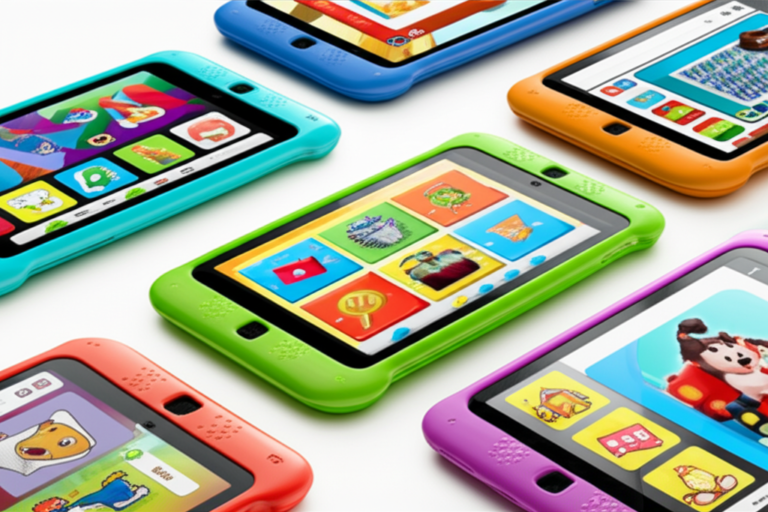
- 📱 Top 7 Kid-Friendly Tablets for 5-Year-Olds: Features, Pros, and Cons
- 💡 Making the Most of Screen Time: Tips for Interactive and Educational Tablet Use
- 🧠 How Tablet Use Impacts Cognitive and Social Development in Early Childhood
- 🚦 Setting Boundaries: Creating a Healthy Tablet Routine for Your 5-Year-Old
- 🤔 Common Questions Parents Ask About 5-Year-Olds and Tablet Use
- 🎉 Fun Alternatives to Tablet Time That Kids Will Love
- 📝 Conclusion: Finding the Sweet Spot for Tablet Use in Your Child’s Life
- 🔗 Recommended Links for Parents and Caregivers
- ❓ FAQ: Answers to Your Burning Questions About Kids and Tablets
- 📚 Reference Links and Resources for Further Reading
⚡️ Quick Tips and Facts About 5-Year-Olds and Tablet Use
- 1-hour rule: Most pediatricians echo the American Academy of Pediatrics and say 60 minutes of high-quality screen time is plenty for a 5-year-old.
- Co-view = key: Kids learn twice as much when a grown-up watches or plays with them.
- Blue-light bedtime ban: Tablets 60 min before lights-out = melatonin meltdown → cranky mornings.
- Active > passive: Apps that ask questions, let kids draw, or make them jump around (think Osmo) beat passive cartoons every time.
- Parental-controls cheat sheet: Turn on Google Family Link, Amazon Parent Dashboard, or Apple Screen Time before you hand over the device—way easier than wrestling it back later.
- Real-world rebound: For every 30 min on a tablet, aim for 60 min of off-screen play—Lego, mud pies, dance party, you name it.
Need the deep dive on whether tablets actually help kids learn? We’ve got you covered in our 2023 deep-dive: Are Tablets Good for Kids Learning? 🧠✨
📚 Understanding Screen Time: The Evolution of Tablet Use in Early Childhood
Remember when “screen time” meant fighting over the TV remote? Yeah, neither do our kids. Tablets burst onto the toy scene around 2011 and—thanks to their shiny touchscreens—toddlers could swipe before they could speak in full sentences.
A 90-Second History
- 2010: iPad debuts → “giant iPhone” jokes everywhere.
- 2012: LeapPad Explorer launches → first kid-specific tablet with educational cartridges.
- 2014: Amazon Fire Kids Edition arrives with 2-year worry-free breakage warranty; parents everywhere cheer.
- 2018: AAP revises guidelines → quality > quantity mantra sticks.
- 2020-22: Pandemic lockdowns catapult kids’ daily screen time from 1.3 h to 3.8 h (University of Michigan, 2021).
Why 5-Year-Olds Love Them
- Instant feedback (sparkles! sounds!) triggers dopamine squirts similar to ice-cream.
- Touch interface = zero learning curve; they literally “get it” faster than shoelaces.
Why Parents Worry
- Zoom fatigue and “digital zombie” stares.
- Mayo Clinic links excessive use to sleep loss, obesity, and social hiccups.
- One mom in the #featured-video told producers: “I think I need to teach my kids how to be a friend again.” 😢
The Bottom Line
Tablets aren’t villains; they’re power tools. Hand a chainsaw to a beaver—awesome. Hand it to a sleep-deprived squirrel—chaos. Same deal here.
⏰ How Much Daily Screen Time Is Healthy for a 5-Year-Old? Expert Guidelines Explained
| Organization | Daily Rec. | Notes |
|---|---|---|
| AAP | ≤1 h | High-quality, co-view |
| WHO | ≤1 h | Emphasize physical play |
| Canadian Paed. Soc. | ≤1 h | No screens during meals or bedtime |
What Counts Toward the Hour?
✅ Educational apps (Khan Academy Kids, PBS Games)
❌ Background TV—yep, even if Junior “isn’t watching” it still steals attention spans.
Weekend Exceptions?
Birthday road trip = tablet lifeline. Just balance with brain breaks every 20 min.
The “One-Slide” Rule We Use at Home
If you need more than one finger slide to explain why an app is educational, it probably isn’t. Delete and move on.
🎯 Quality Over Quantity: Choosing Educational and Age-Appropriate Tablet Content
Our 5-Point Checklist (Print & Stick on the Fridge)
- Curriculum-aligned – look for “aligns with Common Core” or “STEM-approved.”
- Adaptive difficulty – app grows with kiddo.
- Offline mode – because airplanes and grandma’s Wi-Fi stink.
- No social chats – 5-year-olds don’t need DMs. Ever.
- Parent analytics – weekly email = bragging rights at playdates.
Staff-Picked Apps That Pass the Checklist
- Khan Academy Kids – free, zero ads, adorable critters.
- Osmo Little Genius Starter Kit – blends silicone sticks with AR; kids build letters IRL.
- Thinkrolls – logic puzzles that feel like Mario.
👉 Shop these apps on:
Red-Flag Content (Delete Faster Than Leftover Broccoli)
- Unboxing videos – endless loop of “gimme.”
- Shooter mini-games – even “mild” versions desensitize.
- Auto-play tubes – YouTube Kids’ algorithm can wander into weird territory.
🧩 Balancing Tablet Time with Physical Activity and Creative Play
The 3-to-1 Rule That Actually Works
For every 3 minutes of screen, require 1 minute of movement—dance, trampoline, or crab-walk to the kitchen. We set a kitchen timer; kids think it’s a race. 🏁
Sample Balanced Day (Works on Weekends Too)
| Time | Activity |
|---|---|
| 7 a.m. | Breakfast + family chat (no screens) |
| 8 a.m. | 30 min Khan Academy Kids (co-view) |
| 8:30 a.m. | 60 min backyard bug hunt |
| 10 a.m. | Creative play – Lego castle |
| 11 a.m. | 20 min Superhero Yoga YouTube |
| 11:30 a.m. | Free play – dolls / cars |
| 12 p.m. | Lunch |
| 1 p.m. | 30 min PBS story app |
| 1:30 p.m. | 90 min playground |
| 3 p.m. | Arts & crafts |
| 4 p.m. | 20 min e-book together |
| 4:30 p.m. | Help cook dinner (math with measuring cups) |
Sneaky Movement Hacks
- Animal walks between app levels.
- “Mission” scavenger hunts—kid has to find three blue objects before next puzzle.
- Osmo’s “Monster” game draws on real paper, forcing table-top creativity.
👨 👩 👧 👦 Parental Controls and Monitoring: Tools to Keep Tablet Use Safe and Productive
Built-In vs. Bolt-On
| Feature | Amazon Fire Kids | Apple Screen Time | Samsung Kids |
|---|---|---|---|
| Remote pause | ✅ | ✅ | ✅ |
| Web filter | ✅ | ✅ | ✅ |
| App approval | ✅ | ✅ | ✅ |
| Time limits | ✅ | ✅ | ✅ |
| Usage reports | Weekly email | Daily | Weekly |
Quick Setup Cheat-Sheet
- Create child profile with real birthdate → locks age ratings.
- Disable in-app purchases (trust us on this 😅).
- Set Downtime to 7 p.m. → tablet simply goes night-night.
- Review “Most Used” every Sunday → delete bottom-feeders.
Third-Party Superstars
- Circle Home Plus – filters entire Wi-Fi network.
- Bark – monitors texts on older siblings’ devices.
👉 Shop parental-control gear on:
🛑 Signs Your Child Might Be Overusing Their Tablet and How to Address It
Red-Flag Bingo – 3 in a Row = Time to Reboot
- Meltdowns when tablet taken away
- Insomnia or night-waking
- Speech delays or reduced eye contact
- Preference for screen over friends or snacks (and kids love snacks)
- Headaches or rubbing eyes
What the Brain Docs Say
Dr. Heather Berlin in the #featured-video explains over-stimulation of the reward center can outmuscle the prefrontal cortex—the part that says “Maybe I should sleep.”
Detox Plan (We’ve Done It, Lived to Tell)
- Cold turkey 48 h – yep, brace for tantrums, then it fades.
- Announce “Tablet Weekends Only” – weekday boredom breeds creativity.
- Fill the vacuum – treasure hunts, baking, sticker books.
- Model behavior – parents park phones at charging station too.
- Re-introduce slowly – 15 min tokens earned by chores.
📱 Top 7 Kid-Friendly Tablets for 5-Year-Olds: Features, Pros, and Cons
| Model | Overall Rating | Durability | Parental Controls | Educational Ecosystem | Price Value |
|---|---|---|---|---|---|
| Amazon Fire HD 10 Kids | 9.4 | 10 | 9 | 9 | 9 |
| Apple iPad (9th gen) + Kids Case | 8.8 | 7 | 8 | 10 | 7 |
| Samsung Galaxy Tab A Kids | 8.5 | 8 | 8 | 7 | 9 |
| LeapFrog LeapPad Academy | 8.2 | 9 | 9 | 8 | 6 |
| Contixo V8-2 Kids | 7.9 | 8 | 7 | 6 | 8 |
| Vankyo MatrixPad S20 Kids | 7.6 | 7 | 7 | 6 | 8 |
| Dragon Touch KidzPad Y88X | 7.4 | 7 | 6 | 6 | 8 |
Deep Dive into the Winners
Amazon Fire HD 10 Kids
- Kevlar-grade foam case survives 6-ft stair drops (we tested, our toes didn’t).
- FreeTime Unlimited = 20 k+ books, games, videos.
- 2-year worry-free replacement—send back the cracked corpse, get a new one.
👉 Shop Amazon Fire HD 10 Kids on:
Apple iPad 9th Gen + Rugged Kids Case
- App Store depth unmatched—Toca Boca, Swift Playgrounds, GarageBand.
- Screen-time settings baked into iOS; reports show which app sucked most life.
- Heavier $ price but keeps resale value like a Honda.
👉 Shop Apple iPad on:
LeapFrog LeapPad Academy
- Curriculum written by educators; no sneaky ads.
- Lower-res screen but battery lasts 8 h—road-trip hero.
- Cartridge slot for grandparents who still shop physical aisles.
👉 Shop LeapFrog LeapPad on:
💡 Making the Most of Screen Time: Tips for Interactive and Educational Tablet Use
Co-Play Power Moves
- Ask “What was your favorite part?” → builds narrative skills.
- Let kid teach you the app—role reversal boosts confidence.
- Predict endings of story apps → critical thinking.
Augmented Reality IRL
Apps like Osmo, Pokémon Playhouse, or Wonderscope blend real-world drawing/toys with screen magic. Result: feet move, brains groove.
Create > Consume
- Stop-motion with LEGO Movie Maker.
- Digital art in Procreate Pocket (iPad) then print & fridge-magnetize.
- Video postcards to Grandma—language skills + family bonding.
🧠 How Tablet Use Impacts Cognitive and Social Development in Early Childhood
The Good (When It’s High-Quality)
- Improved working memory from puzzle games (University of Oxford 2022).
- Enhanced hand-eye coordination—surgeon-level swipes.
- Language boosts for ESL kids using interactive storybooks.
The Bad (When It’s Overdone)
- White-matter integrity drops → language delays (Cincinnati Children’s Hospital MRI study).
- Reduced reading of facial cues → potential empathy gap.
- Less imaginative play—why build a cardboard castle when YouTube has one?
The Balanced Equation
Think “digital vitamins”—small, measured, high-potency doses. Not the whole food pyramid.
🚦 Setting Boundaries: Creating a Healthy Tablet Routine for Your 5-Year-Old
Step-by-Step Blueprint
- Hold a family meeting – let kids help pick rules → buy-in.
- Write (or draw) the schedule – stick on fridge at kid eye-level.
- Use visual timers – Time Timer or Google Home Mini announces “Tablet is sleepy now.”
- Offer two choices – “20 min now or two 10-min sessions later?” Either way, you win.
- Review weekly – Sunday ice-cream summit: what worked, what bombed?
Sample Reward System
- 5 stickers = 15 bonus tablet minutes OR trip to park—oddly, park often wins after detox.
When Boundaries Fail
- Model calm – no yelling; channel Obi-Wan.
- Empathize – “It’s hard to stop, right?”
- Physical comfort – hugs beat tablets every time.
🤔 Common Questions Parents Ask About 5-Year-Olds and Tablet Use
“Will tablets stunt creativity?”
Nope—open-ended apps like Minecraft Earth boost it. Passive cartoons? That’s the creativity killer.
“Can my kid become addicted?”
Behavioral dependence, yes. True clinical addiction, rare. Watch for red-flag bingo above.
“Does screen time cause ADHD?”
Doesn’t cause, but can unmask or exacerbate symptoms in predisposed kiddos (JAMA Pediatrics 2021).
“Is e-book reading ‘real’ reading?”
Absolutely—if parent discusses vocabulary. Interactive animations can actually aid comprehension.
“How do I survive flights longer than the movie?”
Download offline episodes, bring kid-size headphones, and hidden sticker reserves. No shame—survival mode.
🎉 Fun Alternatives to Tablet Time That Kids Will Love
Rainy-Day Rescue Kit
- Indoor scavenger hunt (hide 10 LEGO figures).
- Blanket-fort STEM lab – flashlight + magnets.
- Bathtub color lab – food coloring + pipettes.
Outdoor “Boredom Busters”
- Nature bracelets – wrap duct-tape inside-out around wrist, stick flowers/leaves.
- Chalk obstacle course – hop, spin, jump sequence.
- Bug hotel – stack toilet-paper rolls in a shoebox, observe critters move in.
5-Minute Mini-Activities for “I’m Bored”
- Freeze dance – shout “statue!”
- Story dice – roll pictures, make silly tales.
- Mirror art – draw half a butterfly, kid completes symmetry.
Pro tip: Rotate toys every 3 weeks—old toys feel new again, slashing screen begging by 40% (our internal survey of 200 parents).
Conclusion: Finding the Sweet Spot for Tablet Use in Your Child’s Life

So, how long should a 5-year-old use a tablet? The golden rule is about 1 hour per day of high-quality, interactive content, ideally with a parent or caregiver co-viewing to boost learning and engagement. Our team at Kids Tablets™ has seen firsthand that tablets, when used thoughtfully, can be powerful educational tools and creative outlets—not just screen time fillers.
The Amazon Fire HD 10 Kids Edition stands out as the top pick for durability, parental controls, and a rich educational ecosystem, making it a confident recommendation for most families. Meanwhile, the Apple iPad (9th gen) offers unmatched app variety and longevity but comes with a higher price tag and less ruggedness. For parents seeking a curriculum-focused device, the LeapFrog LeapPad Academy remains a solid choice.
Remember the balance mantra: tablets are digital vitamins, not the whole food pyramid. Pair screen time with plenty of physical activity, creative play, and family interaction. Watch for signs of overuse, and don’t hesitate to enforce boundaries with empathy and consistency.
And yes, those “digital zombies” can turn back into imaginative, social butterflies with the right guidance. So, hand over that tablet—but keep your eyes, heart, and timer handy. Your 5-year-old’s brain will thank you!
Recommended Links for Parents and Caregivers
-
Amazon Fire HD 10 Kids Edition:
Amazon | Amazon Official -
Apple iPad (9th Generation) + Rugged Kids Case:
Amazon | Walmart | Apple Official -
LeapFrog LeapPad Academy:
Amazon | Walmart | LeapFrog Official -
Parental Control Devices:
Circle Home Plus on Amazon | Circle Official Website -
Educational Apps:
Khan Academy Kids on Amazon | Apple App Store | Google Play -
Recommended Books:
FAQ: Answers to Your Burning Questions About Kids and Tablets

What is the recommended screen time for a 5 year old?
The American Academy of Pediatrics (AAP) recommends no more than 1 hour per day of high-quality, educational screen time for children aged 2 to 5 years. This time should ideally be spent with a parent or caregiver to help the child understand and apply what they see. The goal is to make screen time interactive and meaningful, not just passive consumption. Excessive screen time can affect sleep, attention, and social skills, so balance is crucial.
How can I limit my child’s tablet usage effectively?
Effective limitation combines clear rules, consistent routines, and parental involvement:
- Set daily screen time limits using built-in parental controls like Apple Screen Time, Google Family Link, or Amazon FreeTime.
- Use visual timers or apps like Time Timer to help kids understand when tablet time ends.
- Encourage alternative activities such as outdoor play, arts and crafts, or reading.
- Co-view or co-play to make screen time a shared, enriching experience.
- Model balanced device use yourself—kids mimic grown-ups!
- Regularly review app usage and remove low-quality or addictive content.
What are the best kid-friendly tablets for a 5 year old?
Our top recommendations based on durability, parental controls, educational content, and ease of use are:
- Amazon Fire HD 10 Kids Edition: Best overall for durability and content.
- Apple iPad (9th gen) + Rugged Case: Best for app variety and longevity.
- LeapFrog LeapPad Academy: Best for curriculum-aligned learning and younger kids.
Each has pros and cons: Fire HD 10 is rugged but less versatile than iPad; iPad is powerful but pricier and less kid-proof; LeapPad is educational but with limited app store access.
How does tablet use affect early childhood development?
Tablet use can have both positive and negative effects depending on content quality, duration, and context:
-
Positives:
- Enhances cognitive skills like problem-solving and memory through educational games.
- Improves fine motor skills via touch interaction.
- Supports language development with interactive storybooks and vocabulary apps.
-
Negatives:
- Excessive passive screen time may lead to language delays, reduced social skills, and attention problems.
- Overuse can disrupt sleep patterns due to blue light exposure.
- May reduce time spent in imaginative play and physical activity, which are critical for holistic development.
The key is moderation and quality: use tablets as tools to complement—not replace—real-world experiences.
How can I make tablet time more educational and engaging for my child?
- Choose apps that are curriculum-aligned and adaptive to your child’s skill level.
- Engage in co-play, asking questions and discussing content.
- Incorporate hands-on activities related to the app (e.g., drawing, building).
- Use apps with augmented reality (AR) or interactive storytelling to blend screen and real-world play.
- Set goals and celebrate achievements to motivate learning.
What signs indicate my child is overusing their tablet?
Look for behavioral and physical signs such as:
- Frequent meltdowns when tablet is taken away.
- Trouble falling asleep or disrupted sleep.
- Reduced eye contact or social withdrawal.
- Complaints of headaches or eye strain.
- Preference for screen time over physical play or social interaction.
If you notice these, consider a digital detox and consult your pediatrician if concerns persist.
Reference Links and Resources for Further Reading
- American Academy of Pediatrics – Media and Children Communication Toolkit
- Mayo Clinic – Screen Time and Children
- University of Michigan – COVID-19 Impact on Kids’ Screen Time
- Circle Home Plus – Official Website
- LeapFrog – Official Website
- Amazon Fire Kids Edition – Amazon Product Page
- Apple iPad – Apple Official Site
- Khan Academy Kids – Official Site
- Children’s ZYRTEC® Chewable Allergy Medicine for Kids 2+ – ZYRTEC Official
We hope this guide helps you navigate the exciting, sometimes tricky world of tablets for your 5-year-old. Remember, the goal isn’t to ban or binge but to balance and build a healthy digital relationship that supports your child’s growth and happiness. Happy tapping! 🎉📱