Support our educational content for free when you purchase through links on our site. Learn more
What Age Is Appropriate for a Kids Tablet? 🎯 (2026 Guide)

Wondering when to hand over that shiny kids’ tablet without sparking a screen-time battle? You’re not alone! As parents and app developers at Kids Tablets™, we’ve seen it all—from toddlers mesmerized by colorful apps to preteens mastering creative tools on their own devices. But the million-dollar question remains: What age is truly appropriate for a kids’ tablet?
In this comprehensive guide, we unpack the science behind developmental readiness, share expert-backed age recommendations, and reveal our top tablet picks tailored for every stage—from curious toddlers to savvy elementary schoolers. Plus, stick around for insider tips on setting up parental controls, balancing screen time, and choosing apps that turn digital play into meaningful learning. Spoiler alert: it’s not just about age, but how you introduce the tech that makes all the difference!
Key Takeaways
- Avoid screen time for children under 18 months, except for video chatting, as recommended by the American Academy of Pediatrics.
- Ages 3-5 are ideal for introducing dedicated kids’ tablets with strong parental controls and curated educational content.
- Amazon Fire HD 8 Kids Edition is our top pick for toddlers and preschoolers due to its durability and kid-friendly ecosystem.
- Apple iPad (10th Generation) shines for older kids needing versatility, performance, and access to a vast app library.
- Parental controls and co-viewing are essential to ensure safe, balanced, and enriching tablet use.
- Quality content beats quantity—interactive, educational apps foster learning far better than passive video watching.
Ready to find the perfect tablet and age to start? Dive in and discover how to make screen time smart, safe, and fun!
For shopping our top tablet picks:
- Amazon Fire Kids Tablets: Amazon | Walmart
- Apple iPads for Kids: Amazon | Apple Official Website
Table of Contents
- ⚡️ Quick Tips and Facts About Kids Tablets and Age Appropriateness
- 👶 Understanding the Right Age for Kids Tablets: Developmental Milestones and Screen Time
- 📚 The Evolution of Kids Tablets: From Educational Tools to Entertainment Hubs
- 🔢 7 Key Factors to Consider When Choosing a Tablet for Your Child’s Age
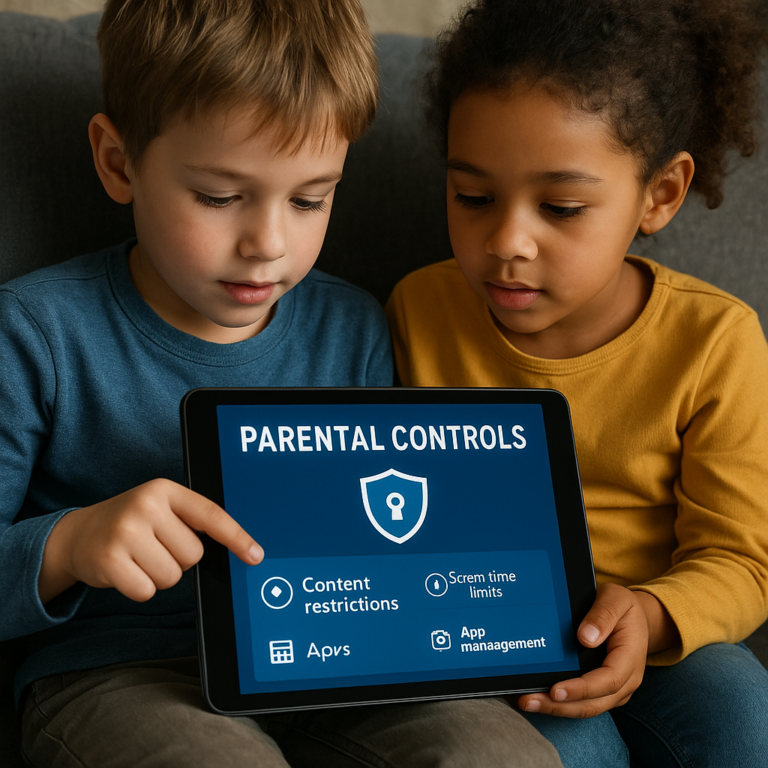
- 1. Age-Appropriate Content and Parental Controls
- 2. Screen Size and Durability for Different Age Groups
- 3. Educational Value vs. Entertainment Features
- 4. Battery Life and Usage Time Limits
- 5. User Interface Simplicity and Accessibility
- 6. Price Range and Value for Money
- 7. Brand Reputation and Customer Support
- 🎯 How to Introduce Your Child to Tablets Without Overdoing Screen Time
- 🛡️ Safety First: Protecting Your Kids Online with Tablets
- 📊 Comparing Top Kids Tablets by Age Group: Features and Recommendations
- 💡 Tips from Parents and Developers: Making the Most of Kids Tablets
- 🔍 Debunking Myths: Are Kids Tablets Harmful or Helpful?
- 🎉 Fun and Learning Combined: Best Apps for Different Ages on Kids Tablets
- 🧩 Alternatives to Tablets: When and Why to Consider Other Options
- 📅 Planning Screen Time: Creating a Balanced Digital Routine for Your Child
- 🔚 Conclusion: Finding the Perfect Age and Tablet for Your Child’s Growth
- 🔗 Recommended Links for Parents Exploring Kids Tablets
- ❓ Frequently Asked Questions About Kids Tablets and Age Appropriateness
- 📚 Reference Links and Trusted Sources on Kids Tablets and Child Development
Here is the main body of the article, written as requested.
⚡️ Quick Tips and Facts About Kids Tablets and Age Appropriateness
Welcome! We’re the team of parents, kids, and app developers at Kids Tablets™, and let’s be honest, the question of when to hand your child a tablet is a modern parenting minefield. Is it a magical window to learning or a Pandora’s box of digital distractions? The truth, as we’ve discovered through countless hours of testing, developing, and parenting, is that it’s all about how and when. We’ve put together this ultimate guide on Kids Tablets to help you navigate this journey.
Before we dive deep, here are some quick takeaways to get you started:
| Quick Fact / Tip | The Lowdown |
|---|---|
| 👶 Minimum Age | The American Academy of Pediatrics (AAP) advises against screen media for children under 18 months, except for video chatting. |
| ⏰ Toddler Time (18-24 mos) | If you introduce screens, limit it to high-quality educational programming and always watch with them. Think of it as a shared digital picture book. |
| 🏫 Preschool Power (Ages 3-5) | This is often the sweet spot for introducing a dedicated kids’ tablet. Experts note that by age three, kids can benefit from well-designed educational media. |
| 🎮 Content is King | What your child is watching is far more important than the device itself. Interactive, educational apps beat passive video consumption every time. |
| 🔒 Parental Controls are Non-Negotiable | A good kids’ tablet isn’t just about the fun stuff; it’s about robust, easy-to-use parental controls that let you manage time, content, and spending. |
| 💪 Durability Matters! | Kids are… well, kids. A tablet destined for their hands needs a tough, rubberized case. Trust us on this one. Our in-house “kid-testers” have put this to the test more times than we can count! |
| 👀 The 20-20-20 Rule | To help prevent digital eye strain, encourage your child to take a break every 20 minutes to look at something 20 feet away for 20 seconds. |
👶 Understanding the Right Age for Kids Tablets: Developmental Milestones and Screen Time
So, is there a single magic number for the “right age”? Nope! Sorry, it’s not that simple. As the experts at the Child Safety Store wisely point out, “readiness varies by child.” It’s less about their chronological age and more about their developmental stage.
Under 2 Years Old: The “No-Go” Zone (Mostly)
The first few years are a whirlwind of brain development. This is when little ones learn by touching, tasting, smelling, and interacting with the real, 3D world. As Dr. Carolyn Jaynes, a child development expert, told PBS Parents, “Children under two years of age learn best from real-world experiences and interactions, and each minute spent in front of a screen-based device is a minute when your child is not exploring the world and using their senses.”
- Our Take: We agree. Stick to wooden blocks, squishy toys, and board books. The only exception the AAP makes is for video-chatting with Grandma—that’s about connection, not content consumption.
Ages 2-3: The Cautious Introduction
This is where things get interesting. Around this age, many toddlers are developing fine motor skills and can understand simple cause-and-effect, which makes tapping a screen suddenly make sense. If you choose to introduce a tablet now, the key is co-viewing. Sit with them, talk about the colors and shapes, and make it an interactive experience. Think of it as a tool you use together.
Ages 3-5: The Preschool Sweet Spot
This is prime time for introducing one of the many fantastic Educational Tablets on the market. Children in this age group are sponges for learning letters, numbers, and problem-solving skills. A well-chosen tablet with high-quality educational apps can be a powerful learning companion.
- ✅ Look for: Simple interfaces, durable designs, and curated, ad-free content libraries like those found on the Amazon Fire HD Kids Edition or LeapFrog devices.
- ❌ Avoid: Unrestricted access to YouTube or app stores where they can stumble upon inappropriate content.
📚 The Evolution of Kids Tablets: From Educational Tools to Entertainment Hubs
Remember the days of the LeapPad? Here at Kids Tablets™, we sure do! Some of our parent-developers remember buying those for their own kids. They were chunky, often green and purple, and had cartridges for each game. They were pure, unadulterated learning machines.
Fast forward to today, and the landscape has exploded! The modern kids’ tablet is a sleek, powerful device that’s part-classroom, part-movie theater, and part-art studio. Brands like Apple and Amazon have created ecosystems that can grow with your child. The journey from a simple educational toy to a full-fledged tablet reflects the broader integration of technology into our lives. But with great power comes great responsibility… which brings us to the features you absolutely need to look for.
🔢 7 Key Factors to Consider When Choosing a Tablet for Your Child’s Age
Feeling overwhelmed by the options? Don’t be. We’ve broken it down into seven key areas to focus on. Think of this as your pre-shopping checklist.
1. Age-Appropriate Content and Parental Controls
This is, without a doubt, the most important factor. A tablet is only as good as the content it provides and the safety it ensures.
- What to look for:
- Walled Gardens: Services like Amazon Kids+ offer a curated library of thousands of age-appropriate books, apps, videos, and games. You don’t have to worry about your child stumbling onto the wild web.
- Granular Controls: Can you set daily time limits? Can you specify that they must read for 30 minutes before playing games? Can you disable the web browser and in-app purchases? The best systems, like those on an Apple iPad running Screen Time, give you this level of control.
- Whitelisting: The ability to approve specific websites or YouTube channels is a game-changer for older kids who want a bit more freedom.
2. Screen Size and Durability for Different Age Groups
A tablet for a 3-year-old has very different physical needs than one for a 9-year-old.
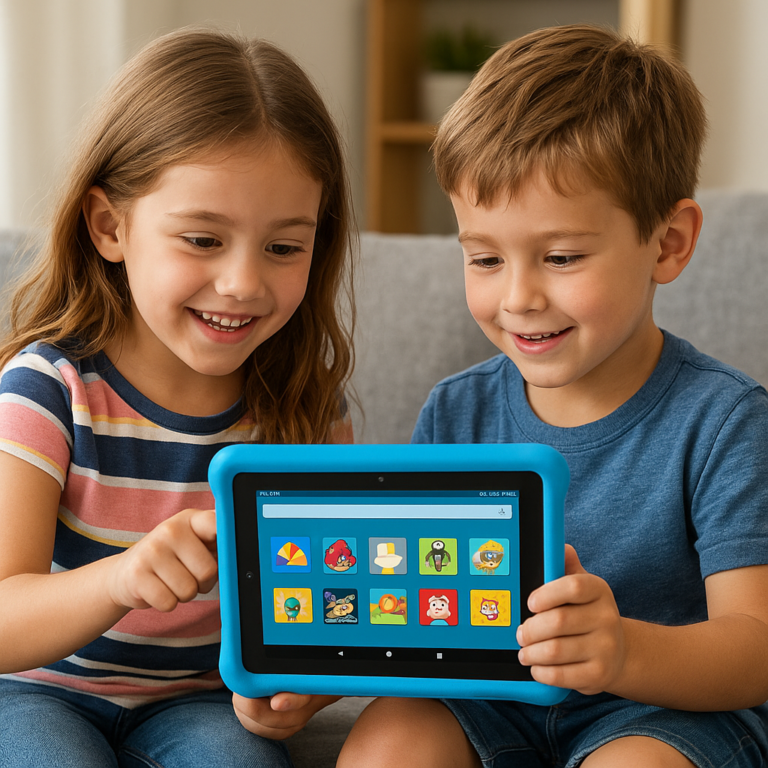
- For Toddlers & Preschoolers (Ages 2-5): Think small and tough. A 7- or 8-inch screen is plenty big for their little eyes and hands. Most importantly, it must come with a thick, bouncy, “kid-proof” case. The foam-like cases that come with Amazon Fire Kids tablets are legendary for a reason—we’ve seen them survive some truly epic tumbles.
- For Early Elementary (Ages 6-9): You can graduate to a slightly larger 8- to 10-inch screen. They’ll appreciate the extra real estate for games and reading. While a built-in case is still a great idea, you can also opt for a more standard tablet like an iPad and buy a rugged case separately from brands like OtterBox.
3. Educational Value vs. Entertainment Features
The holy grail is a tablet that makes learning feel like play.
- Educational Focus: Brands like LeapFrog are still laser-focused on curriculum-based learning. Their devices are fantastic for reinforcing school concepts.
- Balanced Approach: Amazon Kids+ and Google Kids Space (found on some Android tablets) do a great job of mixing educational content with popular characters and games from Disney, Nickelodeon, and PBS Kids. This balance is often the key to keeping kids engaged.
- Entertainment Powerhouses: An Apple iPad offers the largest selection of apps, period. This includes top-tier educational apps like Khan Academy Kids and creative powerhouses like Procreate, but it also means you have to be more diligent in curating their experience yourself.
4. Battery Life and Usage Time Limits
A dead tablet in the middle of a road trip is a parent’s nightmare! Look for devices that offer at least 7-10 hours of mixed-use battery life. But just as important is your ability to control when that battery is being used. We love features like Amazon’s “Bedtime,” which automatically shuts the tablet down at a designated time. No more “just one more level!” arguments.
5. User Interface Simplicity and Accessibility
A child’s first tablet should be intuitive. They shouldn’t need a manual.
- Kid-Friendly Launchers: The Amazon Kids interface is brilliant. It uses large, colorful icons and character-based navigation that even a 3-year-old can master.
- Standard but Simple: Apple’s iOS is famously user-friendly, making it a solid choice for kids who are ready for a more “grown-up” device. Check out our deep dives into iOS Tablets for more tips.
6. Price Range and Value for Money
You don’t need to break the bank.
- Budget-Friendly All-Stars: The Amazon Fire Kids lineup offers incredible value. The price often includes the tablet, a kid-proof case, a 2-year worry-free guarantee (they’ll replace it if it breaks, no questions asked!), and a year of Amazon Kids+.
- Premium Investment: An Apple iPad is a more significant investment, but its versatility, longevity, and massive app ecosystem can make it worthwhile for older kids or families who will share the device.
7. Brand Reputation and Customer Support
When the screen inevitably freezes or you can’t figure out a parental control setting, good customer support is a lifesaver. Brands like Amazon, Apple, and Samsung have established support systems. The 2-year guarantee from Amazon for their Kids tablets is a standout feature that provides incredible peace of mind.
🎯 How to Introduce Your Child to Tablets Without Overdoing Screen Time
So you’ve picked the perfect device. Now what? The initial rollout is crucial for setting healthy habits. Don’t just hand it over and walk away!
- Set It Up First: Before your child even sees the box, take an hour to set up the parental controls. Create their profile, set time limits, and download a few amazing apps. Our Tablet How-To Guides can walk you through this for specific models.
- Make it a “Together” Activity: For the first few days, use the tablet with them. This is what experts call co-viewing. Ask questions: “What are you building in that game?” or “What did you learn about dinosaurs from that video?” This transforms it from a passive to an active experience.
- Establish Clear Rules from Day One: Create a family media plan. Decide when and where the tablet can be used. A great rule we use in our own homes is “No tablets in bedrooms, and no tablets at the dinner table.” Keeping devices in common areas like the living room makes monitoring much easier.
- Use a Timer: When screen time is over, it’s over. Physical timers (like a fun kitchen timer) can be a great visual cue for younger kids and help avoid arguments.
🛡️ Safety First: Protecting Your Kids Online with Tablets
The online world can be a scary place. Luckily, kids’ tablets are designed with this in mind.
- Master the Parental Controls: We can’t stress this enough. Learn how to:
- Filter Content: Set the age range so they only see appropriate books, videos, and apps.
- Manage Web Access: Start with the browser disabled. For older kids, use a “whitelisted” approach where you approve specific, safe websites (like PBS Kids or National Geographic Kids).
- Disable Purchases: Turn off in-app purchasing to avoid any surprise credit card bills. Ouch.
- The “Stranger Danger” Talk, Digitized: Have ongoing conversations about online safety. Teach them not to share personal information (name, school, address) and not to click on strange links.
- Lead by Example: As Kathleen Clarke-Pearson of the AAP noted, “Parents need to be models for their children… strike a balance, turn them off and spend real time with their children.” If they see you glued to your phone 24/7, they’ll learn that behavior.
📊 Comparing Top Kids Tablets by Age Group: Features and Recommendations
Alright, let’s get to the good stuff! Which tablet should you actually buy? We’ve put our top picks head-to-head in our Tablet Comparisons. For a great visual rundown of the top models this year, the first YouTube video embedded above, titled “Top 5 Kids Tablets in 2025👌,” is a fantastic resource.
Here are our team’s recommendations based on age.
Best for Toddlers & Preschoolers (Ages 2-5): Amazon Fire HD 8 Kids Edition
This is the device our parent-developers consistently recommend to friends and family for this age group. It’s practically indestructible and the ecosystem is perfect for little ones.
| Feature | Rating (1-10) |
|---|---|
| Durability | 10/10 |
| Parental Controls | 9/10 |
| Content Library (Kids+) | 9/10 |
| Ease of Use | 10/10 |
| Performance | 6/10 |
| Value for Money | 10/10 |
The Amazon Fire HD 8 Kids isn’t the fastest tablet on the block, but that’s not the point. Its strength lies in the complete package: the tough-as-nails case, the two-year “no questions asked” warranty, and the brilliant Amazon Kids+ subscription that provides a seemingly endless supply of curated, age-appropriate content. The parental controls are simple to set up and give you total peace of mind.
👉 CHECK PRICE on:
Best for Early Elementary (Ages 6-9): Apple iPad (10th Generation)
When your child is ready for more power, a bigger screen, and a wider world of apps, the Apple iPad is the undisputed champion.
| Feature | Rating (1-10) |
|---|---|
| Durability (with case) | 8/10 |
| Parental Controls (Screen Time) | 9/10 |
| App Selection (App Store) | 10/10 |
| Ease of Use | 9/10 |
| Performance | 10/10 |
| Value for Money | 7/10 |
The iPad is a more significant investment, and you’ll need to buy a durable case separately. However, its performance is light-years ahead of dedicated kids’ tablets. It can handle more complex educational games, creative apps like GarageBand, and school-related tasks with ease. Apple’s built-in Screen Time features provide robust parental controls, allowing you to manage nearly every aspect of their usage. It’s a device that will grow with them for years.
👉 CHECK PRICE on:
- Apple iPad (10th Gen): Amazon | Walmart | Apple Official Website
💡 Tips from Parents and Developers: Making the Most of Kids Tablets
As a team of parents, kids, and developers, we have a unique 360-degree view of these devices. Here are some of our insider tips:
- A Parent’s Tip (from Sarah, mom of two): “Use the tablet as a reward, not a pacifier. We have a rule: 30 minutes of reading a real book earns 30 minutes of tablet time. It has completely changed the dynamic in our house and encourages a balance between digital and analog activities.”
- A Developer’s Tip (from Ben, lead app dev): “Look at the app’s permissions before you download it! A simple puzzle game shouldn’t need access to your contacts or microphone. Also, paid apps are often better than ‘free’ ones filled with ads and in-app purchases. A few dollars for a high-quality, uninterrupted experience is worth it.”
- A Kid’s Tip (from Leo, age 8, our chief tester): “The best games are the ones where you get to build stuff. And it’s really annoying when an ad pops up right when you’re about to beat a level!” (See? Kids hate ads, too!)
🔍 Debunking Myths: Are Kids Tablets Harmful or Helpful?
Let’s tackle some common fears head-on.
-
Myth 1: “Screen time rots your brain.”
- ❌ The Myth: Any and all screen time is bad for cognitive development.
- ✅ The Reality: The quality of the screen time is what matters. Interactive, engaging educational content can actually teach problem-solving and critical thinking skills. Passive consumption of mindless videos for hours on end? Not so much. It’s about balance and choosing the right content.
-
Myth 2: “Tablets cause social isolation.”
- ❌ The Myth: Kids with tablets will forget how to interact with real people.
- ✅ The Reality: This is where co-viewing and setting boundaries come in. A tablet can be a tool for connection. You can play a game together, or they can use an app like Caribu to read a book with a grandparent in another state. The key is ensuring it doesn’t replace essential face-to-face playtime.
-
Myth 3: “You have to spend a fortune to get a good kids’ tablet.”
- ❌ The Myth: Only the most expensive tablets are worthwhile.
- ✅ The Reality: Absolutely not! As we’ve shown, devices like the Amazon Fire Kids tablets offer phenomenal value and are often a better choice for younger kids than a pricey iPad due to their durability and curated ecosystem.
🎉 Fun and Learning Combined: Best Apps for Different Ages on Kids Tablets
A tablet is an empty slate; the apps are what bring it to life. Here are some of our team’s all-time favorites:
For Preschoolers (Ages 2-5)
- PBS KIDS Games: A treasure trove of free, educational games featuring beloved characters like Daniel Tiger and Alma.
- Khan Academy Kids: A completely free, incredibly comprehensive learning app that covers math, reading, and social-emotional skills.
- Toca Boca Series: These digital dollhouses encourage open-ended, creative play without rules or high scores. Toca Kitchen 2 is a chaotic masterpiece.
For Early Elementary (Ages 6-9)
- Minecraft: Don’t let the blocky graphics fool you. This game is a powerhouse for creativity, problem-solving, and even basic engineering concepts.
- Prodigy Math: A role-playing game where kids battle monsters by solving curriculum-aligned math problems. It’s so fun, they forget they’re learning.
- Epic!: A massive digital library with thousands of high-quality books, from picture books to chapter books. It’s a fantastic way to encourage reading.
🧩 Alternatives to Tablets: When and Why to Consider Other Options
We love tablets, but they aren’t the only tech toys in town! Sometimes, a different device might be a better fit.
- For Screen-Free Audio Fun: The Yoto Player and Tonies are brilliant audio players that let kids listen to stories, music, and podcasts by using physical cards or figures. They offer all the engagement with none of the screen-staring.
- For Early Coding Skills: Devices like the Osmo Coding Starter Kit (which works with an iPad or Fire tablet) use physical blocks to teach coding fundamentals in a super fun, hands-on way.
- For Communication: If your main goal is to stay in touch, a kid-safe smartwatch like the Gabb Watch provides calling and GPS tracking without the distractions of a full tablet.
📅 Planning Screen Time: Creating a Balanced Digital Routine for Your Child
A plan is your best defense against the dreaded “tablet zombie” syndrome. A healthy digital diet is all about balance and consistency.
Step 1: The Family Media Agreement
Sit down as a family (yes, even with a 5-year-old) and agree on the rules. Write them down and post them on the fridge.
- When: “We can use the tablet after homework is done, but not during dinner.”
- Where: “The tablet stays in the living room and gets plugged in on the kitchen counter at night.”
- How Long: “We get 1 hour of tablet time on school days and 2 hours on weekends.”
Step 2: Prioritize the Good Stuff
Encourage a “digital vegetable” before “digital dessert” approach. For example, they must complete 20 minutes on a learning app like Khan Kids before they can play Minecraft. Many tablets, like the Amazon Fire Kids, have settings to enforce this automatically!
Step 3: Remember the Real World
As the Child Safety Store article emphasizes, tablets should “complement, not replace, real-world experiences.” Ensure that for every hour of screen time, there’s plenty of time dedicated to outdoor play, reading physical books, and good old-fashioned imaginative play with toys that don’t have batteries. It’s this healthy mix that helps raise a well-rounded, happy kid in a digital world.
🔚 Conclusion: Finding the Perfect Age and Tablet for Your Child’s Growth
Choosing the right age to introduce a kids’ tablet isn’t about hitting a magic number on the calendar—it’s about understanding your child’s developmental readiness, balancing screen time with real-world experiences, and selecting a device that supports safe, educational, and fun digital exploration.
From our deep dive, here’s the bottom line:
- Under 2 years: Screens should be avoided except for video chatting. Real-world play is irreplaceable at this stage.
- Ages 2-3: Limited, supervised exposure with co-viewing of high-quality content can be beneficial.
- Ages 3-5: The sweet spot for introducing a dedicated kids’ tablet with strong parental controls and age-appropriate content.
- Ages 6 and up: More powerful tablets like the Apple iPad can grow with your child, offering a vast app ecosystem and robust parental controls.
Among the devices we reviewed, the Amazon Fire HD 8 Kids Edition stands out as the best all-around tablet for toddlers and preschoolers. Its rugged design, comprehensive parental controls, and curated content library make it a parent’s dream and a kid’s delight. The Apple iPad (10th Generation) is our top pick for older kids who need versatility, performance, and access to a huge variety of educational and creative apps.
Positives of Amazon Fire HD 8 Kids Edition:
- Incredible durability and kid-proof case
- Easy-to-use parental controls and time limits
- Extensive curated content via Amazon Kids+
- 2-year worry-free replacement guarantee
Negatives:
- Performance is modest compared to premium tablets
- Limited app selection compared to iOS devices
Positives of Apple iPad (10th Gen):
- Powerful hardware and smooth performance
- Massive app ecosystem with top educational apps
- Excellent parental controls via Screen Time
- Versatile for learning, creativity, and entertainment
Negatives:
- Requires purchase of a rugged case separately
- Higher upfront cost
So, is it worth it to get a kids’ tablet? Absolutely—when you choose the right device at the right time, and when you guide your child’s digital journey with care and clear boundaries. Remember, the tablet is a tool, not a babysitter. Use it to enrich your child’s learning and play, not replace the magic of real-world discovery.
Ready to find the perfect tablet for your child? Let’s make screen time smart, safe, and fun! 🎉
🔗 Recommended Links for Parents Exploring Kids Tablets
Here are some trusted shopping links to help you get started with the tablets and accessories we recommend:
-
Apple iPad (10th Generation):
Amazon | Walmart | Apple Official Website -
OtterBox Rugged Cases for iPad:
Amazon | OtterBox Official Website -
Khan Academy Kids App:
Official Site -
PBS KIDS Games:
Official Site -
Books on Parenting and Screen Time:
❓ Frequently Asked Questions About Kids Tablets and Age Appropriateness
What are the most popular and highly-rated kids’ tablets on the market today?
The Amazon Fire HD 8 Kids Edition and the Apple iPad (10th Generation) consistently top the charts for their balance of durability, parental controls, and content availability. The Fire HD Kids is especially beloved for younger children due to its rugged design and curated content, while the iPad is favored for older kids who need more versatility and power.
How can I restrict access to certain apps and content on my child’s tablet?
Most kids’ tablets come with built-in parental controls that allow you to:
- Set daily screen time limits
- Approve or block specific apps and content
- Disable in-app purchases
- Restrict web browsing or whitelist safe websites
For example, Amazon Kids+ lets you create profiles with tailored content and time restrictions. Apple’s iOS offers Screen Time, which provides granular control over app usage and content ratings. Always take time to explore these settings before handing over the device.
Can a kids’ tablet help with reading and literacy skills development?
✅ Absolutely! Tablets can be powerful tools for literacy when paired with the right apps. Programs like Khan Academy Kids, Epic!, and PBS KIDS Games offer interactive stories, phonics games, and vocabulary builders that engage children in reading. The key is to encourage active participation rather than passive watching.
What features should I look for in a tablet for a toddler or preschooler?
Look for:
- Durability: Thick, shock-absorbing cases and screen protectors
- Simple User Interface: Large icons, easy navigation
- Curated Content: Access to age-appropriate educational apps and videos
- Robust Parental Controls: To limit screen time and restrict content
- Battery Life: Enough to last through car rides or play sessions
The Amazon Fire HD 8 Kids Edition is a prime example of a toddler-friendly tablet.
At what age can a child use a tablet safely and responsibly?
Experts generally recommend:
- Under 18 months: Avoid screen time except video chatting
- 18-24 months: Limited, supervised exposure to high-quality content
- Ages 3-5: Introduction to dedicated kids’ tablets with parental supervision
- Ages 6 and up: Gradual increase in usage with clear rules and controls
Remember, safety and responsibility come from parental guidance and setting boundaries, not just the child’s age.
What are the best kids’ tablets for learning and education?
Devices with curated educational ecosystems are best:
- Amazon Fire HD 8 Kids Edition: Comes with Amazon Kids+ subscription offering thousands of educational apps, books, and videos.
- Apple iPad: Access to a vast range of educational apps like Khan Academy Kids, Prodigy Math, and Duolingo ABC.
Both platforms support creative apps that foster critical thinking and problem-solving.
Are there tablets designed specifically for toddlers and preschoolers?
Yes! Tablets like the LeapFrog LeapPad series and Amazon Fire HD Kids Edition are designed with young children in mind. They feature durable cases, simplified interfaces, and content curated for early learners.
How much screen time is appropriate for kids using tablets?
The American Academy of Pediatrics recommends:
- Ages 2-5: No more than 1 hour per day of high-quality programming
- Ages 6 and older: Parents should set consistent limits ensuring screen time does not interfere with sleep, physical activity, and other healthy behaviors
Use tools like timers and parental controls to enforce these limits.
How can I set parental controls on a kids’ tablet?
- Amazon Fire Kids: Use the Amazon Parent Dashboard or on-device settings to create profiles, set time limits, and filter content.
- Apple iPad: Use Screen Time in Settings to restrict apps, set downtime, and control content ratings.
- Android Tablets: Use Google Family Link to manage app access and screen time.
Always update software regularly to access the latest security features.
What are the benefits of using a tablet for early childhood learning?
- Interactive Learning: Engages multiple senses and adapts to a child’s pace.
- Access to Quality Content: Educational apps can teach letters, numbers, shapes, and social skills.
- Encourages Creativity: Drawing, music, and storytelling apps foster imagination.
- Supports Special Needs: Tablets can be customized for children with learning disabilities or speech delays.
However, tablets should complement, not replace, hands-on play and real-world interactions.
📚 Reference Links and Trusted Sources on Kids Tablets and Child Development
- American Academy of Pediatrics – Media and Children
- PBS Parents – When to Introduce Your Child to a Smartphone or Tablet
- Child Safety Store – When to Introduce a Tablet for Your Child
- Amazon Fire Kids Official Site
- Apple iPad Official Site
- Khan Academy Kids
- PBS KIDS Games
- Facebook Group: Secular Homeschool Families – What is the Best Tablet for Kids?
We hope this guide has helped clear the fog around kids’ tablets and the right age to start. Remember, the best tablet is one that fits your child’s needs, your family’s values, and your peace of mind. Happy tablet hunting! 📱✨