Support our educational content for free when you purchase through links on our site. Learn more
🤔 Should a 6-Year-Old Have a Tablet? The 2026 Truth

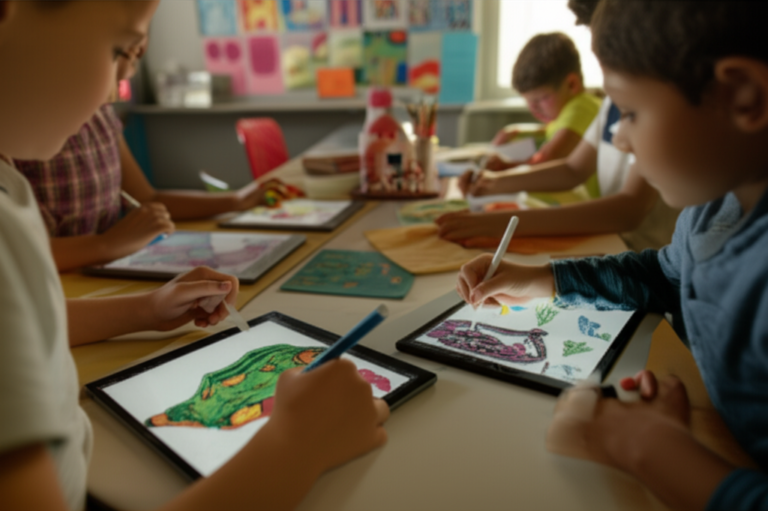
The question echoes in playgrounds, pediatrician offices, and family group chats worldwide: Should a 6-year-old have a tablet? It’s a dilemma that keeps parents up at night, torn between the promise of interactive learning and the fear of a digital addiction. At Kids Tablets™, we’ve seen it all—from the spark of curiosity in a child’s eyes as they code their first game to the dreaded “five more minutes!” tantrum when the screen goes black. The truth isn’t a simple yes or no; it’s a nuanced “it depends” on how you manage it.
Imagine this: Your 6-year-old, usually glued to a cartoon, suddenly asks you to explain how a volcano erupts because they just watched an interactive science app. That’s the magic of the right content. But flip the script, and you have a child who refuses to play outside or can’t focus on a book for more than two minutes. The difference lies not in the device itself, but in the boundaries, content, and parental involvement you bring to the table. In this comprehensive guide, we’ll reveal the 10 best educational apps that actually teach, the rugged tablets that survive toddler drops, and the exact screen-time schedule that stops the meltdowns before they start.
We’ll also dive into the science of how screens affect a developing brain, share real stories from parents who cracked the code, and give you a step-by-step checklist to set up a safe digital environment. By the end, you won’t just know if your child should have a tablet; you’ll know exactly how to make it a tool for growth rather than a source of stress.
Key Takeaways
- Balance is Everything: A tablet can be a powerful educational tool for a 6-year-old, but strict time limits and curated content are non-negotiable to prevent overstimulation.
- Safety First: Always use robust parental controls and kid-friendly browsers to filter inappropriate content and manage screen time automatically.
- Quality Over Quantity: Focus on interactive, educational apps (like Khan Academy Kids or Osmo) rather than passive video consumption to maximize developmental benefits.
- Durability Matters: Invest in a rugged, kid-proof tablet with a warranty to withstand the inevitable drops and spills of a 6-year-old.
- Active Parenting Wins: The most successful families treat tablets as a shared activity, co-playing and discussing content rather than using the device as a digital babysitter.
Table of Contents
- ⚡️ Quick Tips and Facts
- 📜 The Evolution of Screens: From TV to Tablets for 6-Year-Olds
- 🤔 The Big Question: Should a 6-Year-Old Have a Tablet?
- 🧠 Cognitive Development: How Tablets Impact Learning and Brain Growth
- ⚖️ The Pros and Cons: Weighing Educational Benefits Against Screen Time Risks
- 🛡️ Safety First: Parental Controls, Content Filtering, and Digital Privacy
- 🎮 10 Best Educational Apps and Games Perfect for 6-Year-Olds
- 📱 Hardware Showdown: Choosing the Right Rugged Tablet for Kids
- ⏱️ Setting Boundaries: Creating a Healthy Screen Time Schedule
- 🚨 Red Flags: When Screen Time Becomes a Problem for Your Child
- 🧩 Special Considerations: Tablets for Kids with ADHD and Learning Differences
- 👨 👩 👧 👦 Real Parent Stories: What Actually Works in the Trenches
- 💡 Quick Tips and Facts: The Dos and Don’ts of Tablet Parenting
- 🏁 Conclusion: Finding the Right Balance for Your Family
- 🔗 Recommended Links
- ❓ FAQ: Common Questions About Tablets for 6-Year-Olds
- 📚 Reference Links
⚡️ Quick Tips and Facts
Welcome to Kids Tablets™,
where we, a team of parents, kids, and app developers, are diving deep into a question that keeps many of you up at night: Should a 6-year-old have a tablet? It’s a tricky
one, right? On one hand, you see the incredible educational potential; on the other, the worries about screen time, eye strain, and digital addiction loom large. We get it. We’ve been there, juggling the desire to
give our kids the best tools for learning with the need to protect their childhood.
Here’s a quick snapshot of what we’ve learned and what you need to know right off the bat:
- Balance is Key: It
’s not about “yes” or “no,” but “how” and “how much.” A tablet can be a powerful learning tool when used thoughtfully. - Content Matters Most: Not all screen time is created equal!
Educational apps and interactive stories are vastly different from endless YouTube videos. - Parental Controls are Your Best Friend: Seriously, embrace them! They are essential for a safe digital environment.
- Lead by Example: Your
own screen habits influence your child’s. Model mindful tech use. - Durability is Non-Negotiable: Kids are, well, kids! A robust, kid-friendly tablet is a must-have.
Age-Appropriate Content: What’s great for a 10-year-old isn’t necessarily right for a 6-year-old. Always check ratings and reviews.
- Don’t Forget Offline
Play: Tablets should complement, not replace, traditional play, outdoor adventures, and face-to-face interactions.
We’ll unpack all of this and more, sharing our personal anecdotes, expert advice, and the latest consumer insights to help you
make the best decision for your family. Ready to navigate the digital playground with us? Let’s go!
📜 The Evolution of Screens: From TV to Tablets for 6-Year-Olds
Remember when “screen time” just meant watching Saturday morning cartoons on the family television? Ah, simpler times! Fast forward
to today, and our kids are growing up in a world saturated with screens – from smartphones in our pockets to interactive whiteboards in classrooms. The journey from a bulky cathode-ray tube to a sleek, touch-sensitive tablet has been nothing
short of revolutionary, fundamentally changing how children interact with information, entertainment, and each other.
For us at Kids Tablets™, we’ve witnessed this transformation firsthand, both as parents trying to keep up and as app developers shaping the digital landscape
. The shift isn’t just about technology becoming smaller or more portable; it’s about the interactive nature of these new devices. A TV is largely passive, but a tablet invites engagement, problem-solving, and creation.
The Paradigm Shift: Passive Viewing to Active Engagement
Historically, children’s media consumption was a one-way street. They watched, they listened, but they rarely interacted directly with the content. The advent of personal computers brought some interactivity
, but it was often confined to a desk. Then came the tablet, a game-changer that put powerful, intuitive computing directly into little hands.
- Early Days (Pre-2010s): Think chunky
desktop computers, educational CD-ROMs, and dedicated gaming consoles like the Nintendo DS. Screen time was often a scheduled event. - The Tablet Revolution (2010s onwards): The introduction of devices like the original
Apple iPad and later, kid-specific tablets such as the Amazon Fire Kids Edition, democratized access to touch-based interfaces. Suddenly, children could swipe, tap, and pinch their way through learning games, e
-books, and creative apps with remarkable ease. This shift also brought about a new wave of concern, as screen time became more pervasive and personal.
This evolution brings us to our central question: how do we harness the incredible potential of these devices
while mitigating the very real risks? It’s a balancing act, and one that requires constant vigilance and informed choices. Just as we consider the implications of a 3-year-old having a tablet, the considerations for a 6
-year-old are equally, if not more, complex, given their developing cognitive abilities and growing independence. You can read more about that here: Should a 3 Year Old Have a Tablet? 9 Expert Insights (2026) 📱.
🤔 The Big Question: Should a 6-Year-Old Have a Tablet?
This is the million-dollar question, isn’t it
? As parents, we’re bombarded with conflicting advice, glowing reviews, and dire warnings. At Kids Tablets™, we believe there’s no universal “yes” or “no” answer. Instead, it’s about individual circumstances
, thoughtful implementation, and clear boundaries.
Our kids, who are now a bit older, remember their first tablet experiences vividly. For our youngest, it was a lifeline during long car trips, transforming potential meltdowns into quiet, focused play
with educational puzzles. For another, it sparked a genuine interest in coding through kid-friendly apps. But we also saw the glazed-over eyes, the arguments over screen time limits, and the occasional exposure to inappropriate content despite our best efforts. It
’s a journey, not a destination.
Perspectives from Our Team
We’ve gathered insights from across our Kids Tablets™ team – parents from diverse backgrounds, tech-savvy kids, and our app developers who understand the backend of these devices.
- The Parent Perspective (Team Mom/Dad): “Honestly, it’s a tool. Like a hammer. You wouldn’t give a 6-year-old a hammer without supervision and teaching them how to use
it safely, right? A tablet is no different. It can build amazing things, or it can cause damage if mishandled.” Many of us feel that in today’s digital world, introducing technology responsibly is a crucial life skill. - The Kid Perspective (Team Junior): “It’s fun! I learn stuff with games, and I can talk to my cousins on it. But sometimes my eyes hurt, and my mom
makes me stop.” This highlights the dual nature of tablets for kids: they love the engagement, but often need external regulation. - The App Developer Perspective (Team Tech): “From a development standpoint, we create apps designed
to be engaging and educational. When used as intended, with parental guidance, the learning potential is immense. Interactive storytelling, STEM games, creative drawing tools – these can foster skills that traditional methods sometimes struggle to ignite.”
Key Considerations for
Your Family
Before you make a decision, ask yourself these questions:
- What’s the primary purpose? Is it for educational games, video calls with grandparents, entertainment during travel, or a mix?
Can you commit to active supervision and setting limits? A tablet isn’t a babysitter.
3. Are you prepared to manage content and parental controls? This is an ongoing task.
4. Does your
child show readiness? Can they follow instructions, understand rules, and transition away from activities without extreme meltdowns?
5. What’s your family’s overall approach to screen time? Consistency is vital.
The
American Academy of Pediatrics (AAP) suggests that for children aged 6 and older, screen time limits should be consistent and children should be encouraged to spend time on other healthy activities. We fully endorse this balanced view.
🧠 Cognitive Development: How Tablets Impact Learning and Brain Growth
At six years old, children are in a fascinating stage of rapid
cognitive development. Their brains are like sponges, soaking up new information, forming connections, and developing crucial skills like problem-solving, critical thinking, and creativity. So, how do tablets fit into this intricate process? Can they truly enhance learning
, or do they pose risks to healthy brain growth?
Our app development team at Kids Tablets™ spends countless hours researching child development theories to create apps that are not just fun, but genuinely beneficial. We’ve seen firsthand how a well-designed app
can ignite curiosity and reinforce learning concepts in ways that traditional methods sometimes struggle to achieve.
The Good: Enhancing Cognitive Skills
When used mindfully, tablets can be powerful tools for cognitive development:
-
Problem-Solving & Critical
Thinking: Many educational apps are essentially interactive puzzles that require logical reasoning, strategic planning, and trial-and-error. Think about coding games like ScratchJr or Code Karts, which introduce foundational programming concepts in a playful way. -
Literacy & Numeracy: Apps like ABCmouse.com or Osmo’s educational games can make learning to read, write, and do
basic math incredibly engaging. Interactive stories can boost vocabulary and comprehension. -
Creativity & Expression: Digital art studios (like Procreate Kids or even simple drawing apps), music creation tools, and stop-motion animation apps
empower children to express themselves in new mediums. This fosters imagination and fine motor skills. -
Information Access: With supervision, tablets can open up a world of knowledge. A 6-year-old curious about dinosaurs can instantly
explore images, videos, and facts, fueling their natural inquisitiveness. -
Fine Motor Skills & Hand-Eye Coordination: Swiping, tapping, and dragging elements on a screen can help refine fine motor skills and improve hand-
eye coordination, especially with games requiring precision.
The Bad: Potential Pitfalls for Developing Brains
However, it’s not all sunshine and rainbows. Excessive or inappropriate tablet use can have downsides:
- Reduced Attention
Spans: Rapid-fire content and constant notifications can train brains to expect instant gratification, potentially hindering the ability to focus on longer, less stimulating tasks. We’ve noticed this with our own kids – the struggle
to sit through a chapter book after an hour of fast-paced gaming is real! - Impact on Social-Emotional Development: Over-reliance on screens can displace opportunities for face-to-face interaction, imaginative play, and developing
empathy through real-world social cues. - Sleep Disturbances: The blue light emitted from screens can interfere with melatonin production, making it harder for children to fall asleep. This is why we always recommend a
“no screens before bed” rule. - Sedentary Lifestyle: Too much time glued to a tablet means less time running, jumping, and exploring outdoors, which is vital for physical health and gross motor development.
- Over
stimulation: The constant stream of sensory input from some apps can be overwhelming for a developing brain, potentially leading to irritability or difficulty regulating emotions.
The unresolved question here is how to truly maximize the benefits while effectively sidestepping these potential pitfalls. We
‘ll delve into practical strategies for this balance in later sections, particularly when we discuss parental controls and healthy screen time habits.
⚖️ The Pros and Cons: Weighing Educational Benefits Against Screen Time Risks
Deciding whether a 6-year-old should have a tablet feels like standing on a seesaw, with
educational opportunity on one side and potential risks on the other. Our team at Kids Tablets™ has spent years on this seesaw, experiencing both the highs of seeing our children thrive with digital learning and the lows of battling screen time meltdowns. Let
‘s break down the weight of each side.
✅ The Pros: Why a Tablet Can Be a Great Tool
Tablets, when used purposefully, offer a wealth of advantages for a 6-year-old’s development:
- Personalized Learning Experiences: Many educational apps adapt to a child’s pace and skill level, offering tailored challenges that keep them engaged without frustration. This is a huge win for individualized learning.
- Access to a World
of Knowledge: From virtual field trips to the Amazon rainforest to interactive lessons on space exploration, tablets can bring abstract concepts to life in vivid, engaging ways. - Development of Digital Literacy: In an increasingly digital world, understanding how to
navigate and interact with technology is a fundamental skill. Introducing tablets early, with guidance, helps build this literacy. - Creative Outlets: Digital drawing, music composition, and storytelling apps provide endless opportunities for creative expression without the mess
of traditional art supplies (a bonus for parents!). - Enhancing Core Skills: As we discussed, tablets can reinforce literacy, numeracy, problem-solving, and fine motor skills through interactive games and activities.
- Connecting
with Family: Video calls with distant relatives can be a wonderful way for 6-year-olds to maintain connections and feel closer to family members, especially important in our increasingly mobile society. - Preparation for School: Many schools now
integrate tablets and digital tools into their curriculum. Early, guided exposure can help children feel more comfortable and confident when they encounter these tools in the classroom.
❌ The Cons: The Risks We Can’t Ignore
However, it
would be irresponsible to ignore the potential drawbacks:
- Excessive Screen Time & Sedentary Behavior: The biggest concern for many parents. Too much time on a tablet means less time for physical activity, outdoor play, and hands
-on exploration, which are crucial for physical and cognitive development. The World Health Organization (WHO) recommends no more than one hour of screen time for children aged 2-4, and while there isn’t a strict upper limit for older
children, they emphasize the importance of balancing screen time with physical activity and sleep. - Impact on Sleep: As mentioned, blue light from screens can disrupt sleep patterns. We’ve certainly had nights where a late
-night tablet session led to a restless child the next morning. - Exposure to Inappropriate Content: Despite all the filters, the internet is a vast place. Accidental exposure to unsuitable videos, ads, or websites is a constant worry
. - Eye Strain and Vision Issues: Prolonged close-up screen use can contribute to eye strain, dry eyes, and potentially impact developing vision. Regular breaks are essential.
- Social
and Emotional Development Concerns: Over-reliance on screens can sometimes hinder the development of social skills, empathy, and the ability to read non-verbal cues, as real-world interactions are replaced by digital ones. - Behavioral Issues: For
some children, excessive screen time can lead to irritability, tantrums when the tablet is taken away, and difficulty transitioning to other activities. - Consumerism & Advertising: Kids are highly susceptible to advertising. Many “free” apps are
riddled with in-app purchases or ads that target children, fostering a sense of wanting more.
So, how do we tip the scales in favor of the benefits? The answer lies in proactive parenting, smart choices, and consistent
boundaries, which we’ll explore in the next section.
🛡️ Safety First: Parental Controls, Content Filtering,
and Digital Privacy
Okay, you’ve weighed the pros and cons, and you’re leaning towards getting your 6-year-old a tablet. Fantastic! But before you hand over that shiny new device, let’s talk about
the absolute non-negotiables: safety, security, and peace of mind. This is where parental controls, content filtering, and understanding digital privacy become your superhero cape.
As app developers, we know the intricacies of how these devices work
, and as parents, we know the anxieties. Trust us, skipping this step is like sending your child to a playground without fences. Don’t do it!
The Power of Parental Controls: Your Digital Guardian
Parental controls
are not about being a “helicopter parent”; they’re about being a responsible digital guide. They allow you to customize the tablet experience to be age-appropriate and safe.
Essential Parental Control Features to Look For:
Screen Time Limits: This is your most powerful tool. Set daily or weekly limits for overall tablet use, or even for specific apps. Many tablets allow you to schedule “downtime” or automatically lock the device at bedtime.
*
Example: On an Apple iPad, you can use “Screen Time” in Settings to set app limits, communication limits, and content restrictions.
- Example: Amazon Fire Kids
Edition tablets come with FreeTime (now Amazon Kids+) which offers robust time limits and educational goals. - Content Filtering & Restrictions: This is crucial for preventing access to inappropriate websites, videos
, apps, and games. - Web Filtering: Blocks adult content and allows you to whitelist specific kid-friendly sites.
- App & Game Restrictions: Prevents downloads of apps above a certain age rating (e.g., ESRB E for Everyone, or PEGI 3/7). You can also block specific apps you deem unsuitable.
- In-App Purchase Restrictions: Essential! Many free games entice kids to spend
real money. Make sure these are password-protected or disabled entirely. - App Approvals (Whitelisting): Instead of blocking what you don’t want, some systems allow you to only permit access to apps you’
ve explicitly approved. This is often the safest approach for younger children. - User Profiles: Create a separate profile for your child with their own settings, apps, and content, distinct from your own.
- Activity
Monitoring: Some parental control suites offer insights into what your child is doing on the tablet, what apps they’re using, and for how long. This can be helpful for understanding their digital habits and sparking conversations.
How to Implement Parental
Controls (Step-by-Step Example for a Generic Tablet):
- Access Settings: Go to the main “Settings” app on the tablet.
- Find Parental Controls/Digital Wellbeing: Look for sections
like “Parental Controls,” “Digital Wellbeing,” “Screen Time,” or “Family Link” (for Android). - Create a Child Profile (if applicable): If the tablet supports multiple users, create a dedicated profile for your
6-year-old. - Set Passcodes: Establish a strong passcode for your parental control settings that your child doesn’t know.
- Configure Time Limits: Set daily limits for total screen time and/
or specific app categories. Schedule “downtime” periods. - Apply Content Restrictions: Enable web filtering, restrict app downloads by age rating, and disable in-app purchases.
- Review and Adjust:
Regularly check the settings and your child’s usage. As they grow, you may need to adjust permissions.
Content Filtering: Keeping the Bad Stuff Out
Beyond general parental controls, specific content filtering mechanisms are vital.
-
YouTube
Kids: If your child watches YouTube, always use YouTube Kids instead of the main YouTube app. It’s designed specifically for children with curated content and stronger filtering, though even it isn’t foolproof. -
Curated App Stores: Tablets like the Amazon Fire Kids Edition come with Amazon Kids+ (formerly FreeTime Unlimited), which offers a vast library of age-appropriate apps, games, books, and videos, all pre
-screened. -
Browser Safety: Use kid-safe browsers or ensure your device’s browser has strict content filters enabled.
Digital Privacy: Protecting Their Information
This is a big one that many parents overlook. Our
kids’ digital footprints start early.
- Read Privacy Policies: Before downloading an app, especially a “free” one, quickly scan its privacy policy. Does it collect personal information? Does it share data with third parties?
Limit Information Sharing:** Teach your child never to share personal information (name, address, school) online.
- App Permissions: Be mindful of the permissions apps request (e.g., access to camera, microphone, location). Only
grant what’s absolutely necessary. - Strong Passwords: Ensure all accounts associated with the tablet (e.g., app store accounts) have strong, unique passwords.
By diligently setting up and maintaining these safeguards, you can
create a much safer and more controlled digital environment for your 6-year-old, allowing them to explore and learn without unnecessary risks.
🎮 10 Best Educational Apps and Games Perfect for 6-Year-Olds
So, you’ve got the tablet, you’ve locked down the parental controls – now what
? The real magic happens with the content! Choosing the right apps and games is paramount. As app developers and parents ourselves, we’ve seen countless apps come and go. The best ones aren’t just entertaining; they’re genuinely
educational, fostering curiosity, critical thinking, and creativity.
Here at Kids Tablets™, we’ve curated a list of our top 10 picks that consistently impress us and, more importantly, engage 6-year-olds in meaningful ways. These
apps go beyond rote memorization, encouraging active learning and problem-solving.
Our Top 10 Picks for Educational Excellence:
- Khan Academy Kids 📚
- Why we love it: This
app is a treasure trove! It offers thousands of educational activities, books, and videos covering math, reading, writing, and social-emotional learning, all completely free and ad-free. It adapts to your child’s learning
level. - Key Features: Personalized learning path, diverse subjects, engaging characters.
- Find it on: Apple App Store | Google Play Store
- Osmo Learning System 🧩
- Why we love it: Osmo brilliantly blends digital and physical play. It uses a base and reflector to bring real-world objects (like tangrams, letter tiles, or drawing tools) into the digital game. It’s incredibly innovative and encourages hands-on learning.
- Key Features: Blends physical and digital, covers coding, math, drawing, and more. Requires a
physical Osmo base. - Find it on: PlayOsmo Official Website | Amazon
- ABCmouse.com ✏️
- Why we love it: A comprehensive early learning academy covering reading, math, art, music, and more for ages 2-8
. It’s a subscription service, but the sheer volume and quality of content often make it worthwhile for consistent learners. - Key Features: Full curriculum, progress tracking, engaging animations.
- Find it
on: ABCmouse Official Website | Apple App Store | Google Play Store
- ScratchJr 💻
- Why we love it: Developed by MIT, ScratchJr introduces foundational coding concepts to young children (5-7) through a visual, block-based programming language. Kids
can create interactive stories and games, fostering computational thinking. - Key Features: Visual coding, creative storytelling, problem-solving.
- Find it on: ScratchJr Official Website | Apple App Store | Google Play Store
- Toca Life: World 🏡
- Why we love it: While not
strictly “educational” in the traditional sense, Toca Life: World is a fantastic open-ended digital dollhouse that promotes imaginative play, storytelling, and social-emotional learning through role-playing. It encourages creativity and exploration.
Key Features:** Open-ended play, character creation, vast virtual world.
- Find it on: Toca Boca Official Website
| Apple App Store | Google Play Store
- Epic! Kids’ Books & Reading 📖
- Why we love
it: A digital library with thousands of e-books, audiobooks, and learning videos for kids 12 and under. It’s a subscription service but offers an incredible variety of titles, encouraging a love for reading.
Key Features: Huge library, personalized recommendations, read-to-me options.
- Find it on: Epic! Official Website | Apple App Store | Google Play Store
- Procreate Kids (or similar drawing apps) 🎨
- Why we love it: While “Procreate Kids” isn’t
a specific app, many drawing apps (like Crayola Create and Play or even simplified versions of Procreate on iPad) allow kids to unleash their artistic side. Digital art can be less messy and offers endless possibilities for experimentation. - Key
Features: Digital drawing tools, various colors/brushes, undo/redo functions. - Find similar apps on: Apple App Store (search “kids drawing apps”) | Google Play Store (search “kids drawing apps”)
- Duolingo Kids 🗣️
- Why we love it: Introduces foreign languages in a fun, game-like format. While Duolingo itself is for
all ages, the kid-friendly approach makes it accessible for 6-year-olds to pick up basic vocabulary and phrases in a new language. - Key Features: Gamified language learning, short lessons, engaging characters
. - Find it on: Duolingo Official Website | Apple App Store | Google Play Store
- PBS KIDS Games 📺
- Why we love it: Based on popular PBS KIDS shows, these games are designed to be educational and developmentally appropriate. They often focus on literacy, math, and
science concepts in a gentle, non-commercial environment. - Key Features: Based on beloved characters, educational focus, free.
- Find it on: PBS KIDS Games Official Website | Apple App Store | Google Play Store
- Minecraft Education Edition ⛏️
- Why we love
it: While the standard Minecraft is popular, the Education Edition (often available through schools or with a subscription) offers structured lessons and challenges that teach everything from coding to history to engineering within the familiar blocky world. It fosters creativity, collaboration
, and problem-solving. - Key Features: Open-world building, educational lessons, collaborative play.
- Find it on: Minecraft Education Edition Official Website | Microsoft Store (for PC/Mac)
Remember, the best app is the one your child genuinely engages with and learns from. Encourage them to explore, but always review new apps before they dive in!
📱 Hardware Showdown: Choosing the Right Rugged Tablet for Kids
Alright, you’re convinced a tablet can be a valuable tool for your
6-year-old. Now comes the fun part (and for us app developers, the geeky part!): choosing the actual device. This isn’t just about specs; it’s about durability, kid-friend
liness, and value. A 6-year-old’s tablet needs to withstand drops, spills, and the occasional sticky finger.
Our Kids Tablets™ team has seen it all – from shattered screens to waterlogged devices. That
‘s why we prioritize ruggedness and kid-specific features above all else for this age group. Forget about delicate, high-end devices; for a 6-year-old, a tank disguised as a tablet is
often the best choice!
Key Considerations When Buying a Kids’ Tablet:
- Durability: This is paramount. Look for built-in protective cases, reinforced corners, and splash-proof designs.
- Parent
al Controls: As discussed, robust, easy-to-use parental controls are non-negotiable. - Content Library: Does it come with a curated library of kid-friendly content, or will you be sourcing all apps
yourself? - Performance: While you don’t need top-tier processing power, it should be fast enough to run educational apps smoothly without frustrating lag.
- Screen Quality: A decent, bright display is important for comfort
, but ultra-high resolution isn’t usually necessary. - Battery Life: Longer battery life means fewer interruptions and less charging anxiety.
- Price & Warranty: Kids’ tablets are often more affordable than their adult
counterparts, and a good warranty (like Amazon’s 2-year worry-free guarantee) is a huge plus.
Our Top Picks for Kid-Friendly Tablets:
Here’s a breakdown of some leading contenders, rated
by our team:
| Tablet Model | Design (Ruggedness) | Functionality (Performance) | Parental Controls | Content Ecosystem | Value for Money | Overall Kids Tablets™ Rating |
|---|---|---|---|---|---|---|
| :— | :— | :— | :— | :— | :— | :— |
| Amazon Fire HD 8 Kids Edition | 9/10 | 7/10 | 10/10 | |||
| 9/10 | 9/10 | 9.0/10 | ||||
| Amazon Fire HD 10 Kids Edition | 9/10 | 8/10 | ||||
| 10/10 | 9/10 | 8/10 | 9.0/10 | |||
| Apple iPad (Standard Model) | 7/10 (with case) | 9/10 | 8/10 | 9/10 | 7/10 | 8.0/10 |
| Samsung Galaxy Tab A | ||||||
| Kids | 8/10 | 7/10 | 8/10 | 7/10 | 7/10 | 7.5/10 |
- Amazon Fire HD 8 Kids Edition & Fire HD 10 Kids Edition 🔥
These are consistently at the top of our list for younger children, and the first YouTube video embedded in this article also highlights the Amazon Fire HD
8 Kids Edition as the “best overall kids tablet” and “best tablet for small children” due to its durability, battery life, and features for its price, with the HD 10 being an upgrade for older children. [cite: #featured-video]
- Design & Durability: Both come with a rugged, kid-proof case and a 2-year worry-free guarantee. If it breaks, Amazon replaces
it, no questions asked. This alone is a huge selling point for parents of 6-year-olds! - Functionality: The Fire HD 8 offers decent performance for most kid-friendly apps, while the HD
10 provides a larger screen and a bit more oomph for slightly more demanding games. They run Amazon’s Fire OS, a customized version of Android. - Parental Controls: Unbeatable. Amazon Kids+ (formerly FreeTime Unlimited) is built-in, offering granular control over screen time, content, web browsing, and app access. You can set educational goals and even block entertainment until learning goals are met.
- Content Ecosystem: A
1-year subscription to Amazon Kids+ is included, providing access to thousands of age-appropriate books, games, videos, and apps from popular brands like Disney, PBS Kids, and National Geographic. - Drawbacks: The Fire
OS isn’t as open as standard Android or iOS, meaning you might not have access to every single app available on other platforms. However, the curated Kids+ library usually makes up for this.
👉 CHECK PRICE on:
- Amazon
Fire HD 8 Kids Edition: Amazon | Walmart - Amazon Fire HD 10 Kids Edition: Amazon | Walmart
- Amazon Official Website: Amazon Kids Tablets
2. Apple iPad (Standard Model)
🍎
The standard iPad is also mentioned in the featured video as an affordable Apple option with good educational apps. [cite: #featured-video]
- Design & Durability: While not inherently “rugged,” an iPad combined
with a high-quality, kid-proof case (like those from OtterBox or Speck) becomes quite durable. Without a case, it’s a definite ❌ for a 6-year-old.
Functionality: Excellent performance, a vibrant display, and access to the vast Apple App Store. It’s incredibly responsive and future-proof for several years.
- Parental Controls: Apple’s “Screen Time
” features are robust, allowing you to set limits, restrict content, and manage app access. However, it requires more manual setup than the Fire tablets. You can read more about iOS Tablets here. - Content Ecosystem: The App Store has an unparalleled selection of high-quality educational apps, many of which are designed specifically for the iPad’s capabilities.
- Drawbacks:
Higher upfront cost, and you must factor in the cost of a protective case. The parental controls, while powerful, aren’t as seamlessly integrated into a kid-specific experience as Amazon Kids+.
👉 CHECK PRICE on:
Apple iPad (Standard Model):** Amazon | Walmart | Apple Official Website
3. Samsung Galaxy Tab A Kids 🌌
- Design & Durability: Often comes with a protective
bumper case and a dedicated “Kids Home” mode. It’s generally sturdy enough for typical kid use. - Functionality: Runs a full version of Android with Samsung’s customizations. Performance is usually solid for most kid apps
, though it might not be as snappy as an iPad. - Parental Controls: Samsung Kids (formerly Kids Home) provides a safe, curated environment with parental controls for screen time and content.
- Content Ecosystem: Access
to the Google Play Store, which has a massive selection of apps. Samsung Kids also offers some pre-loaded content. - Drawbacks: The content curation isn’t as extensive or integrated as Amazon Kids+. You’ll need
to be more proactive in finding and approving apps.
👉 CHECK PRICE on:
- Samsung Galaxy Tab A Kids: Amazon | Walmart | Samsung Official Website
When choosing, consider your budget, your existing ecosystem (Apple vs. Android), and how much hands-on management you’re willing to do. For a truly “set it and forget it
” (relatively speaking!) experience for a 6-year-old, the Amazon Fire Kids Edition tablets are hard to beat. For more flexibility and a wider app selection, an iPad with a robust case is a strong contender. You can
find more detailed comparisons on our Tablet Comparisons page.
⏱️ Setting Boundaries: Creating a Healthy Screen Time Schedule
You’ve got the tablet, you’ve got the controls, and you’ve got the apps. Now for the most crucial, and often most challenging, part:
managing screen time. This isn’t just about setting limits; it’s about creating a healthy, sustainable screen time schedule that works for your 6-year-old and your family. Without clear boundaries, even the best educational
tablet can become a source of conflict and overstimulation.
As parents on the Kids Tablets™ team, we’ve all wrestled with this. One of our developers, a dad of two, once told us, “My biggest mistake was not
setting expectations from day one. I thought they’d just naturally ‘get it.’ Nope! It was a free-for-all until we implemented a strict schedule.” Learning from our collective experience, we’ve found that consistency and communication
are your secret weapons.
Why Boundaries Are So Important for 6-Year-Olds
At six, children are developing a sense of independence but still rely heavily on external structure. They’re not yet equipped for self-regulation when
it comes to highly engaging digital content.
- Brain Development: Their brains are still forming crucial executive functions like impulse control and planning. Unlimited screen time can hinder the development of these skills.
- Physical Health: Too much sedentary
screen time impacts physical activity, sleep, and even vision. - Emotional Regulation: The constant stimulation of screens can make it harder for children to manage their emotions when they’re not engaged.
- Opportunity Cost: Every
minute spent on a tablet is a minute not spent on creative play, reading a physical book, outdoor exploration, or social interaction.
Crafting Your Family’s Screen Time Schedule: A Step-by-Step Guide
Here’
s how we recommend approaching it:
- Understand Recommendations: The American Academy of Pediatrics (AAP) suggests that for children 6 and older, consistent limits on screen time are important, ensuring it doesn’t displace adequate sleep, physical activity
, and other essential activities. While they don’t give a hard number for this age group like they do for younger kids, many experts suggest aiming for 1-2 hours of quality screen time per day for school
-aged children. - Involve Your Child (Age-Appropriately): For a 6-year-old, this means explaining why there are rules, not letting them dictate the rules. “We
have screen time rules because it helps your brain grow strong, keeps your eyes healthy, and makes sure you have time for playing outside!” - Define “Quality Screen Time”: Not all screen time is equal. Distinguish between:
-
✅ Educational/Interactive: Apps like Khan Academy Kids, Osmo, ScratchJr.
-
✅ Creative: Drawing apps, storytelling tools.
-
✅ Connecting: Video calls with family.
-
❌ Passive/Mindless: Endless YouTube videos, highly addictive games with little educational value.
-
❌ Background Noise: Tablet on just “because.”
- Establish Clear Time Slots: Instead of a
vague “an hour a day,” designate specific times.
- Example Schedule:
- Morning (before school): 15-20 minutes for an educational game or reading app.
Afternoon (after homework/outdoor play): 30-45 minutes for a chosen app or game.
- Evening (before dinner, never before bed): 15-2
0 minutes for a calming activity or video call. - Weekend Flexibility: You might allow a bit more time on weekends, but still with clear limits.
- Use Parental Controls to Enforce: This is where
your earlier setup pays off! Program the tablet to enforce the limits you’ve decided on. This removes you from being the “bad guy” constantly. “Oh, look, the tablet says it’s time to stop! It’s not
mommy’s rule, it’s the tablet’s rule!” - Create “No Screen Zones” & “No Screen Times”:
- No Screen Zones: Dining table, bedrooms (especially at night).
- No Screen Times: During meals, family conversations, 1-2 hours before bedtime.
- Offer Alternatives: When screen time ends, have compelling alternatives ready. “Tablet time is over!
Would you like to build with LEGOs, draw a picture, or play outside?” This helps with transitions. - Model Good Behavior: This is huge. If you’re constantly glued to your phone, your child will notice
. Be mindful of your own screen habits. - Be Consistent & Firm: This is where many parents falter. Once you set the rules, stick to them. Expect pushback initially, but consistency will pay off.
1 - Regularly Review & Adjust: As your child grows and their needs change, so too should your screen time rules. What works at 6 might need tweaking at 8.
Remember, the goal isn’t to eliminate screens
, but to integrate them as one healthy component of a rich, balanced childhood. It’s about empowering your child to use technology thoughtfully, not just consume it passively.
🚨 Red Flags: When Screen Time Becomes a Problem for Your Child
We’ve talked about the benefits and how to set boundaries, but what happens when things go aw
ry? As parents, we’ve all had those moments where we wonder, “Is this too much? Is my child too obsessed?” It’s crucial to recognize the red flags that indicate screen time, specifically tablet use, might
be becoming a problem for your 6-year-old.
Our Kids Tablets™ team has witnessed these signs in our own homes and heard countless stories from other parents. It’s not always a dramatic shift; sometimes it’s a
gradual erosion of healthy habits. The key is early detection and intervention.
Watch Out for These Warning Signs:
- Intense Resistance to Ending Screen Time: This is often the first and most obvious sign. If taking
the tablet away consistently results in extreme tantrums, meltdowns, aggression, or prolonged sulking that’s disproportionate to the situation, it’s a red flag. A little grumbling is normal, but persistent, severe reactions are
not. - Neglecting Other Activities: Is your child losing interest in previously loved activities like playing with friends, reading physical books, outdoor play, sports, or creative arts? If the tablet is consistently chosen over everything else, it’
s a concern. - Impact on Sleep: Difficulty falling asleep, nightmares, or waking up frequently can be linked to late-night screen use, especially due to blue light exposure. If tablet use is creeping into bedtime routines
, it’s time to reassess. - Changes in Mood or Behavior: Increased irritability, anxiety, difficulty concentrating, or even signs of depression can sometimes be linked to excessive screen time. Children
might become more withdrawn or less engaged in family interactions. - Academic Performance Decline: While a 6-year-old is just starting school, if you notice a sudden drop in attention, difficulty following instructions, or a
lack of interest in schoolwork, it’s worth considering screen time as a potential factor. - Physical Complaints: Frequent complaints of headaches, eye strain, dry eyes, neck pain, or fatigue can be indicators of too
much screen time. - Secretive or Deceptive Behavior: Is your child trying to sneak extra screen time when you’re not looking? Hiding the tablet, lying about usage, or trying to bypass parental controls are serious
red flags that indicate an unhealthy relationship with the device. - Impaired Social Interactions: If your child struggles to engage in conversations, make eye contact, or play cooperatively with peers, and this coincides with heavy tablet use, it might
be contributing to a deficit in social skill development. - Obsessive Thoughts or Conversations: Does your child talk incessantly about the tablet, specific games, or characters even when they’re not using the device? While enthusiasm is
normal, an all-consuming focus can be problematic.
What to Do If You Spot Red Flags:
If you notice one or more of these red flags, don’t panic, but do act.
-
Open
Communication: Talk to your child in a calm, non-judgmental way. “I’ve noticed you’re having a hard time stopping tablet games, and I’m worried it’s making you feel grumpy. Let’s
work together to find a better balance.” -
Re-evaluate and Tighten Limits: It might be time for a “digital detox” or a significant reduction in screen time. Revisit your parental controls and make them stricter.
-
Offer Engaging Alternatives: Actively facilitate other activities. Plan outdoor adventures, bring out board games, read together, or start a creative project. Make the alternatives more appealing than the screen.
-
Seek Professional Advice: If the issues
persist and significantly impact your child’s well-being, don’t hesitate to consult your pediatrician, a child psychologist, or an educational specialist. They can offer tailored strategies and rule out other underlying issues. -
Lead by Example (Again!): Seriously, put your own phone down. Model the behavior you want to see.
Recognizing these red flags isn’t about blaming the tablet; it’s about understanding your child’s unique relationship with technology and ensuring
it remains a positive, enriching experience rather than a detrimental one.
🧩 Special Considerations: Tablets
for Kids with ADHD and Learning Differences
When discussing tablets for 6-year-olds, it’s vital to acknowledge that not all children learn or interact with the world in the same way. For kids with ADHD (Attention-Deficit/Hyperactivity Disorder) or other learning differences, tablets can be a double-edged sword: a powerful tool for personalized learning and engagement, or a source of overwhelming distraction and potential for hyper-focus.
Our Kids Tablets™ team includes
parents who navigate these very waters, and our app developers often consult with educational specialists to design features that can support diverse learning needs. The key here is intentionality and individualized approaches.
The Potential Benefits for Kids with ADHD and Learning
Differences:
For many children with ADHD or specific learning differences (like dyslexia or dyscalculia), tablets offer unique advantages:
-
Personalized & Adaptive Learning: Many educational apps can adjust difficulty, provide immediate feedback, and present
information in multiple formats (visual, auditory, interactive) to suit individual learning styles. This can be incredibly effective for children who struggle with traditional classroom settings. -
Engaging & Interactive Content: The interactive nature of tablets can capture
and hold attention more effectively than passive learning methods. Gamified learning can motivate children who might otherwise disengage. -
Multi-Sensory Learning: Apps often combine visuals, audio, and touch, which can be highly beneficial for children who
learn best through multi-sensory input. -
Structured Practice & Repetition: For skills requiring repetition (e.g., phonics, math facts), apps can provide endless, non-judgmental practice in an engaging format.
-
Tools for Organization & Executive Function: Apps can help with scheduling, task management, and breaking down complex assignments into smaller, manageable steps – skills often challenging for kids with ADHD.
-
Assistive Technology: Tablets can host
apps for text-to-speech, speech-to-text, digital note-taking, and specialized reading tools that support children with dyslexia or other reading difficulties. -
Calming & Focus Tools: Certain apps offer guided meditations
, white noise, or simple, repetitive games that some children find calming and helpful for focusing.
The Challenges and Risks:
However, the very features that make tablets engaging can also become problematic:
- Distraction & Over
stimulation: The sheer volume of apps, notifications, and the internet itself can be incredibly distracting for a child with ADHD, making it hard to stay on task. - Hyper-focus (or “Tunnel Vision”): Children with ADHD can sometimes
become intensely focused on a single game or app, making it extremely difficult to transition away from the device. This can lead to intense meltdowns when limits are enforced. - Displacement of Other Activities: The highly rewarding nature of screens can
easily displace physical activity, social interaction, and other forms of play crucial for development. - Sleep Disruption: As with all children, blue light and stimulating content before bed can be particularly disruptive for children with ADHD who may already struggle with
sleep regulation. - Exposure to Inappropriate Content: Without strict controls, the risk of stumbling upon unsuitable content is always present.
Strategies for Success:
If your 6-year-old has ADHD or a learning difference, a
tablet can be a powerful ally, but it requires even more careful management:
- Consult with Professionals: Work with your child’s pediatrician, occupational therapist, or educational psychologist. They can offer specific recommendations for apps and strategies tailored
to your child’s needs. - Strict Parental Controls (and then some!): Utilize every parental control feature available – time limits, content filtering, app whitelisting, and in-app purchase restrictions. Consider
using a dedicated kid’s tablet like the Amazon Fire Kids Edition for its robust built-in controls and curated content. - Curated App Selection: Focus on apps specifically designed to support learning differences or enhance executive
functions. Look for apps that are:
- Ad-free and distraction-free.
- Adaptive and offer clear, immediate feedback.
- Engaging but not overly stimulating.
Relevant to their specific learning goals.
4. Structured & Predictable Schedule: Implement a very clear and consistent screen time schedule. Use visual timers or alarms to signal transitions.
5. “First/Then” Strategies
: “First, we’ll do your reading app for 20 minutes, then we can play with your LEGOs.” This helps with transitions.
6. Co-Viewing & Co-Playing: Don’t just hand
over the tablet. Sit with your child, engage with the app, and discuss what they’re learning. This helps guide their focus and makes it a shared experience.
7. Emphasize Breaks: Encourage frequent “brain
breaks” and movement breaks.
8. Prioritize Offline Activities: Ensure a rich environment of non-screen activities is readily available and encouraged. This is even more critical for children who might gravitate towards screens.
9. **
Monitor for Hyper-focus:** Be vigilant for signs of hyper-focus. If your child struggles to disengage, try a gradual warning system (“5 minutes left, then 2 minutes left”) or a physical transition activity.
A tablet for
a child with ADHD or learning differences is not a magic bullet, but with thoughtful planning, strict boundaries, and the right content, it can be an invaluable tool to support their unique journey of learning and growth.
👨 👩 👧 👦 Real Parent Stories: What Actually Works in the Trenches
Numbers, facts, and expert opinions are great, but
sometimes, what you really need is to hear from other parents who are right there in the thick of it. At Kids Tablets™, we’re a team of parents ourselves, and we’ve gathered some real-world anecdotes – the triumphs
, the struggles, and the “aha!” moments – to give you a glimpse into what actually works when managing tablets for 6-year-olds.
These are the stories from the trenches, where theory meets reality, and sticky fingers meet touch
screens.
Story 1: The “Educational Only” Rule – A Game Changer for Liam’s Learning
“My son, Liam, was 6 and obsessed with YouTube. I mean, obsessed. Every time I’
d try to take the tablet, it was a full-blown meltdown. We were at our wits’ end,” shares Sarah, a Kids Tablets™ parent and content creator. “Then we implemented the ‘educational apps only’ rule. We
removed all entertainment apps and YouTube, and only allowed access to things like Khan Academy Kids and Osmo. The first week was rough, but then something amazing happened. He started genuinely
engaging with the learning games. He’d come to me excited about a new math concept he mastered or a story he created in ScratchJr. The meltdowns virtually disappeared because the ‘fun’ factor
was now tied to learning, not just passive consumption. It shifted his mindset, and ours.”
Key Takeaway: Curating content strictly for educational purposes can transform screen time from a battleground into a learning zone. It requires initial
firmness but can yield incredible results.
Story 2: The “Tablet Timer” – Giving Control (and Responsibility) to Maya
“My daughter, Maya, always felt like I was the ‘screen time police’,” recounts Mark, one
of our app developers. “She’d argue, ‘Just five more minutes!’ every single time. So, we bought a simple, non-digital kitchen timer. She gets 45 minutes of tablet time after school, and **
she sets the timer herself.** When it rings, it rings. The timer is the ‘bad guy,’ not me. She knows the rule, she sets the timer, and she’s responsible for stopping when it goes off. It gave
her a sense of control and significantly reduced the arguments.”
Key Takeaway: Empowering children with a visual, external timer can foster self-regulation and reduce parental conflict. It shifts responsibility from parent to child (and the timer!).
Story 3: The “Family Tech-Free Zone” – Reclaiming Connection for the Chen Family
“We noticed our family dinners were becoming quiet, with everyone sneaking glances at their phones, even the kids with their tablets,” says
Emily, a Kids Tablets™ product tester. “We decided to implement a ‘Tech-Free Zone’ for our dining room and during family meals. All devices go into a basket by the door. At first, there was some complaining
, especially from our 6-year-old, Leo. But within a week, we were having actual conversations again. We played ‘I Spy’ at the table, talked about our day, and just connected. It reminded us that technology
should enhance our lives, not replace our relationships.”
Key Takeaway: Designating specific tech-free zones and times can help families reconnect and prioritize face-to-face interaction.
Story 4: The “Co
-Play and Discover” Approach – Unlocking Creativity with Ben
“I used to just hand my son, Ben, his Amazon Fire Kids Edition and let him play,” admits David, a parent on our marketing team. “But
then I started sitting with him for the first 15 minutes of his screen time. We’d explore new apps together, or I’d ask him about the game he was playing. One day, we discovered a simple animation app,
and I saw his eyes light up. We started making little stop-motion videos together. It wasn’t just ‘his’ tablet anymore; it was ‘our’ creative tool.”
Key Takeaway: Engaging in co-play and
co-discovery with your child transforms screen time into a shared, enriching experience, fostering connection and guiding their learning.
These stories aren’t about perfection; they’re about finding strategies that fit your family and your child’s unique personality
. The common thread? Intentionality, clear communication, and consistent boundaries. It’s a journey of trial and error, but knowing what’s worked for others can certainly light the way!
💡 Quick Tips and Facts: The Dos and Don’ts of Tablet Parenting
We’ve covered a lot of
ground, from cognitive development to hardware showdowns and real-life stories. Now, let’s distill all that wisdom into a concise, actionable guide: the Dos and Don’ts of Tablet Parenting for 6-Year-Olds. Think
of this as your cheat sheet for navigating the digital world with confidence and clarity.
This section is packed with insights from our Kids Tablets™ team, combining our expertise as parents, kids, and app developers.
✅ The DOs of
Tablet Parenting:
- DO Prioritize Educational Content: Focus on apps that genuinely teach, foster creativity, and encourage problem-solving. Think Khan Academy Kids, Osmo, and ScratchJr.
DO Implement Robust Parental Controls: Set strict time limits, content filters, and disable in-app purchases. This is your digital safety net.
- DO Co-View and Co-Play: Sit with your child, engage
with what they’re doing, and turn screen time into a shared learning experience. Ask questions, discuss, and discover together. - DO Establish Clear Rules and Routines: Consistency is key. Use visual timers, designate tech
-free zones (like the dining table and bedrooms), and stick to your schedule. - DO Model Healthy Screen Habits: Your child watches you! Be mindful of your own phone use. Put your device down during family time.
DO Encourage Offline Alternatives: Have compelling non-screen activities readily available – books, art supplies, outdoor play, board games.
- DO Choose a Durable, Kid-Friendly Tablet: Invest in a device that can withstand the
rigors of childhood, like an Amazon Fire Kids Edition tablet, or a standard tablet with a heavy-duty case. You can explore more options on our Kid-Friendly Tablets page. - DO Talk About Digital Citizenship: Even at 6, you can start conversations about being kind online, not sharing personal information, and understanding ads.
- DO Regularly Review
and Adjust: What works today might not work tomorrow. Be flexible and willing to adapt your rules and app selections as your child grows. - DO Use Tablets as a Tool, Not a Babysitter: While they can offer
moments of peace, their primary role should be for learning, connection, or structured entertainment.
❌ The DON’Ts of Tablet Parenting:
- DON’T Use the Tablet as a Constant Pacifier: While it’
s tempting for quiet, relying on it solely to manage tantrums or boredom can create an unhealthy dependency. - DON’T Allow Unlimited or Unsupervised Screen Time: This is a recipe for disaster. Without limits, children struggle with
self-regulation and can be exposed to inappropriate content. - DON’T Let Screens Creep into Bedtime Routines: The blue light and stimulating content can severely disrupt sleep. Aim for at least an hour of screen-
free time before bed. - DON’T Ignore Red Flags: If you notice changes in mood, sleep, behavior, or a loss of interest in other activities, address it immediately.
- DON’T Assume All ”
Kids’ Apps” are Good: Many apps marketed to children are filled with ads, in-app purchases, or have questionable educational value. Always vet new apps. - DON’T Allow Tablets at the Dinner Table or During Family
Time: These are crucial moments for connection and conversation. - DON’T Be Afraid to Take a “Digital Detox”: If things feel out of control, a temporary break from screens can reset habits and highlight the importance of other
activities. - DON’T Feel Guilty: This is a learning process for everyone. Every parent struggles with screen time to some degree. Focus on making informed choices and being consistent.
By keeping these Dos and Don’ts
in mind, you can confidently integrate tablets into your 6-year-old’s life in a way that supports their development, fosters learning, and maintains a healthy balance. It’s about being proactive, not reactive, and empowering
your child to be a thoughtful digital citizen.