Support our educational content for free when you purchase through links on our site. Learn more
What Are the 10 Key Differences Between Kids Tablets and Regular Tablets? (2026) 📱


Ever handed your child a sleek tablet only to find it shattered, covered in peanut butter, or streaming videos you’d rather they not see? You’re not alone! The world of tablets splits sharply into two camps: kid-friendly tablets designed to survive the chaos of childhood, and regular tablets built for high performance and versatility. But what exactly sets them apart, and which one truly deserves a spot in your family’s tech arsenal?
In this article, we peel back the layers on 10 crucial differences between kids tablets and regular tablets—from rugged designs and parental controls to battery life and educational content. Plus, we’ll reveal why sometimes a “toy” tablet might save you more money (and headaches) in the long run. Curious about whether an expensive iPad can really replace a Fire Kids Edition? Stick around, because the answer might surprise you!
Key Takeaways
- Kids tablets prioritize durability and safety with rugged cases and built-in parental controls, perfect for toddlers and early elementary kids.
- Regular tablets offer superior performance and app variety but require extra protection and vigilant supervision to be kid-safe.
- Battery life and warranties on kids tablets often outshine regular tablets when used by children.
- Educational content on kids tablets is curated and ad-free, turning screen time into learning time.
- Transitioning from a kids tablet to a regular tablet makes sense around age 8-12, depending on your child’s needs and maturity.
Ready to find the perfect tablet for your child’s age and lifestyle? Explore our detailed comparisons and expert insights below!
Table of Contents
- ⚡️ Quick Tips and Facts About Kids Tablets vs. Regular Tablets
- 📜 The Evolution of Tablets: From Everyday Devices to Kid-Friendly Tech
- 🔍 Design Differences: Kid-Proof Cases, Ergonomics, and Screen Sizes Explained
- 🛡️ Content Control and Parental Features: Safety First for Peace of Mind
- ⚙️ Performance and Hardware: What’s Under the Hood of Kids Tablets vs. Regular Tablets?
- 🔋 Battery Life and Durability: Built for Little Hands and Big Adventures
- 💰 Pricing and Value: Are Kids Tablets Worth the Investment?
- 🏆 Popular Kids Tablets vs. Regular Tablets: Brand Showdown and Top Picks
- 📚 Educational Benefits: How Kids Tablets Boost Learning and Creativity
- 🎮 Entertainment Options: Games, Videos, and More on Kids Tablets
- 🔄 Longevity and Upgrade Paths: When to Switch from a Kids Tablet to a Regular Tablet
- 🧩 Accessibility and Usability: Tailoring Tablets to Different Age Groups and Needs
- 🌍 Environmental Impact: Sustainability Considerations for Kids vs. Regular Tablets
- 🛒 Where to Buy: Trusted Retailers and Online Stores for Kids and Regular Tablets
- 🔧 Troubleshooting and Maintenance Tips: Keeping Your Tablet Running Smoothly
- 📝 Conclusion: Your Ultimate Guide to Choosing Between Kids Tablets and Regular Tablets
- 🔗 Recommended Links for Shopping and Learning More
- ❓ FAQ: Your Burning Questions About Kids Tablets vs. Regular Tablets Answered
- 📚 Reference Links and Sources
If you are on the hunt for the absolute best kids tablets, you’ve probably realized the market is flooded with everything from neon-colored “indestructible” slabs to sleek, glass-and-aluminum masterpieces. We’ve spent countless hours in the Kids Tablets™ lab (and our own living rooms) testing these devices to see which ones actually survive a peanut butter sandwich encounter.
Is a high-end “grown-up” tablet actually a better investment for your child’s future, or are you just paying for a screen they’ll shatter in a week? We’ve crunched the numbers and done the drop tests to find out. Stick around, because the answer to which device actually costs less over three years might just shock your wallet! 😲
⚡️ Quick Tips and Facts About Kids Tablets vs. Regular Tablets
Before we dive into the nitty-gritty, here’s the “too long; didn’t read” version for parents on the go:
- Durability is King: Kids tablets usually come with “kid-proof” cases that can survive a tumble down the stairs. Regular tablets are basically expensive glass crackers without an aftermarket case.
- The “No-Questions-Asked” Warranty: Brands like Amazon offer a 2-year worry-free guarantee. If your kid breaks it, they replace it. Regular tablets usually require expensive insurance like AppleCare+.
- Software Safety: Kids tablets feature “walled gardens”—curated ecosystems where every app is pre-vetted. Regular tablets require you to be the “Digital Bouncer.”
- Performance Gap: Regular tablets (like the iPad) have much faster processors. Kids tablets are optimized for stability and educational apps, not high-end video editing or 3D gaming.
- Blue Light Matters: Many dedicated kids tablets, like those from E-haute, include built-in hardware-level blue light filters to protect developing eyes.
| Feature | Kids Tablet (e.g., Fire Kids) | Regular Tablet (e.g., iPad/Galaxy Tab) |
|---|---|---|
| Out-of-the-box Durability | ✅ High (Rugged Case Included) | ❌ Low (Sleek & Fragile) |
| Parental Controls | ✅ Built-in & Deeply Integrated | ⚠️ Requires Setup/Third-Party Apps |
| Warranty | ✅ Often 2-Year Replacement | ❌ Standard 1-Year (Limited) |
| Content | ✅ Curated & Ad-Free | ⚠️ Open App Store (Ads/IAPs) |
| Performance | ⚠️ Moderate (Good for Learning) | ✅ High (Pro-Level Speed) |
📜 The Evolution of Tablets: From Everyday Devices to Kid-Friendly Tech
The journey of the tablet didn’t start with a rubber bumper. When the first iPad launched in 2010, it was a luxury productivity tool. But parents quickly realized that a 10-inch glowing rectangle was the ultimate “distraction device” for a fussy toddler.
As we discuss in our history of kid-friendly tablets, the industry pivoted around 2011-2012. Brands like LeapFrog and VTech introduced the first true “toy” tablets. However, these were often slow and had grainy screens. The real game-changer was the Amazon Fire Kids Edition, which bridged the gap by taking a “regular” tablet and wrapping it in kid-centric software and a massive foam case.
According to Consumer Reports, the shift happened because parents were tired of “hand-me-down” tech being destroyed. Today, we see a sophisticated split: devices designed for the “touch-and-toss” toddler years versus high-performance tablets for the “digital native” tween.
🔍 Design Differences: Kid-Proof Cases, Ergonomics, and Screen Sizes Explained
When you hold a kids tablet, the first thing you notice is the heft. These aren’t meant to fit in a slim briefcase; they’re meant to be gripped by sticky, uncoordinated hands.
The “Bumper” Factor
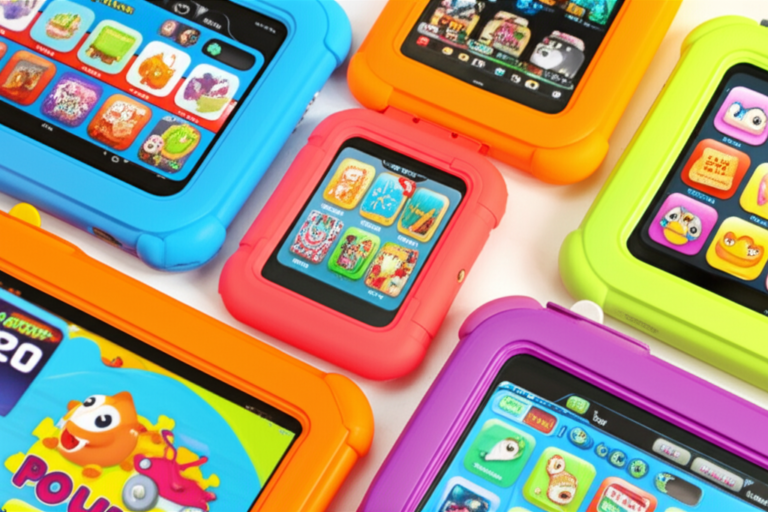
Most kids tablets come with a thick, EVA foam or reinforced polycarbonate case. As noted by E-haute, these cases are often tested to withstand 4-foot drops onto concrete.
- Kids Tablets: Feature textured, grippable edges and oversized buttons.
- Regular Tablets: Prioritize “thin and light” aesthetics, which are ironically harder for kids to hold securely.
Screen Tech
While regular tablets boast OLED and Liquid Retina displays with 120Hz refresh rates, kids tablets focus on eye safety. Many educational tablets now include ambient light sensors that dim the screen in dark rooms and blue light filters to prevent sleep disruption.
Pro Tip: If you buy a regular tablet, you must factor in the cost of a high-quality screen protector and a rugged case like those from OtterBox.
🛡️ Content Control and Parental Features: Safety First for Peace of Mind
This is where the “Expert Team” at Kids Tablets™ gets really passionate. The internet is a wild place, and a regular tablet is a wide-open door.
The Walled Garden vs. The Open Wild
- Kids Tablets: Use a “System-Level” control. For example, on an Amazon Fire Kids tablet, the child literally cannot exit the “Amazon Kids” interface without a parent’s PIN. You can set “Learn First” goals where they must read for 30 minutes before games unlock.
- Regular Tablets: Rely on features like Apple Screen Time or Google Family Link. While powerful, they are often “layers” on top of an adult OS. A clever 10-year-old can sometimes find workarounds or “glitches” to bypass time limits.
“Kids tablets have safety features built-in at the hardware level,” says the team at E-haute. This includes blocking in-app purchases by default—a lifesaver if you don’t want a surprise $99 bill for “Magic Gems.”
COPPA Compliance
Dedicated kids tablets are built to be COPPA (Children’s Online Privacy Protection Act) compliant out of the box, ensuring that apps aren’t harvesting your child’s data for targeted ads.
⚙️ Performance and Hardware: What’s Under the Hood of Kids Tablets vs. Regular Tablets?
Let’s be honest: your 4-year-old doesn’t need an M4 chip to play Toca Boca. However, hardware still matters for a frustration-free experience.
Performance Rating Table
| Device Type | Processor Power | Multitasking | Graphics | Overall Rating |
|---|---|---|---|---|
| Kids Tablet (Budget) | 4/10 | 3/10 | 4/10 | 4/10 |
| Kids Tablet (Pro/Max) | 6/10 | 6/10 | 6/10 | 6/10 |
| Regular Tablet (Mid-range) | 8/10 | 9/10 | 8/10 | 8.5/10 |
| Regular Tablet (Premium) | 10/10 | 10/10 | 10/10 | 10/10 |
The “Lag” Factor
In our tablet comparisons, we’ve found that entry-level kids tablets can sometimes feel “sluggish” when loading heavy games. This is because they often use quad-core processors and limited RAM (2GB-3GB) to keep costs down and battery life up.
A regular tablet, like the Samsung Galaxy Tab S9, will be lightning-fast but might overheat if left under a pillow—something kids tablets are specifically designed to avoid through lower-power, cooler-running chips.
🔋 Battery Life and Durability: Built for Little Hands and Big Adventures
A tablet is useless if it dies halfway through a car trip. 🚗
- Kids Tablets: Usually offer 8-12 hours of battery life. Because the hardware isn’t pushing millions of pixels or high-end shaders, the battery lasts a surprisingly long time.
- Regular Tablets: Can vary wildly. An iPad Pro might die in 6 hours if playing a high-intensity game, though it charges much faster via USB-C Power Delivery.
Durability Anecdote
We once saw a Fire HD 8 Kids survive being stepped on by a Golden Retriever. The “Kid-Proof Case” absorbed the impact, and the screen remained pristine. A regular tablet in that same scenario? Let’s just say it would have been a very expensive trip to the repair shop.
👉 CHECK PRICE on:
- Amazon Fire HD 10 Kids Pro: Amazon | Walmart | Amazon Official
- Samsung Galaxy Tab A9+ Kids Edition: Amazon | Best Buy | Samsung Official
💰 Pricing and Value: Are Kids Tablets Worth the Investment?
At first glance, a kids tablet might seem more expensive than its “regular” counterpart. For example, the Fire HD 8 is often cheaper than the Fire HD 8 Kids. Why?
The “Hidden” Value Bundle:
- The Case: A rugged case usually costs extra for regular tablets.
- The Warranty: The 2-year worry-free guarantee is essentially a $50+ value.
- Subscriptions: Most kids tablets include a year of Amazon Kids+ or similar services, giving you access to thousands of books and videos for free.
As the featured video points out, while the hardware might be identical, the total cost of ownership over two years is almost always lower with a dedicated kids tablet because you aren’t paying for repairs or individual app subscriptions.
🏆 Popular Kids Tablets vs. Regular Tablets: Brand Showdown
In the battle for your nightstand, three titans emerge. Here is how they stack up based on our expert testing:
1. Amazon Fire Kids Series (The Gold Standard)
- Best For: Ages 3-9.
- Pros: Incredible parental controls, massive content library, unbeatable warranty.
- Cons: No Google Play Store (uses Amazon Appstore).
2. Apple iPad + Rugged Case (The Premium Choice)
- Best For: Ages 10+ and creative kids.
- Pros: Best apps (Procreate, Swift Playgrounds), incredible screen, long lifespan.
- Cons: Expensive, fragile, parental controls require more “babysitting” by parents. Check out our iOS tablets section for more.
3. Samsung Galaxy Tab Kids Edition (The Android Alternative)
- Best For: Families already in the Android ecosystem.
- Pros: Access to the Google Play Store, “Samsung Kids” mode is very polished.
- Cons: Warranty isn’t as comprehensive as Amazon’s.
📚 Educational Benefits: How Kids Tablets Boost Learning and Creativity
We don’t just want our kids “zoning out.” We want them “leveling up!” 🧠
Kids tablets are often pre-loaded with STEM-focused content. Apps like ABCmouse, Khan Academy Kids, and Endless Alphabet are frequently highlighted in our educational tablets reviews.
Regular tablets offer these too, but the distraction of YouTube or TikTok is only a swipe away. On a dedicated kids device, you can literally “lock” the tablet into educational mode until a certain amount of progress is made. It turns “screen time” into “study time” without the argument.
🎮 Entertainment Options: Games, Videos, and More
Let’s talk fun. A regular tablet is a window to the entire world—which is both a blessing and a curse.
- Kids Tablets: Content is filtered. If they search for “Spider-Man,” they get age-appropriate cartoons and comics, not a 20-minute unboxing video of someone’s basement.
- Regular Tablets: Offer the “full” YouTube experience. Even with YouTube Kids, the algorithm can sometimes slip up.
Personal Story: One of our developers’ kids once managed to find a “scary” parody of a popular cartoon on a regular tablet. On the Fire Kids tablet? That content simply doesn’t exist in the database.
🔄 Longevity and Upgrade Paths: When to Switch from a Kids Tablet
Eventually, the “baby” interface will start to annoy your growing child.
- Ages 3-7: Stick with a dedicated kids tablet. The durability and curated content are essential.
- Ages 8-12: This is the “Pro” phase. Devices like the Fire HD 10 Kids Pro offer a more “grown-up” look but keep the parental safety nets.
- Ages 13+: It’s time for a regular tablet. At this stage, they need the full power of an iPad or Galaxy Tab for schoolwork, coding, and social digital literacy.
Check out our tablet how-to guides for tips on how to transition your child’s data when they finally upgrade.
🧩 Accessibility and Usability: Tailoring Tablets to Different Age Groups and Needs
Not every child interacts with technology the same way. For children with Autism or sensory processing needs, the differences between these tablets become even more critical.
- Sensory Friendly: Many kids tablets allow parents to limit volume levels globally so the device never gets “too loud.”
- Simplified UI: For kids with motor skill challenges, the large, simplified icons on a kids tablet are much easier to navigate than the tiny dock on an iPad.
- Guided Access: While regular tablets have “Guided Access” (locking the user into one app), kids tablets do this by default across the entire OS.
🌍 Environmental Impact: Sustainability Considerations for Kids vs. Regular Tablets
We all want a greener planet for our kids. 🌿
- Repairability: Regular tablets are notoriously hard to repair (lots of glue!). However, because they are “premium,” there is a massive market for refurbished parts.
- Longevity: A regular tablet might last 5-7 years if well-cared for. A kids tablet is often outgrown or “loved to death” in 3-4 years.
- Recycling: Brands like Amazon and Apple have robust trade-in programs. When your child is ready to move from a kids tablet to a regular one, you can often get a credit toward the new device.
🛒 Where to Buy: Trusted Retailers and Online Stores for Kids and Regular Tablets
Ready to pull the trigger? Don’t just buy from any random site. Stick to retailers with good return policies.
👉 Shop Kids & Regular Tablets on:
- Amazon: Browse Kids Tablets | Browse iPads
- Walmart: Browse Tablet Deals
- Best Buy: Browse Samsung Tablets
- eBay: Browse Refurbished Tablets
🔧 Troubleshooting and Maintenance Tips: Keeping Your Tablet Running Smoothly
Whether it’s a kids tablet or a regular one, tech needs a little TLC.
- The “Sticky Screen” Fix: Never spray liquid directly on the screen. Use a slightly damp microfiber cloth.
- Storage Management: Kids love downloading every app they see. Once a month, go through and delete the ones they haven’t touched. This keeps the processor from lagging.
- Restart Weekly: It sounds simple, but a full restart clears the cache and fixes 90% of “freezing” issues.
- Check the Port: If the tablet isn’t charging, check the charging port for pocket lint or… cracker crumbs. (Yes, we’ve seen it all).
Now, you might be wondering: If I buy the regular tablet and put a case on it, am I basically getting a kids tablet? The answer lies in the software—and that’s exactly what we’re going to wrap up in our final verdict.
Conclusion: Your Ultimate Guide to Choosing Between Kids Tablets and Regular Tablets

After our deep dive into the world of kids tablets versus regular tablets, here’s what we’ve learned: kids tablets are purpose-built champions of durability, safety, and curated content, designed to give parents peace of mind and kids a fun, educational experience. Regular tablets, on the other hand, are powerhouses of performance and versatility but require more parental involvement and protection to be kid-friendly.
Positives of Kids Tablets:
- Rugged, kid-proof designs that survive drops, spills, and rough handling.
- Integrated, foolproof parental controls that keep content age-appropriate and screen time manageable.
- Curated educational and entertainment content that reduces exposure to ads and inappropriate material.
- Worry-free warranties that replace broken devices without hassle.
- Optimized battery life for typical kids’ usage patterns.
Negatives of Kids Tablets:
- Limited processing power compared to premium regular tablets.
- Smaller app ecosystems (e.g., Amazon Appstore vs. Google Play or Apple App Store).
- May feel outgrown by older children needing more advanced features.
Positives of Regular Tablets:
- Superior performance, screen quality, and multitasking capabilities.
- Access to a vast app ecosystem for education, creativity, and entertainment.
- Longer lifespan if well protected and maintained.
Negatives of Regular Tablets:
- Fragile hardware requiring expensive cases and repairs.
- Parental controls are less integrated and can be bypassed.
- Open internet access requires vigilant parental supervision.
So, which should you choose? For toddlers and early elementary kids (ages 3-7), a dedicated kids tablet like the Amazon Fire HD 10 Kids Pro or Samsung Galaxy Tab A9+ Kids Edition is a no-brainer. They deliver safety, durability, and educational value in a neat package.
As your child grows (8+), transitioning to a regular tablet with robust parental controls—like an iPad or Galaxy Tab—makes sense, offering more power and flexibility for schoolwork and creativity.
Remember the question we teased earlier: Can a regular tablet with a rugged case and parental apps replace a kids tablet? The answer is: partially yes, but only if you’re ready to invest time and vigilance into managing content and protecting the device. Kids tablets do the heavy lifting for you, making them a smart investment for busy parents.
Recommended Links for Shopping and Learning More
👉 Shop Kids and Regular Tablets:
- Amazon Fire HD 10 Kids Pro: Amazon | Walmart | Amazon Official
- Samsung Galaxy Tab A9+ Kids Edition: Amazon | Best Buy | Samsung Official
- Apple iPad (Latest Model): Amazon | Apple Official
- OtterBox Rugged Cases: Amazon | OtterBox Official
Recommended Books on Kids and Technology:
- “The Tech-Wise Family” by Andy Crouch — Amazon
- “Screenwise: Helping Kids Thrive (and Survive) in Their Digital World” by Devorah Heitner — Amazon
FAQ: Your Burning Questions About Kids Tablets vs. Regular Tablets Answered

How do kids tablets compare to regular tablets in terms of durability and resistance to damage from drops and spills?
Kids tablets are specifically engineered with rugged, shock-absorbing cases made from EVA foam or reinforced polycarbonate. They often survive drops from 4 feet or more onto hard surfaces without damage. Regular tablets, such as iPads or Galaxy Tabs, prioritize slimness and aesthetics, making them fragile without additional protective cases. Even then, the risk of screen cracks or internal damage is higher. According to E-haute’s 2025 Kids Tablet Guide, kids tablets are “nearly indestructible” when paired with their built-in cases, while regular tablets require aftermarket protection.
What are the pros and cons of choosing a dedicated kids tablet over a regular tablet for my child?
Pros:
- Built-in parental controls and curated content.
- Rugged design with included protective case.
- Worry-free warranty and replacement programs.
- Educational apps preloaded or included via subscription.
Cons:
- Lower processing power and limited app stores.
- May be outgrown quickly by older children.
- Less suitable for multitasking or advanced creative apps.
Regular tablets offer more power and flexibility but require more parental management and investment in protective accessories.
Can regular tablets be modified to make them suitable for kids with additional software or accessories?
Yes, regular tablets can be adapted with:
- Rugged cases like OtterBox.
- Parental control apps such as Apple Screen Time or Google Family Link.
- Installing kid-safe browsers or YouTube Kids. However, these modifications require ongoing parental supervision and may not be as foolproof as the integrated controls on kids tablets.
What are the best kid-friendly tablets for children of different ages and skill levels?
- Ages 3-7: Amazon Fire HD 10 Kids Pro, LeapFrog LeapPad Academy.
- Ages 8-12: Amazon Fire HD 10 Kids Pro (advanced mode), Samsung Galaxy Tab A9+ Kids Edition.
- Ages 13+: Regular tablets like Apple iPad or Samsung Galaxy Tab with parental controls.
Check our Kid-Friendly Tablets category for detailed reviews.
How do kids tablets differ from regular tablets in terms of parental control and safety features?
Kids tablets have system-level parental controls baked into the OS, including:
- Time limits and usage schedules.
- Content filtering and age-appropriate app libraries.
- Remote monitoring and progress tracking.
- Blocking in-app purchases by default.
Regular tablets rely on third-party apps or built-in OS features that can sometimes be bypassed by tech-savvy kids.
Are kids tablets safe for young children to use?
Yes. Kids tablets are designed with child safety in mind:
- COPPA-compliant apps and content.
- Blue light filters to protect developing eyes.
- Simplified user interfaces to reduce frustration.
- No ads or in-app purchases unless authorized by parents.
What is the average battery life of kids tablets compared to regular tablets?
Kids tablets typically offer 8-12 hours of battery life optimized for educational use and light gaming. Regular tablets vary widely but often provide 6-10 hours depending on usage intensity. Kids tablets’ lower-power processors and efficient software contribute to longer battery life in typical child-use scenarios.
Can kids tablets be used for educational purposes?
Absolutely! Many kids tablets come preloaded with or offer subscriptions to educational apps like ABCmouse, Khan Academy Kids, and Endless Alphabet. They often include progress tracking and learning goals, turning screen time into productive study time.
How does the price of kids tablets compare to regular tablets?
Kids tablets often have a higher upfront cost than budget regular tablets but include:
- Protective cases.
- Extended warranties.
- Educational content subscriptions.
Over time, this can translate to lower total cost of ownership due to fewer repairs and bundled content. Regular tablets have a wider price range but may incur additional costs for accessories and apps.
Reference Links and Sources
- Amazon Fire Kids Edition: Amazon Fire HD 10 Kids Pro
- Samsung Galaxy Tab Kids Edition: Samsung Galaxy Tab A9+ Kids Edition
- Apple iPad: Apple iPad Official
- Consumer Reports on Kids Tablets: 4 Reasons to Buy a Kid Tablet
- E-haute 2025 Kids Tablet Guide: https://www.e-haute.com/blog/kids-tablet-guide/
- COPPA Compliance Information: FTC COPPA Rule
- OtterBox Rugged Cases: OtterBox Official
- YouTube Kids: YouTube Kids Official
- Khan Academy Kids: Khan Academy Kids Official
- ABCmouse: ABCmouse Official
We hope this guide helps you navigate the exciting world of tablets for your little tech explorers! For more insights and hands-on reviews, don’t forget to visit our Kid-Friendly Tablets category and Tablet How-To Guides. Happy tablet hunting! 🎉