Support our educational content for free when you purchase through links on our site. Learn more
🛡️ 12 Durable Kids Tablets vs. Regular Tablets


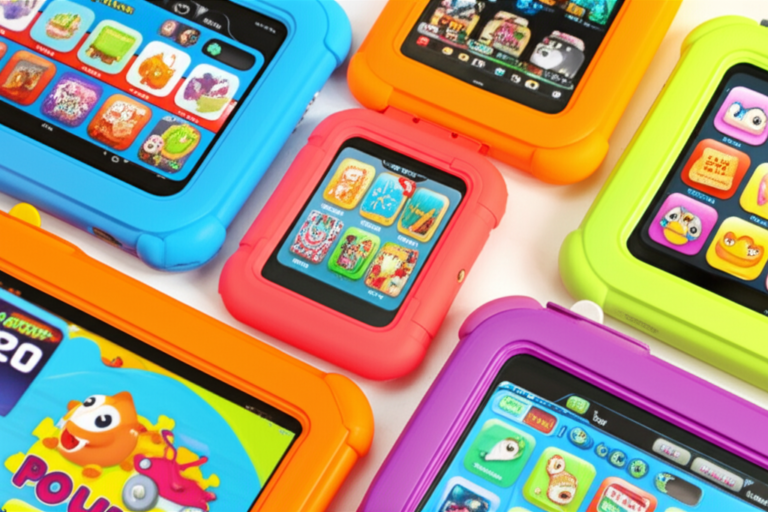
Kids tablets are generally more durable in real family life than regular tablets because they usually include thick shock-absorbing cases, raised bezels, handles, and child-focused warranty coverage. The tablet hardware inside may be similar to a standard model, but the protective package makes a huge difference when gravity meets a small pair of hands.
So, how durable are kids tablets compared to regular tablets? A properly protected Amazon Fire Kids tablet will usually handle everyday drops better than an uncovered iPad, Samsung Galaxy Tab, or Lenovo tablet. TechGearLab’s testing illustrates the gap: several standard Fire Kids models earned 9.1/10 for durability, while uncovered iPads and Samsung tablets scored 1.0/10 in the same comparison.
We learned this the practical way when one of our young testers carried a tablet by its handle, lost grip, and watched it bounce across the kitchen floor. The child froze. The parent froze. The tablet, cushioned by its thick case, simply carried on playing a cartoon. That little bounce is why case design matters more than a premium-looking aluminum back.
Still, “kids tablet” does not mean waterproof, indestructible, or future-proof. Regular tablets can be the better choice for older children, schoolwork, drawing, gaming, and long-term software support, especially when paired with a serious rugged case.
🔑 Key Takeaways
- Kids tablets usually survive drops better out of the box because protective bumpers and raised bezels are commonly included.
- The case is often the real durability hero, not a fundamentally stronger screen or internal chassis.
- Amazon Fire HD 10 Kids and Fire HD 8 Kids offer an excellent balance of protection, child-friendly controls, and everyday usability.
- Regular iPads and Android tablets can become highly durable with a full-coverage case and screen protector, but those accessories cost extra and must be chosen carefully.
- Most kids tablets are not waterproof. Keep them away from baths, pools, sinks, and charging near drinks.
- Regular tablets usually win on speed, app selection, creative tools, and long-term usefulness.
- A thick kids case can be bulky, while slimmer models such as the Fire HD 10 Kids Pro trade some drop protection for portability.
- Warranty coverage matters. Check accidental-damage terms, replacement limits, and repair conditions before buying.
- For toddlers and frequent droppers: choose a thickly cushioned Kids Edition tablet.
- For older children and schoolwork: consider an iPad or Samsung Galaxy Tab in a rugged case.
👉 CHECK PRICE on:
- Amazon Fire HD 10 Kids: Amazon | Amazon Fire Tablets Official
- Amazon Fire HD 8 Kids: Amazon | Amazon Fire Tablets Official
- Amazon Fire 7 Kids: Amazon | Amazon Fire Tablets Official
- Apple iPad: Amazon | Apple Official
- Samsung Galaxy Tab A9+: Amazon | Samsung Official
Table of Contents
- ⚡️ Quick Tips and Facts: Kids Tablets vs. Regular Tablets
- 🧭 Kids Tablet Durability at a Glance
- What “Durable” Really Means for a Child’s Tablet
- Rugedness, Reliability, Repairability, and Replacement Cost
- 📚 How Kids Tablets Evolved: From Basic Learning Devices to Ruged Entertainment Hubs
- 🔍 How We Compare Tablet Durability
- Drop Resistance and Shock Protection
- Screen Strength, Scratches, and Cracked Glass
- Cases, Bumpers, and Built-In Tablet Stands
- Water, Dust, Food, and Spill Protection
- Ports, Buttons, Speakers, and Charging Connector Wear
- Battery Longevity and Long-Term Performance
- Software Updates, App Support, and Useful Lifespan
- 📊 Kids Tablets vs. Regular Tablets: Durability Comparison Table
- Build Materials and Structural Design
- Protective Accessories Included in the Box
- Warranty Coverage and Accidental-Damage Protection
- Performance Trade-Offs Behind the Ruged Design
- 🏆 12 Durable Kids Tablets and Family-Friendly Alternatives Compared
- 1. Amazon Fire HD 10 Kids Pro: Best Overall Balance of Protection and Performance
- 2. Amazon Fire HD 8 Kids: Compact, Cushioned, and Travel-Friendly
- 3. Amazon Fire 7 Kids: Small Screen, Big Protective Case
- 4. Apple iPad (11th Generation, 2025): Strong Ecosystem, Exposed Hardware
- 5. Samsung Galaxy Tab A9+: Durable Family Tablet with a Premium Protective Case
- 6. Apple iPad Air (M4, 2026): Powerful but Not Naturally Kid-Prof
- 7. Lenovo Idea Tab Pro: Large-Screen Productivity and Family Use
- 8. Apple iPad mini (2024): Portable Design with a Small-Device Vulnerability
- 9. TCL Tab 10 Nxtpaper 5G: Comfortable Display with Case-Dependent Protection
- 10. Samsung Galaxy Tab Active Series: Purpose-Built Ruged Android Hardware
- 11. Lenovo Tab M11: Affordable Family Tablet That Needs Extra Armor
- 12. Google Pixel Tablet: Smart-Home Convenience with Standard Tablet Fragility
- 🧱 Amazon Fire Kids Tablets: What the Protective Design Actually Adds
- Amazon Fire 7 Kids Tablet Specifications and Everyday Durability
- Amazon Fire 7 Kids Tablet at Its Core
- Fire 7 Kids Design and Protective Case Performance
- Amazon Fire HD 8 Kids and Fire HD 10 Kids Pro Compared
- Amazon Kids+ and Parental Controls Complete the Package
- 🍎 Apple iPad Durability for Children: Excellent Hardware, Essential Accessories
- Apple iPad Aluminum Bodies, Glass Displays, and Weak Points
- The Best iPad Cases for Drops, Spills, and Little Hands
- AppleCare+, Screen Repairs, and Ownership Costs
- 🤖 Samsung, Lenovo, TCL, and Google Tablets: Which Handles Family Life Best?
- Samsung Galaxy Tab A9+ and Galaxy Tab Active Durability
- Lenovo Tablet Build Quality and Protective Accessories
- TCL Nxtpaper Tablet Durability and Display Considerations
- Google Pixel Tablet Dock, Screen, and Case Protection
- ✅ Advantages and ❌ Drawbacks of Choosing a Kids Tablet
- Why a Kids Tablet Usually Survives More Childhood Chaos
- Where Regular Tablets Still Win
- The Hidden Cost of Built-In Protection
- 🧪 Real-World Durability Testing: Drops, Drips, Travel, and Sibling Drama
- What Happens After a Couch Drop?
- How Tablets Cope with Kitchen Spills and Sticky Fingers
- Backpacks, Car Trips, Airplanes, and Holiday Travel
- Shared Family Use and Accidental Rough Handling
- 🛠️ How to Make Any Tablet More Durable
- Choose a Shock-Absorbing Case with Raised Bezels
- Add a Screen Protector Without Hurting Touch Response
- Protect Charging Ports and Manage Cables Safely
- Clean a Kids Tablet Without Damaging the Screen
- Teach Tablet-Safe Habits Without Becoming the Household IT Department
- 🔧 Repairs, Warranty Claims, and Replacement Parts
- What Damage Is Usually Covered?
- Manufacturer Warranties Compared with Accidental-Damage Plans
- When Repair Makes Sense and When Replacement Wins
- Data Backup Before a Broken Tablet Becomes a Paperweight
- 👨 👩 👧 👦 Which Tablet Is Best for Different Children and Families?
- Best Durable Tablet for Todlers and Preschoolers
- Best Tablet for Elementary-School Homework
- Best Option for Twens and Independent Use
- Best Tablet for Travel and Car Entertainment
- Best Tablet for Creative Apps, Gaming, and Video Calls
- Best Durable Tablet for Multiple Children
- 💡 Quick Tips and Facts for Buying a Long-Lasting Kids Tablet
- 📝 Editors’ Notes: What Parents Should Check Before Buying
- Our Durability Testing Standards and Review Method
- How We Separate Marketing Claims from Practical Protection
- About Our Parent and Child Review Team
- Honest, Objective, Lab-Informed Tablet Reviews
- 💰 Total Cost of Ownership: Case, Repairs, Accessories, and Longevity
- 🔐 Durability Beyond Hardware: Privacy, Parental Controls, and Safe Software
- 🌱 Sustainability, Recycling, and the Environmental Cost of Tablet Replacement
- ❓ Frequently Asked Questions About Kids Tablet Durability
- Are kids tablets genuinely more durable than regular tablets?
- Can a regular iPad be made as durable as a kids tablet?
- Do kids tablets survive water and spills?
- How long should a durable kids tablet last?
- Are rugged tablet cases better than built-in kids tablet cases?
- Which kids tablet has the strongest screen?
- Is an Amazon Fire Kids tablet more durable than an iPad?
- What should I do if my child breaks a tablet?
- 🏁 Conclusion: Are Kids Tablets More Durable Than Regular Tablets?
- 🔗 Recommended Links
- 📖 Reference Links
⚡️ Quick Tips and Facts: Kids Tablets vs. Regular Tablets
Our short answer: kids tablets are usually more durable in real family life, but not because the tablet computer inside is magically tougher. The advantage usually comes from the complete package: a thick bumper case, recessed screen, grippy handle, kickstand, parental controls, and a kid-focused warranty.
For more hands-on buying guidance, browse our Kids Tablets guide and our wider Kid-Friendly Tablets collection.
| Durability factor | Kids tablet | Regular tablet |
|---|---|---|
| Protective case included | Usually ✅ | Usually ❌ |
| Shock-absorbing bumper | Common ✅ | Optional |
| Raised screen bezel | Common ✅ | Case-dependent |
| Handle or kickstand | Often ✅ | Rare |
| Waterproof rating | Usually ❌ | Usually ❌ |
| Accidental-damage coverage | Sometimes included | Usually optional |
| Bare-hardware strength | Often similar to the adult model | Depends on model |
| Drop survival in everyday use | Generally better ✅ | Poor without a case ❌ |
The five facts parents should remember
- A kids tablet is often a regular tablet wearing serious armor. PCMag described the Amazon Fire 7 Kids as essentially “just a regular Fire 7 Tablet … tucked into a durable cushy case.” That sounds less glamorous than “childproof supercomputer,” but it is refreshingly honest. Read the PCMag Amazon Fire 7 Kids review.
- The case is the hero. TechGearLab called the included case “one of the main characteristics that distinguish the kid-focused models” and measured case coverage, thickness, and materials in its testing. See its kids tablet durability testing.
- No case means no forgiveness. Standard iPads and Samsung Galaxy tablets can be excellent computers, but an exposed glass screen and thin aluminum frame do not love gravity.
- A thick case does not mean waterproof. The Amazon Fire 7 Kids, for example, has no IP water-resistance rating. A splash may be survivable; a swimming lesson is not.
- The best choice depends on the child. A preschooler who treats electronics like throwing practice needs different protection from a careful 11-year-old using a tablet for homework.
Our quick recommendation
- Young child or frequent drops: Amazon Fire HD 10 Kids or Amazon Fire HD 8 Kids.
- Small hands or a first tablet: Amazon Fire 7 Kids.
- Older child who wants a slimmer design: Amazon Fire HD 10 Kids Pro, with the trade-off of less impact protection.
- Homework, drawing, creative apps, and long-term performance: Apple iPad or Samsung Galaxy Tab A9+, but add a rugged case before handing it over.
The intriguing bit is this: does a thicker case always produce a better tablet for children? Not necessarily. A giant foam bumper can protect a toddler’s device beautifully while irritating an older child who has to carry it to school. We will return to that trade-off when comparing the Fire Kids models with the slimmer Kids Pro design.
🧭 Kids Tablet Durability at a Glance
What “durable” really means for a child’s tablet
When adults say a tablet is durable, they may mean it has a sturdy metal chassis or a scratch-resistant screen. Parents usually mean something more practical:
- Can it survive sliding off the sofa?
- Will the screen stay protected when it lands face-down?
- Can small hands hold it without dropping it?
- Does the charging port survive daily plugging and unpluging?
- Can we wipe off fingerprints, toast crumbs, and mystery yogurt?
- What happens if the device fails during the warranty period?
That is why our Kids Tablets™ team evaluates system durability, not just the tablet’s bare shell. The U.S. Consumer Product Safety Commission also reminds families to use and charge portable electronics safely, especially around children and damaged cables.
A useful formula is:
Practical durability = hardware + case + handling design + warranty + maintenance
A regular tablet can score well on hardware but poorly as a child-owned product if it arrives naked, slippery, and unsupported.
Rugedness, reliability, repairability, and replacement cost
These terms are related but not interchangeable.
| Term | What it means | Why parents should care |
|---|---|---|
| Rugedness | Ability to resist impact, pressure, dust, or water | Helps with accidents |
| Reliability | Ability to keep working consistently | Reduces freezes and charging problems |
| Repairability | How easily damaged parts can be replaced | May extend useful life |
| Warranty support | Manufacturer’s replacement or repair promise | Reduces financial risk |
| Longevity | How long hardware and software remain useful | Determines value over time |
A kids tablet may be more rugged but less powerful. An iPad may be less protected out of the box but more useful for many years. Neither statement cancels the other.
The central distinction: protected versus intrinsically rugged
Most Amazon Fire Kids tablets do not turn their internal Fire tablet hardware into industrial equipment. Instead, the included foam case:
- Absorbs energy during a fall.
- Keeps the tablet away from direct corner impact.
- Adds a raised lip around the display.
- Improves grip.
- Often provides a handle or stand.
By contrast, genuinely rugged devices such as Samsung’s Galaxy Tab Active5 are engineered for commercial or field environments and may include certifications such as MIL-STD-810H testing. That does not automatically make a business-ruged tablet the best choice for a six-year-old. It may be heavier, more expensive, and less entertaining.
📚 How Kids Tablets Evolved: From Basic Learning Devices to Ruged Entertainment Hubs
Early children’s tablets were often locked-down learning toys with small screens, limited applications, and bright plastic shells. Modern kid-friendly tablets have become more like family computers with safety rails.
The shift happened in three stages:
-
Toy-like learning devices
Products such as LeapFrog tablets emphasized controlled educational content and simple interfaces. -
Mainstream tablets with child protection
Amazon paired standard Fire hardware with thick cases, parental controls, and Amazon Kids+ content. -
Family tablets with configurable profiles
Devices such as the iPad, Samsung Galaxy Tab, and Lenovo tablets now support child accounts, screen-time limits, content filters, and school applications, but generally require parents to purchase the protective equipment separately.
The difference matters because children’s software and children’s hardware are not the same thing. A tablet can have excellent parental controls and still shatter when it meets a tiled floor.
Best Buy’s Kids’ Tablets category is useful for browsing screen sizes, operating systems, memory, storage, and accessories. However, its category page does not provide standardized drop-test results or universal waterproofing claims. In other words, filters help you find candidates, but the product page and warranty reveal the real protection story.
Why the foam-case era changed family expectations
Our parent testers repeatedly describe the same moment: a child carries a tablet by the handle, swings it slightly, loses grip, and the device bounces instead of exploding into an expensive glass puzzle.
That bounce is not magic. It is impact management. Foam increases the time over which the impact occurs, reducing the sharp force transferred to the tablet. The case also protects corners, which are especially vulnerable because a concentrated impact can transfer energy into the frame and display.
TechGearLab reported that its testers felt “far more comfortable dropping these products on the ground” than an Apple iPad because of the thick protective cases. That is a testing perspective, not a promise that every drop is harmless. Sharp corner impacts can still defeat a case.
🔍 How We Compare Tablet Durability
Our review method combines parent observations, child usability feedback, developer experience, published tests, and manufacturer specifications. We do not treat a marketing phrase such as “kid-proof” as a laboratory certification.
Drop resistance and shock protection
A drop test should consider more than height. We look at:
- Surface: carpet, wood, tile, and concrete behave differently.
- Impact location: face, back, edge, and corner.
- Case coverage: front lip, side walls, rear protection, and open ports.
- Grip: a handle may prevent the drop in the first place.
- Repeated impacts: one lucky landing proves very little.
TechGearLab awarded the standard Amazon Fire Kids models a 9.1/10 durability score in its testing:
| Model | Reported durability score | Front case thickness | Back case thickness | Protection style |
|---|---|---|---|---|
| Amazon Fire HD 10 Kids | 9.1/10 | 0.27 in | 0.46 in | Thick foam, stand |
| Amazon Fire HD 8 Kids | 9.1/10 | 0.29 in | 0.42 in | Thick foam, stand |
| Amazon Fire 7 Kids | 9.1/10 | 0.24 in | 0.42 in | Foam, handle, stand |
| Amazon Fire HD 10 Kids Pro | 4.0/10 | 0.07 in | 0.23 in | Slim protective case |
| Apple iPad 10th generation | 1.0/10 | No included case | No included case | Bare tablet |
| Samsung Galaxy Tab A9+ | 1.0/10 | No included case | No included case | Bare tablet |
These scores describe the products as tested and packaged, not theoretical strength of the tablet after adding a third-party case.
Screen strength, scratches, and cracked glass
The screen is usually the most vulnerable part because it combines:
- Thin glass.
- Large exposed surface area.
- Direct contact during face-down falls.
- Pressure from toys, books, elbows, and backpacks.
A raised bezel helps by keeping the glass slightly away from flat surfaces. It cannot guarantee protection from a stone, a sharp corner, or a child pressing hard on a cracked panel.
Parents should distinguish:
- Scratch resistance: helps with keys, crumbs, and general abrasion.
- Impact resistance: helps with drops and concentrated force.
- Shatter resistance: depends on glass design, frame support, and the exact impact.
- Oleophobic coating: reduces fingerprints but does not strengthen glass.
The Gorilla Glass product information from Corning explains that cover glass products are engineered for damage resistance, but no consumer screen is indestructible.
Cases, bumpers, and built-in tablet stands
A good kids tablet case should provide:
✅ Raised bezel: protects the display during face-down drops.
✅ Corner reinforcement: disperses impact away from the glass.
✅ Flexible material: absorbs energy instead of transferring it.
✅ Secure tablet fit: prevents the device from slipping inside the case.
✅ Grippy surfaces: reduce drops before they happen.
✅ Functional stand: lets children watch without balancing the tablet against a cup.
✅ Port access: avoids forcing or bending charging cables.
The Amazon Fire 7 Kids case impressed PCMag because the tablet sat “reasonably deep inside the case,” reducing the chance that the screen would directly contact the ground. That design is simple, but it is exactly the sort of simple feature parents notice after the first accidental tumble.
Water, dust, food, and spill protection
Here is the unglamorous truth: most mainstream kids tablets are not waterproof.
A foam case may protect against a brief splash, but it does not create a sealed enclosure. Liquid can enter through:
- USB charging ports.
- Headphone jacks.
- Speaker openings.
- Microphone holes.
- Button gaps.
- Seams around the display.
An IP rating, defined by the International Electrotechnical Commission, is the meaningful way to assess dust and water resistance. If the specification does not state an IP rating, assume the tablet is not certified for immersion.
Our household rule is delightfully boring:
- Keep the tablet away from baths and pools.
- Do not use it while charging near drinks.
- Wipe spills immediately.
- Power it off if liquid enters a port.
- Do not use heat, rice, or aggressive shaking to “dry” it.
Ports, buttons, speakers, and charging connector wear
The charging port often fails before the screen. Children may:
- Insert the cable upside down.
- Pull the tablet while it is charging.
- Twist the connector.
- Leave the device hanging from the cable.
- Pack it in a bag with the cable still attached.
USB-C is convenient and reversible, but it is not indestructible. Micro-USB connectors can also wear or loosen over time.
To extend port life:
- Use a short, flexible cable.
- Charge on a stable surface.
- Remove the cable by holding the plug, not the cord.
- Keep food and sand away from the port.
- Never store a tablet with a cable bent sharply inside a backpack.
Battery longevity and long-term performance
Battery durability is different from drop durability. Lithium-ion batteries gradually lose capacity with use, heat, and charging cycles. The U.S. Department of Energy explains that temperature can affect battery performance and lifespan.
For healthier daily use:
- Avoid leaving the tablet in a hot car.
- Keep ventilation openings clear.
- Use the supplied or manufacturer-approved charger.
- Do not charge under blankets.
- Install software updates when they improve stability or security.
- Replace a swollen battery immediately and stop using the device.
A sturdy case may save the screen while trapping heat if it blocks ventilation. That is uncommon with properly designed cases, but it is worth checking.
Software updates, app support, and useful lifespan
A tablet can remain physically intact yet become practically obsolete. Useful lifespan depends on:
- Operating system updates.
- App compatibility.
- Storage capacity.
- Battery condition.
- Security support.
- School and streaming requirements.
This is where regular tablets often pull ahead. Apple’s long software support and broad app ecosystem can make an iPad useful well beyond the life of an entry-level Fire tablet. Review Apple’s official iPadOS information and Amazon’s Fire tablet support pages before deciding.
The best durable tablet is not the one that survives a drop but cannot run the child’s school app two years later. Physical survival is only half the story.
📊 Kids Tablets vs. Regular Tablets: Durability Comparison Table
| Category | Kids tablet package | Regular tablet package | Practical winner |
|---|---|---|---|
| Drop protection | Thick case commonly included | Usually sold separately | Kids tablet |
| Screen bezel | Often raised | Minimal without case | Kids tablet |
| Grip | Handle or textured bumper | Smooth metal or plastic | Kids tablet |
| Water resistance | Usually absent | Usually absent | Tie |
| Performance | Entry-level to midrange | Entry-level to premium | Regular tablet |
| App ecosystem | Amazon Kids+ or curated platform | Broad iPadOS/Android ecosystem | Regular tablet |
| Parental controls | Usually ready to configure | Must be set up | Kids tablet |
| Warranty package | May include extended accidental coverage | Standard limited warranty common | Kids tablet |
| Portability | Protective case adds bulk | Slimer and lighter | Regular tablet |
| Long-term usefulness | Can be limited by hardware | Often better, especially iPad | Regular tablet |
| Replacement risk | Lower during ordinary childhood use | Higher without rugged case | Kids tablet |
| Repair flexibility | Varies by model | Varies by model and region | Model-dependent |
Build materials and structural design
Regular tablets often use aluminum backs, glass fronts, and slim frames. These materials feel premium but prioritize thiness and portability.
Kids tablets usually add:
- EVA foam.
- Silicone or flexible polymer.
- Wider corner sections.
- Deper screen recesses.
- Integrated handles.
- Reinforced stand hinges.
The material itself is only part of the answer. Coverage matters more than color. A thick-looking case with exposed corners can perform worse than a less flashy case with complete edge protection.
Protective accessories included in the box
The most important comparison is often not “Amazon versus Apple.” It is:
Tablet plus case versus tablet without case.
TechGearLab’s results make that dramatic. Standard Apple and Samsung tablets scored 1.0/10 for durability in its comparison because they were tested without included protective cases. That does not mean the iPad’s internal hardware is weak; it means a child received a thin, uncovered tablet.
A properly fitted OterBox iPad case or UAG tablet case can radically improve a regular tablet’s practical durability. It also adds another purchase, another accessory to carry, and another part that can crack or detach.
Warranty coverage and accidental-damage protection
Warranty language deserves adult-level attention, even if the tablet belongs to a child.
Check:
- Accidental drops.
- Liquid damage.
- Screen cracks.
- Battery replacement.
- Number of replacements allowed.
- Shipping fees.
- Whether a replacement is new, refurbished, or equivalent.
- Whether the case must remain installed.
- Whether proof of purchase is required.
Amazon’s Kids tablets have historically stood out for their two-year worry-free guarantee, a significant advantage reported by PCMag and TechGearLab. Verify the current terms on Amazon’s Kids Edition warranty information, because coverage can vary by model, seller, and region.
Apple’s AppleCare+ can cover accidental damage, but it is optional and subject to service fees and terms. Samsung offers its own protection options in selected markets through Samsung Care+.
Performance trade-offs behind the rugged design
Protective cases add:
- Weight.
- Bulk.
- Heat insulation.
- Difficulty accessing buttons.
- Less room in backpacks.
- A less “grown-up” appearance.
They also add benefits:
- Better grip.
- More comfortable viewing angle.
- Fewer direct impacts.
- Less anxiety for parents.
- Easier handling for younger children.
Our child testers often prefer a handle because it tells them where to hold the device. Older kids may remove the case or complain that it looks babyish. That is not merely vanity; if a child stops carrying the tablet carefully because the case is awkward, the protection has lost its practical value.
🏆 12 Durable Kids Tablets and Family-Friendly Alternatives Compared
The following ratings use a 1–10 scale based on out-of-box protection, child handling, screen safety, usability, warranty context, and long-term family value. They are comparative editorial ratings, not manufacturer claims or universal laboratory scores.
1. Amazon Fire HD 10 Kids: Best Overall Balance of Protection and Performance
| Aspect | Rating |
|---|---|
| Case and drop protection | 9.5/10 |
| Screen protection | 9/10 |
| Child handling | 9/10 |
| Parental controls | 9/10 |
| Performance | 7/10 |
| Long-term usefulness | 7/10 |
| Overall durability value | 9/10 |
The Amazon Fire HD 10 Kids is our strongest all-around recommendation for younger children and family sharing. TechGearLab gave the model a 9.1/10 durability score and measured a thick foam case with approximately 0.27-inch front and 0.46-inch rear protection.
Why parents like it
- Large screen for books, video, and learning apps.
- Thick bumper with built-in stand.
- Deep screen recess.
- Two-year worry-free guarantee on qualifying Kids Edition packages.
- Amazon Kids parental controls.
- Access to Amazon Kids+ content on supported plans.
What kids like
- Bigger display than the Fire 7 or Fire HD 8.
- Comfortable for videos and simple games.
- Stand means fewer arguments about “I can’t hold it anymore.”
What developers notice
The Fire OS ecosystem is straightforward for curated children’s profiles, but app availability is not identical to iPadOS or standard Android. Developers targeting Google Play may need to adapt distribution, testing, or feature support for Fire OS. Amazon documents Fire tablet development through its Appstore developer resources.
Drawbacks
- The case is bulky.
- Cameras are basic.
- Performance is adequate rather than speedy.
- No assumption of waterproofing should be made.
- Older children may prefer a slimmer case.
Verdict: ✅ Best for preschool and elementary-age children who need a substantial safety buffer.
2. Amazon Fire HD 8 Kids: Compact, Cushioned, and Travel-Friendly
| Aspect | Rating |
|---|---|
| Case and drop protection | 9.4/10 |
| Screen protection | 9/10 |
| Child handling | 9.5/10 |
| Parental controls | 9/10 |
| Performance | 7/10 |
| Travel convenience | 9/10 |
| Overall durability value | 9/10 |
The Amazon Fire HD 8 Kids is a sweet spot for smaller hands. TechGearLab also rated its durability 9.1/10, with reported case thickness of roughly 0.29 inch at the front and 0.42 inch at the back.
Why it works well
- Easier for children to hold than a 10-inch tablet.
- Thick foam case absorbs ordinary bumps.
- Built-in stand supports tabletop use.
- Smaller footprint fits travel bags more easily.
- Good compromise between viewing area and portability.
Parent perspective
We have seen fewer “two-hand fatigue” complaints with the 8-inch model than with larger tablets. That sounds minor until a tired child shifts grip, the tablet slips, and gravity gets its little victory.
Drawbacks
- Smaller screen for split-screen homework.
- Less comfortable for typing.
- Still not waterproof.
- Storage and performance depend on the exact generation.
Verdict: ✅ Our favorite for younger children who travel often or have smaller hands.
3. Amazon Fire 7 Kids: Small Screen, Big Protective Case
| Aspect | Rating |
|---|---|
| Case and drop protection | 9.2/10 |
| Screen protection | 8.8/10 |
| Child handling | 9.5/10 |
| Parental controls | 9/10 |
| Performance | 6/10 |
| Battery endurance | 7/10 |
| Overall durability value | 8.8/10 |
The Amazon Fire 7 Kids is the clearest example of a kids tablet whose durability advantage comes from the package rather than radically different internal hardware.
PCMag reported that the Kids version uses essentially the same hardware as the regular Fire 7 but adds a thick protective foam case, handle, kickstand, two-year warranty, and Amazon Kids+ access. In testing, the reviewer said it “easily shrugged off each impact.”
Key hardware context
The 202 model discussed by PCMag used:
- MediaTek MT8168 processor.
- 2GB RAM.
- 1,024 × 600 display.
- 2MP front and rear cameras.
- Fire OS software.
- Reported continuous YouTube streaming endurance of approximately 9 hours and 30 minutes in that test.
Hardware and software can change, so check Amazon’s current Fire 7 listing before buying.
Advantages
✅ Excellent grip for small hands.
✅ Thick foam absorbs common drops.
✅ Integrated handle doubles as a stand.
✅ Compact for car trips.
✅ Strong warranty context for the Kids Edition.
Drawbacks
❌ Small, low-resolution display.
❌ Slow compared with an iPad or newer premium Android tablet.
❌ Difficult to see outdoors in bright light.
❌ No IP water-resistance rating.
❌ Limited suitability for demanding schoolwork.
Verdict: ✅ A strong first tablet for a younger child, provided expectations remain realistic.
4. Apple iPad (11th Generation, 2025): Strong Ecosystem, Exposed Hardware
| Aspect | Rating |
|---|---|
| Bare-device drop protection | 3/10 |
| Screen protection without case | 3/10 |
| Case-supported protection | 8/10 |
| Performance | 9/10 |
| App ecosystem | 10/10 |
| Long-term usefulness | 9/10 |
| Overall family value with case | 8.5/10 |
The Apple iPad is not a kid-proof product out of the box. It is a powerful general-purpose tablet that becomes family-friendly through accessories, account controls, and supervision.
Why families still choose it
- Broad educational app support.
- Excellent performance for creative work.
- Strong accessibility features.
- Better fit for older children and teens.
- Long-lasting software ecosystem.
- Better compatibility with school platforms and creative apps.
Apple provides family controls through Screen Time and Family Sharing, including app limits, content restrictions, communication controls, and downtime.
Durability concerns
TechGearLab awarded the standard iPad 1.0/10 for durability in its out-of-box comparison because no protective case was included. That is a fair test of the package, not a declaration that the iPad is physically worthless.
Add:
- A thick shock-absorbing case.
- A raised bezel.
- A tempered-glass screen protector.
- A charging routine that prevents cable stress.
- A padded travel sleeve.
Drawbacks
- Accessories add bulk and separate decisions.
- Accidental damage coverage is optional.
- Glass display remains vulnerable.
- The aluminum frame can dent at corners.
- No standard assumption of water resistance for ordinary iPad models.
Verdict: ✅ Excellent for older children, creative work, and long-term use; ❌ not the best bare device for a preschooler.
5. Samsung Galaxy Tab A9+: Durable Family Tablet with a Premium Protective Case
| Aspect | Rating |
|---|---|
| Bare-device drop protection | 3/10 |
| Case-supported protection | 8/10 |
| Performance | 8/10 |
| Android app access | 8.5/10 |
| Child controls | 8/10 |
| Long-term usefulness | 8/10 |
| Overall family value | 8/10 |
The Samsung Galaxy Tab A9+ offers a larger screen and a more conventional Android tablet experience. Samsung’s Samsung Kids mode can create a more child-friendly environment.
Strengths
- Larger display for schoolwork and streaming.
- Multi-user and Android ecosystem flexibility.
- Good fit for families already using Samsung phones.
- Optional rugged or folio cases are widely available.
- More capable than entry-level Fire hardware for many apps.
Durability reality
TechGearLab scored the Galaxy Tab A9+ 1.0/10 for durability in its out-of-box comparison because the case was sold separately. Put it in a properly fitted rugged case and its practical rating changes substantially.
Drawbacks
- Parents must select and install the protective case.
- Case quality varies greatly among third-party brands.
- Children may exit Samsung Kids mode if settings are not configured carefully.
- The tablet is not automatically waterproof.
Verdict: ✅ A strong family Android option with the right case; ❌ a poor handoff if left unprotected.
6. Apple iPad Air (M4, 2026): Powerful but Not Naturally Kid-Prof
| Aspect | Rating |
|---|---|
| Bare-device protection | 3/10 |
| Case-supported protection | 8/10 |
| Performance | 10/10 |
| Creative applications | 10/10 |
| App ecosystem | 10/10 |
| Long-term usefulness | 9.5/10 |
| Child-specific protection | 5/10 |
The iPad Air is a high-performance choice for older children, artists, students, and families sharing one device. Its strength is computing power, not built-in child armor.
Best use cases
- Digital art with Apple Pencil.
- Video editing.
- Coding and creative applications.
- Schoolwork requiring demanding software.
- Family use that continues into teenage years.
Durability strategy
Pair it with:
- A heavy-duty case such as OterBox or UAG.
- A screen protector compatible with Apple Pencil.
- A padded sleeve.
- AppleCare+ if its coverage terms make sense for your family.
Drawbacks
❌ Expensive hardware to expose to childhood chaos.
❌ Slim case choices may look protective while leaving corners vulnerable.
❌ Large screen increases the area exposed to impact.
❌ Overkill for a child who only watches cartoons and reads picture books.
Verdict: ✅ Outstanding long-term family tablet; ❌ choose it for capability, then add protection deliberately.
7. Lenovo Idea Tab Pro: Large-Screen Productivity and Family Use
| Aspect | Rating |
|---|---|
| Bare-device protection | 3.5/10 |
| Case-supported protection | 7.8/10 |
| Performance | 8.5/10 |
| Display usefulness | 9/10 |
| Android flexibility | 8/10 |
| Child controls | 7.5/10 |
| Overall durability value | 7.8/10 |
The Lenovo Idea Tab Pro is better understood as a family productivity tablet than a preschool device.
Strengths
- Large display for homework and multitasking.
- Android applications and Google services.
- Better productivity potential than basic Fire tablets.
- Suitable for shared household use.
- Protective cases are available, though accessory quality matters.
Weak points
- No thick kid-focused case included in the typical package.
- Large size increases drop leverage.
- Parental controls require setup and supervision.
- A case that supports a keyboard or pen may protect less than a thick foam bumper.
Verdict: ✅ Good for older children and shared family work; ❌ not ideal for a child who drops devices daily.
8. Apple iPad mini (2024): Portable Design with a Small-Device Vulnerability
| Aspect | Rating |
|---|---|
| Bare-device protection | 3.5/10 |
| Case-supported protection | 8/10 |
| Child handling | 8.5/10 |
| Performance | 9/10 |
| Portability | 10/10 |
| Child-specific features | 5/10 |
| Overall durability value | 8/10 |
The iPad mini is compact and easy to carry, but small does not mean indestructible. Children may hold it one-handed, increasing the chance of a sideways drop.
Best for
- Reading.
- Travel.
- Creative note-taking.
- Older children who want a compact device.
- Families using Apple services already.
Case advice
Choose a case with:
- A full corner bumper.
- Raised front edges.
- Secure pencil storage.
- A textured grip.
- No loose flap that can become a launch ramp.
Verdict: ✅ Excellent for responsible older children; ❌ add a robust case before handing it to a younger one.
9. TCL Tab 10 Nxtpaper 5G: Comfortable Display with Case-Dependent Protection
| Aspect | Rating |
|---|---|
| Bare-device protection | 3.5/10 |
| Case-supported protection | 7.5/10 |
| Eye-comfort features | 8.5/10 |
| Connectivity | 8/10 |
| Child controls | 7/10 |
| Performance | 7.5/10 |
| Overall durability value | 7.5/10 |
The TCL NXTPAPER tablet range focuses on display comfort and readability. That can be useful for children who read for long periods, but a comfortable screen is not necessarily a reinforced screen.
Strengths
- Matte-style viewing experience on supported models.
- Useful for reading and media.
- Cellular connectivity on compatible versions.
- Android flexibility.
Durability concerns
- Protection depends on the case selected.
- Display treatments may make certain screen protectors less straightforward.
- No assumption of water resistance unless the exact model states an IP rating.
- Availability and specifications vary by region.
Verdict: ✅ Interesting family tablet for reading; ❌ treat the case as essential equipment.
10. Samsung Galaxy Tab Active Series: Purpose-Built Ruged Android Hardware
| Aspect | Rating |
|---|---|
| Intrinsic ruggedness | 9/10 |
| Drop and environmental protection | 9/10 |
| Child friendliness | 7/10 |
| Performance | 7.5/10 |
| Portability | 7/10 |
| Parental-control simplicity | 7/10 |
| Overall family value | 7.5/10 |
The Samsung Galaxy Tab Active5 is designed for business, fieldwork, and industrial conditions rather than children’s entertainment.
Why it is genuinely rugged
Depending on the exact model and configuration, the Active series may offer:
- Reinforced body.
- Replaceable battery.
- Water and dust resistance.
- Drop testing under relevant standards.
- Gloves-compatible touch features.
- Built-in or included protective components.
Always verify the precise model’s certification and test conditions. “MIL-STD-810H” describes a testing methodology, not a guarantee against every possible accident.
Drawbacks
- Heavier and less playful.
- More expensive for simple entertainment.
- Business software features may be unnecessary.
- Content ecosystem is not as turnkey as Amazon Kids+.
Verdict: ✅ Best for genuinely harsh environments; ❌ usually too serious for ordinary home use.
11. Lenovo Tab M11: Affordable Family Tablet That Needs Extra Armor
| Aspect | Rating |
|---|---|
| Bare-device protection | 3.5/10 |
| Case-supported protection | 7.8/10 |
| Display usefulness | 8/10 |
| Android flexibility | 8/10 |
| Child controls | 7.5/10 |
| Battery practicality | 8/10 |
| Overall durability value | 7.8/10 |
The Lenovo Tab M11 is a capable household tablet with a broad Android app selection.
Strengths
- Good screen size for homework.
- Supports family media and educational applications.
- Works well with a protective folio or bumper case.
- More versatile than a small entry-level kids tablet.
Weak points
- The tablet body itself is not child-proof.
- Thin folio cases may protect scratches but fail at corners.
- Setup takes more parent involvement.
- Large glass display remains vulnerable without a raised bezel.
Verdict: ✅ Good value after adding a genuinely protective case; ❌ do not confuse a magnetic cover with drop armor.
12. Google Pixel Tablet: Smart-Home Convenience with Standard Tablet Fragility
| Aspect | Rating |
|---|---|
| Bare-device protection | 3.5/10 |
| Case-supported protection | 7.5/10 |
| Smart-home integration | 9/10 |
| Performance | 8/10 |
| Family controls | 8/10 |
| Portability | 6.5/10 |
| Overall durability value | 7.5/10 |
The Google Pixel Tablet can serve as a shared family screen and smart-home controller. Its charging speaker dock is convenient, but a dock is not a protective case.
Strengths
- Helpful shared-home role.
- Google ecosystem integration.
- Suitable for video calls, media, and casual apps.
- Stronger general-purpose experience than budget children’s tablets.
Durability concerns
- Bare tablet requires a protective case.
- Dock and tablet add another object to manage.
- A child may pull the tablet from the dock by the cable or drop it nearby.
- The display is still exposed glass.
Verdict: ✅ Good shared household tablet; ❌ not a substitute for a padded kids model.
Product shopping links
- Amazon Fire HD 10 Kids: Amazon | Amazon Fire Tablets Official
- Amazon Fire HD 8 Kids: Amazon | Amazon Fire Tablets Official
- Amazon Fire 7 Kids: Amazon | Amazon Fire Tablets Official
- Amazon Fire HD 10 Kids Pro: Amazon | Amazon Fire Tablets Official
- Apple iPad: Amazon | Apple Official
- Samsung Galaxy Tab A9+: Amazon | Samsung Official
- Lenovo Tab M11: Amazon | Lenovo Official
- Samsung Galaxy Tab Active5: Amazon | Samsung Business Official
🧱 Amazon Fire Kids Tablets: What the Protective Design Actually Adds
Amazon’s Kids Edition formula is straightforward:
Mainstream Fire tablet + thick case + child profile + content subscription + warranty support
That formula explains why Fire Kids models often outperform more expensive regular tablets in drop-focused comparisons. It also explains their limitations: the internal hardware remains entry-level, and the case cannot make the device waterproof.
Amazon Fire 7 Kids Tablet Specifications and Everyday Durability
| Specification area | Fire 7 Kids context |
|---|---|
| Processor | MediaTek-class entry-level hardware on the 202 model discussed by PCMag |
| RAM | 2GB on that model |
| Display | 7-inch, 1,024 × 600 on the reviewed version |
| Cameras | Basic front and rear cameras |
| Case | Thick foam with handle and kickstand |
| Warranty | Two-year Kids Edition coverage reported for qualifying packages |
| Water rating | No IP rating reported |
| Best age range | Younger children and first-tablet use |
| Main limitation | Slow performance and modest display |
The official Amazon Fire tablet support pages should be treated as the authority for current specifications because Amazon updates models and bundles.
Amazon Fire 7 Kids Tablet at Its Core
The Fire 7 Kids does not win through speed. It wins through low-stress ownership.
A parent can hand it over with:
- A protective case already fitted.
- A stand already built in.
- A children’s profile ready to configure.
- A warranty designed around the likelihood of accidents.
- A curated content route through Amazon Kids+.
Its display and processor can feel sluggish next to an iPad. That is a real drawback, especially when children grow and expect faster games, better cameras, or school applications.
Fire 7 Kids Design and Protective Case Performance
PCMag’s testing found that the case was “sturdier than most basic tablet cases” and handled repeated drops on hard and soft surfaces. The case also made the device easier to grip, which reduces the chance of a fall before impact protection even becomes necessary.
Our parent testers particularly appreciate the handle because it gives children a natural carrying point. The built-in kickstand is useful for:
- Breakfast-table cartoons.
- Hands-free reading.
- Long car trips.
- Video calls with relatives.
- Following a drawing lesson.
The stand also introduces a possible failure point if children use it as a lever or carry the tablet by an extended hinge. Teach children to close the stand before carrying it.
Amazon Fire HD 8 Kids and Fire HD 10 Kids Pro Compared
| Feature | Fire HD 8 Kids | Fire HD 10 Kids | Fire HD 10 Kids Pro |
|---|---|---|---|
| Case style | Thick foam | Thick foam | Slimer case |
| Best audience | Younger children, travel | Younger children, shared family use | Older children and twens |
| Drop protection | Excellent | Excellent | Moderate |
| Portability | Very good | Good | Very good |
| Screen size | Compact | Large | Large |
| Childlike appearance | High | High | Lower |
| Maximum protection | Strong | Strongest overall balance | Sacrificed for slimness |
TechGearLab reported a 4.0/10 durability score for the Fire HD 10 Kids Pro compared with 9.1/10 for the standard Fire Kids models. That does not make the Pro poor; it reveals a design decision.
The Pro is for children who are expected to handle devices more independently. The thick standard case says, “This may be dropped.” The Pro case says, “Please carry this like a small computer.”
Amazon Kids+ and Parental Controls Complete the Package
A protective case cannot stop a child from wandering into unsuitable content. Amazon Kids profiles and Amazon Parent Dashboard help parents manage:
- Daily time limits.
- Bedtime restrictions.
- Age-filtered content.
- Web access.
- Activity reports.
- App and book permissions.
The parent benefit is indirect but meaningful: a controlled profile can encourage children to use the device in predictable places and ways. A tablet that lives on a desk is less likely to be dropped in the garden than one carried everywhere like a tiny television.
🍎 Apple iPad Durability for Children: Excellent Hardware, Essential Accessories
An iPad is often the better long-term computer but the worse out-of-box children’s product. This apparent contradiction causes many buying arguments at the kitchen table.
Apple iPad aluminum bodies, glass displays, and weak points
Apple’s aluminum construction feels solid, but the screen remains exposed glass. Common failure points include:
- Corners that dent after drops.
- Display glass that cracks from face-down impact.
- USB-C port damage from cable stress.
- Camera glass scratches.
- Bent frames that make screen replacement difficult.
TechGearLab’s 1.0/10 durability score for standard iPads was based on the absence of an included protective case. That result is useful because it mirrors what happens when someone unwraps an iPad and gives it directly to a child.
The best iPad cases for drops, spills, and little hands
Look for:
- Thick flexible bumper material.
- Full corner coverage.
- Raised bezel.
- Port covers only if they do not interfere with charging.
- A secure hand strap or handle.
- A stable kickstand.
- Pencil storage that does not create a sharp external hook.
Popular case makers include OterBox, UAG, and Speck. Read independent user reviews carefully; some cases look rugged in photographs but have thin corner walls in person.
AppleCare+, screen repairs, and ownership costs
AppleCare+ for iPad can reduce the risk of a major accidental-damage bill, but it does not prevent accidents. Parents should compare:
- Plan coverage.
- Service fees.
- Screen-only damage terms.
- Battery service conditions.
- Local repair availability.
- The cost and inconvenience of downtime.
An iPad with a rugged case and realistic protection plan can be a sensible family investment. An uncovered iPad handed to a four-year-old is a suspense movie with a very predictable ending.
🤖 Samsung, Lenovo, TCL, and Google Tablets: Which Handles Family Life Best?
Samsung Galaxy Tab A9+ and Galaxy Tab Active durability
The Galaxy Tab A9+ is a good example of a standard tablet that needs a deliberate protection plan. Choose a case with full corner protection rather than a thin keyboard folio if drops are likely.
The Galaxy Tab Active line is different. Its business-focused rugged design makes it more naturally resistant to environmental abuse, but its price, weight, and enterprise focus may not suit casual children’s use.
Lenovo tablet build quality and protective accessories
Lenovo tablets often offer strong family value, but case selection varies by generation. Before buying, verify:
- Exact model number.
- Camera and port cutout alignment.
- Whether the case supports a screen protector.
- Whether the stand locks securely.
- Whether the corners are covered by flexible material.
A case advertised as “shockproof” is not automatically well designed. Search customer photos, not only product renders.
TCL Nxtpaper tablet durability and display considerations
TCL’s Nxtpaper display approach can reduce glare and improve reading comfort. It does not automatically reinforce the device against drops. Use a case with a soft interior and raised lip, and confirm that the screen protector is compatible with the display coating.
Google Pixel Tablet dock, screen, and case protection
The Pixel Tablet works well as a shared home device, but the dock adds a household workflow rather than physical armor. Place it on a stable surface away from table edges, and use a case designed to fit both the tablet and its charging routine.
✅ Advantages and ❌ Drawbacks of Choosing a Kids Tablet
Why a kids tablet usually survives more childhood chaos
✅ Protection arrives already installed.
✅ Handles and textured sides improve grip.
✅ Raised bezels shield the display.
✅ Foam reduces shock transfer.
✅ Warranty coverage may include accidental damage.
✅ Parental controls are easier to start with.
✅ Replacement risk is lower during ordinary family use.
The biggest benefit is psychological: parents do not have to hover over every handoff. That does not mean children should throw the tablet. It means one ordinary mistake is less likely to end the device’s life.
Where regular tablets still win
✅ Faster processors.
✅ Better displays.
✅ Wider app selection.
✅ Stronger cameras.
✅ Better stylus and keyboard support.
✅ Longer usefulness for school and creative work.
✅ More sophisticated accessibility and productivity tools.
An iPad or Galaxy Tab in a quality rugged case can be the better overall device for an older child. The case simply becomes part of the purchase rather than part of the box.
The hidden cost of built-in protection
❌ Bulky cases reduce portability.
❌ Foam can collect crumbs and dust.
❌ Kid-focused software may limit app availability.
❌ Entry-level hardware may age faster.
❌ A thick case can make buttons and ports awkward.
❌ Older children may reject the appearance.
❌ Warranty terms require careful reading.
The right question is not “Which tablet is strongest?” It is “Which tablet will this particular child use safely and happily for the next several years?”
🧪 Real-World Durability Testing: Drops, Drips, Travel, and Sibling Drama
What happens after a couch drop?
A couch drop is usually low-energy, but repeated low-energy impacts can loosen stands, damage ports, or create hairline screen cracks. The winner is usually the tablet with:
- A compliant bumper.
- Protected corners.
- A screen recess.
- No rigid case edge pressing directly against glass.
A thick foam Fire Kids case typically turns the drop into a bounce. A bare iPad turns it into a parental reflex test.
How tablets cope with kitchen spills and sticky fingers
Food residue is not merely unpleasant. Oils and sugars can migrate into buttons and ports. Use a slightly damp microfiber cloth, power the device off when cleaning, and follow Apple’s cleaning guidance or Amazon’s model-specific instructions.
Never spray liquid directly onto the tablet. Never use household glass cleaner on a display coating. A case can be removed and washed only if its material and manufacturer instructions permit it.
Backpacks, car trips, airplanes, and holiday travel
Travel creates different risks:
- Compression under books.
- Loose objects striking the screen.
- Heat inside parked cars.
- Charging-cable strain.
- Seat-pocket falls.
- Sand at beaches and playgrounds.
For travel:
- Close the stand.
- Place the tablet in a padded compartment.
- Keep chargers in a separate cable pouch.
- Avoid leaving it in a hot vehicle.
- Use offline downloads so children do not tug at cables in the car.
- Check the case for cracks before departure.
Shared family use and accidental rough handling
Sibling use raises the probability of drops because children pass devices between hands, argue over turns, and place tablets on unstable surfaces.
A shared tablet should have:
- A visibly protected charging station.
- A profile for each child.
- A case handle or hand strap.
- A family rule against charging on beds.
- A designated storage location.
The first child may handle a tablet gently. The second child may use it as a tray. Build for the household, not the most optimistic child.
🛠️ How to Make Any Tablet More Durable
Choose a shock-absorbing case with raised bezels
Step by step:
- Identify the exact tablet generation.
- Confirm every camera, speaker, and port cutout.
- Check for raised front edges.
- Inspect corner thickness.
- Prefer flexible shock-absorbing material.
- Avoid cases with exposed lower corners.
- Confirm that the case does not press against the display.
- Read recent user reviews for fit and cracking.
A folio cover protects against scratches but may not protect a corner drop. For young children, choose a bumper-first design.
Add a screen protector without hurting touch response
A screen protector can reduce scratches and help contain some glass fragments, but it cannot guarantee crack prevention.
Install it carefully:
- Clean the display in a dust-free room.
- Align it before removing the final film.
- Avoid trapping bubbles near the bezel.
- Check touch response and stylus accuracy.
- Replace it if cracked or lifting.
For iPads used with Apple Pencil, choose a protector explicitly tested for stylus compatibility. Some textured “paper feel” protectors increase writing friction but may accelerate stylus-tip wear.
Protect charging ports and manage cables safely
Use a charging stand or short cable, route cords away from walkways, and teach children to unplug before carrying the tablet. A port cover can help outdoors, but only if it closes securely and does not trap moisture.
Clean a kids tablet without damaging the screen
- Power off the tablet.
- Remove the case.
- Shake out crumbs gently.
- Use a dry microfiber cloth.
- Slightly dampen the cloth only if needed.
- Wipe the case separately.
- Let everything dry fully.
- Reassemble without trapping grit around the bezel.
Do not use abrasive towels, alcohol-heavy household cleaners, or compressed air directed into openings unless the manufacturer permits it.
Teach tablet-safe habits without becoming the household IT department
Keep rules short:
- Two hands when carrying.
- Sit down before using.
- No tablet near baths or pools.
- Charge on the table.
- Close the stand before moving it.
- Tell an adult about cracks or liquid immediately.
We have found that children respond better to “show me how you carry it” than to a ten-minute lecture delivered after the accident.
🔧 Repairs, Warranty Claims, and Replacement Parts
What damage is usually covered?
Standard limited warranties commonly cover manufacturing defects, not accidental drops or liquid damage. Accidental plans may cover more, but exclusions matter.
Before buying, ask:
- Is a cracked screen covered?
- Is liquid damage covered?
- Are there replacement limits?
- Must the device be returned first?
- Is the case part of the covered package?
- Does a replacement reset or end coverage?
- Are refurbished replacements used?
The FTC warranty guidance explains the difference between warranty promises and optional service contracts.
Manufacturer warranties compared with accidental-damage plans
| Coverage type | Usually covers | Usually excludes |
|---|---|---|
| Limited manufacturer warranty | Defects and failures | Drops, liquid, misuse |
| Kids Edition worry-free plan | Model-specific accidental damage or replacement | Terms and exclusions vary |
| AppleCare+ | Eligible accidental damage and service events | Fees, exclusions, misuse outside terms |
| Samsung Care+ | Eligible repair/replacement events | Plan-specific exclusions |
| Retailer protection plan | Varies by retailer | Often deductibles or claim limits |
When repair makes sense and when replacement wins
Repair makes sense when:
- The tablet is still fast enough.
- Software support remains strong.
- The battery is healthy.
- The screen or port is the only failure.
- Replacement parts are available.
Replacement may make more sense when:
- The battery is swollen.
- The frame is bent.
- The display and port are both damaged.
- The device no longer supports required apps.
- Repair approaches the value of a newer model.
Never let a child use a tablet with a swollen battery, exposed glass shards, overheating, or a badly damaged charging port. The U.S. Fire Administration provides general lithium-ion battery safety guidance.
Data backup before a broken tablet becomes a paperweight
Enable automatic backups before accidents happen:
- iCloud for iPad.
- Google One or Google Photos for Android.
- Amazon Photos or supported Amazon backup features.
- School-service cloud storage.
- Manual export of creative work.
A durable tablet is still replaceable. A child’s half-finished digital art project may be emotionally priceless.
👨 👩 👧 👦 Which Tablet Is Best for Different Children and Families?
Best durable tablet for toddlers and preschoolers
Choose:
- Thick foam case.
- Large handle.
- Raised bezel.
- Simple parental controls.
- Smaller screen if hands are tiny.
- Warranty with accidental coverage.
Our pick: Amazon Fire HD 8 Kids for most families, with Fire 7 Kids for a smaller first device and Fire HD 10 Kids for shared use.
Best tablet for elementary-school homework
Choose:
- Better keyboard support.
- Reliable school-app compatibility.
- Larger screen.
- Stronger multitasking.
- Protective case with stand.
Our pick: iPad with a rugged case for families invested in Apple apps, or Samsung Galaxy Tab A9+ with a quality bumper case for Android households.
Best option for twens and independent use
Choose:
- Slimer profile.
- Better performance.
- Strong privacy controls.
- Longer software support.
- Protection that does not look like preschool equipment.
Our pick: Amazon Fire HD 10 Kids Pro for a controlled Amazon environment, or iPad with Screen Time and a sturdy case for broader school and creative use.
Best tablet for travel and car entertainment
Choose:
- Compact size.
- Strong grip.
- Long battery life.
- Offline downloads.
- Built-in stand.
- Easy cleaning.
Our pick: Amazon Fire HD 8 Kids. It balances manageable size with a genuinely protective case.
Best tablet for creative apps, gaming, and video calls
Choose:
- Faster processor.
- Better display.
- More capable cameras.
- Stylus support.
- Adequate storage.
- Ruged case with ventilation.
Our pick: iPad for the broadest creative ecosystem, or a capable Samsung Galaxy Tab for Android families.
Best durable tablet for multiple children
Choose:
- Separate profiles.
- Durable case.
- Warranty coverage.
- Easy cleaning.
- A screen large enough for shared viewing.
- A storage and charging station.
Our pick: Amazon Fire HD 10 Kids for younger siblings, or a standard iPad in a heavy-duty case when the children are older and need school apps.
💡 Quick Tips and Facts for Buying a Long-Lasting Kids Tablet
- Do not buy based on the word “kids” alone. Check case thickness, coverage, warranty, and water rating.
- A thick front lip matters. It helps keep the glass away from flat surfaces.
- Corner protection is crucial. Corners concentrate impact.
- No IP rating means no certified waterproofing.
- Cases do not repair weak charging habits.
- A two-year warranty can matter more than a faster processor for a young child.
- Check app compatibility before buying Fire OS.
- Avoid ultra-thin cases for children who drop devices frequently.
- Replace cracked protectors promptly.
- Keep tablets out of hot cars.
- Back up photos and creative projects automatically.
- Inspect the case every few months. Foam can split, stands can loosen, and corners can deform.
- Buy the exact case for the exact generation.
- A tablet that is too heavy may be dropped more often.
- The best protective accessory is sometimes a better routine.
For more comparison shopping, see our Tablet Comparisons and Educational Tablets categories.
📝 Editors’ Notes: What Parents Should Check Before Buying
Our durability testing standards and review method
At Kids Tablets™, we evaluate:
- Case coverage.
- Screen recess.
- Corner reinforcement.
- Grip and carrying comfort.
- Stand stability.
- Port protection.
- Cleaning practicality.
- Warranty terms.
- Child-profile setup.
- Software usefulness.
- Long-term family fit.
We combine structured inspection with real household use. A case that looks fantastic in a product photograph can become annoying if it blocks the power button. A tablet that survives a drop may still disappoint if it cannot run the child’s school platform.
How we separate marketing claims from practical protection
We ask four questions:
- What exactly is being protected?
- Is there a standardized test or rating?
- Is the protection included or sold separately?
- What does the warranty actually cover?
For example, “shockproof” may describe a case rather than the tablet. “Military-grade” may reference a test method rather than a guarantee. “Water resistant” may apply only to a specific model, port configuration, or test condition.
About our parent and child review team
Our parent testers focus on the moments that product brochures ignore:
- Can a child carry the tablet without two hands?
- Does the stand collapse during use?
- Can a parent clean the case quickly?
- Do siblings fight over the screen size?
- Does the case fit into a travel bag?
- Can children understand the controls?
- Does the tablet survive ordinary household chaos?
Our child testers care about grip, weight, screen size, game performance, camera fun, and whether the device feels “babyish.” Both perspectives matter. A tablet has to be protected enough to survive and appealing enough to be used responsibly.
Honest, objective, lab-informed tablet reviews
TechGearLab’s testing is especially useful because it measured protective-case thickness and gave durability a defined share of its overall scoring. Its conclusions support the core finding here: kids tablets generally beat regular tablets when compared as complete packages.
PCMag adds a valuable corrective: the Fire 7 Kids is not intrinsically a tougher computer than the ordinary Fire 7. Its protection comes mainly from the case and warranty. Both perspectives can be true because they evaluate different layers of the product.
💰 Total Cost of Ownership: Case, Repairs, Accessories, and Longevity
The purchase decision should include more than the tablet itself.
| Cost or risk | Kids tablet | Regular tablet |
|---|---|---|
| Protective case | Often included | Usually additional |
| Screen protector | Optional but useful | Strongly recommended |
| Accidental-damage plan | Sometimes included | Optional |
| Content subscription | May be bundled or renewable | Usually app-by-app |
| Replacement risk for young child | Lower | Higher without case |
| Long-term performance | Often modest | Usually broader range |
| Accessory flexibility | Limited by model | Wide |
| Resale potential | Often lower | Often higher for iPad |
A regular tablet may deliver better performance over five years, but only if it survives the first five months. A kids tablet may cost less to replace during early childhood but need upgrading sooner as school demands increase.
🔐 Durability Beyond Hardware: Privacy, Parental Controls, and Safe Software
A child’s tablet should be durable in the digital sense too.
Check:
- Account permissions.
- In-app purchases.
- Web browser access.
- Contact and communication controls.
- Location settings.
- Microphone and camera permissions.
- Advertising and tracking settings.
- Download approval.
- Bedtime and screen-time rules.
Apple offers Family Sharing and Screen Time. Google provides Family Link. Amazon offers Parent Dashboard.
A child may be able to survive a cracked case, but accidental purchases, unsafe contacts, or unrestricted browsing create a different kind of family damage.
🌱 Sustainability, Recycling, and the Environmental Cost of Tablet Replacement
Longer device life reduces electronic waste. The U.S. Environmental Protection Agency recommends donating, refurbishing, or recycling electronics rather than placing them in ordinary trash.
To extend useful life:
- Replace the case instead of the tablet when possible.
- Repair charging ports through authorized providers.
- Buy enough storage for expected use.
- Avoid unnecessary battery heat.
- Pass the device to a younger sibling.
- Recycle batteries properly.
- Erase personal data before donation.
A regular iPad may have a longer software life, while a kids tablet may have a better survival rate during the early years. The greenest choice is often the one your family can keep working longest.
❓ Frequently Asked Questions About Kids Tablet Durability
Are kids tablets genuinely more durable than regular tablets?
Usually, yes, as complete products. Thick foam cases, raised bezels, handles, and accidental-damage coverage give kids tablets a major advantage in ordinary drop-and-bump situations.
However, the internal tablet may be nearly identical to the regular model. PCMag’s Fire 7 comparison illustrates this clearly: the Kids Edition’s durability advantage came primarily from the protective case and warranty.
What should you compare first?
Compare:
- Included case.
- Case coverage.
- Warranty.
- Water rating.
- Replacement terms.
- Exact tablet hardware.
Can a regular iPad be made as durable as a kids tablet?
Yes, to a practical degree. A high-quality rugged iPad case with raised bezels, shock-absorbing corners, and a screen protector can provide excellent protection.
It still may not match a thick foam Kids Edition package for a preschooler because:
- The iPad is heavier.
- The case may be less integrated.
- Warranty coverage may be separate.
- The child may carry it without the case.
- The case may prioritize style or keyboard access over maximum cushioning.
Are kids tablets designed with reinforced screens to prevent cracks?
Usually not in the way parents imagine. Most kids tablets rely on external protection rather than a fundamentally reinforced display.
Their cases may:
- Recess the screen.
- Add a raised lip.
- Absorb impact.
- Protect the corners.
- Keep the tablet from landing directly on glass.
The glass itself can still crack from a sharp impact. A screen protector helps with scratches and minor surface damage but cannot guarantee crack prevention.
What features enhance the durability of tablets designed for children?
The most useful features are:
- Thick shock-absorbing bumper.
- Raised bezel.
- Reinforced corners.
- Deep tablet recess.
- Grippy handle.
- Stable kickstand.
- Flexible case material.
- Secure fit.
- Port accessibility.
- Accidental-damage coverage.
- Replaceable case.
- Reliable parental controls.
A bright color is cheerful. It is not a durability feature.
Can kids tablets withstand everyday wear and tear better than adult tablets?
Yes, generally. Their cases tolerate more casual bumps, drops, and rough handling. Handles also reduce accidents by improving grip.
They are not invulnerable to:
- Water immersion.
- Sharp corner impacts.
- Crushing pressure.
- Heat.
- Damaged charging cables.
- Sand entering ports.
How do kids tablets handle spills and rough usage compared to regular tablets?
A kids tablet’s case can protect against some splashes and knocks, but most are not waterproof. A regular tablet in a thin cover is usually more exposed, while one in a sealed rugged case may perform better.
Treat both types as vulnerable to liquid. Power off after a spill, disconnect accessories, wipe the exterior, and seek manufacturer guidance.
How long do kids tablets typically last compared to regular tablets under heavy use?
Under heavy physical use, a kids tablet may last longer because it is protected from drops and bumps. Under heavy software use, a regular iPad or higher-end Android tablet may remain useful longer because it has more performance headroom and broader update support.
A reasonable expectation is:
- Young child, rough handling: kids tablet often offers better practical survival.
- Older child, school and creative work: regular tablet with a rugged case may offer longer usefulness.
- Very heavy use: battery health and charging-port care become decisive.
There is no universal lifespan because usage, storage, heat, updates, and accidents vary.
Are screen protectors necessary for kids tablets or do they have built-in protection?
A screen protector is not always necessary, especially when a kids tablet already has a deep foam case and raised bezel. It can still help against scratches, crumbs, and backpack abrasion.
For regular tablets, we recommend one more strongly because the exposed glass has less built-in protection. Choose a protector compatible with touch input and styluses.
What features enhance the durability of kid-friendly tablets?
Look for the complete combination:
- Protective case included.
- Thick front and rear coverage.
- Raised edges.
- Shock-absorbing foam or silicone.
- Child-sized handle.
- Stable stand.
- Strong warranty.
- Replacement support.
- Easy cleaning.
- Secure charging routine.
If a product listing only says “kid-friendly” but says nothing about protection, investigate further.
Can kids tablets withstand outdoor use better than regular tablets?
They usually handle outdoor bumps better, but not necessarily outdoor conditions. Foam cases improve grip and drop protection. Most mainstream kids tablets still lack certified dust and water resistance.
For outdoor use:
- Keep the tablet away from sand.
- Avoid direct sun and hot cars.
- Use a zipered pouch.
- Clean ports before charging.
- Do not use it near pools without a genuinely waterproof device.
What materials make kids tablets more durable than standard tablets?
The protective advantage usually comes from:
- EVA foam.
- Silicone.
- Flexible TPU.
- Reinforced polycarbonate.
- Rubberized corner structures.
The tablet inside may still use ordinary glass and aluminum or plastic. The case material and geometry absorb or redirect impact.
Are kids tablets more resistant to drops than regular tablets?
Yes, when the kids tablet includes a thick protective case. TechGearLab reported durability scores of 9.1/10 for several standard Amazon Fire Kids models, compared with 1.0/10 for uncovered standard iPads and Samsung tablets in its comparison.
The comparison is package-to-package. A regular tablet in a high-quality rugged case can narrow the gap considerably.
Is the Amazon Fire HD 10 Kids more durable than the Fire HD 10 Kids Pro?
Yes, for maximum drop protection. The standard Fire HD 10 Kids uses a thicker foam case, while the Kids Pro uses a slimmer case aimed at older children.
TechGearLab reported 9.1/10 durability for the standard Fire HD 10 Kids and 4.0/10 for the Fire HD 10 Kids Pro. Choose the standard model for frequent drops and the Pro for a more independent child who values portability.
Do rugged cases make tablets too heavy for young children?
They can. A case that is protective but difficult to hold may increase fatigue and accidental drops. For small hands, the Amazon Fire HD 8 Kids often offers a better balance than a large 10-inch model.
Test the grip, weight, and stand position before committing to a large tablet.
What should parents do after a tablet is dropped in water?
- Remove it from the water.
- Power it off immediately if possible.
- Disconnect the charger.
- Do not press buttons repeatedly.
- Do not charge it.
- Dry the exterior gently.
- Follow the manufacturer’s support instructions.
- Have it inspected if liquid entered a port.
Do not assume a foam case made the tablet waterproof.
Which is more important: a rugged case or a long warranty?
For frequent drops, both matter. The case prevents damage; the warranty reduces the consequences when prevention fails.
If forced to choose, prioritize a properly fitted rugged case first. A warranty cannot stop a cracked screen or protect a child from exposed glass, while a good case can prevent the accident from becoming a claim.