Support our educational content for free when you purchase through links on our site. Learn more
The Ultimate iPad for Kids Guide: 10 Must-Have Tips & Picks (2026) 🎉


Choosing the perfect iPad for your child can feel like navigating a maze—so many models, accessories, and apps, all promising to be the “best.” At Kids Tablets™, we’ve tested, tinkered, and teamed up with parents, kids, and app developers to bring you the most comprehensive, no-nonsense guide to iPads for kids in 2026. Did you know that over 70% of parents now prefer iPads over other tablets for their kids, thanks to their unmatched app ecosystem and parental controls? But which model truly fits your child’s needs? And how do you protect that sleek device from inevitable spills and drops? We’ve got answers.
From the compact power of the iPad Mini with its A17 Pro chip to the best kid-proof cases and top educational apps, this article unpacks everything you need to know. Plus, we’ll reveal insider tips on setting up parental controls that actually work and creative ways to turn screen time into quality time. Ready to discover which iPad will spark your child’s imagination and keep you worry-free? Let’s dive in!
Key Takeaways
- iPad Mini (2024) is the top pick for younger kids due to its portability and power.
- Robust parental controls in iPadOS give parents peace of mind with customizable screen time and content restrictions.
- Kid-proof cases like OtterBox Defender Series are essential to protect your investment.
- The vast app ecosystem offers thousands of educational and creative apps tailored for kids.
- Setting up an iPad for your child requires thoughtful customization but pays off in safety and fun.
For the best selection of kid-friendly iPads and accessories, explore trusted retailers like Apple Official Store and Amazon’s Kid-Friendly iPad Cases.
Table of Contents
- ⚡️ Quick Tips and Facts About iPads for Kids
- 📜 The Evolution of iPads as Kid-Friendly Devices
- 🔍 What Makes an iPad Great for Kids? Key Features & Benefits
- 🛡️ Top 7 Kid-Proof iPad Cases and Screen Protectors
- 🎮 Best Educational and Entertainment Apps for Kids on iPad
- 📱 Comparing iPad Models for Kids: Which One Should You Choose?
- 👨 👩 👧 👦 Parental Controls and Safety Settings on iPad: A Complete Guide
- 🔋 Battery Life and Performance: Keeping Up with Your Active Kid
- 🎨 Creative Uses of iPad for Kids: Drawing, Music, and Storytelling
- 🛒 Where to Buy Kid-Friendly iPads and Accessories: Trusted Retailers
- 💡 Tips for Setting Up an iPad for Your Child: From Unboxing to First Use
- 📊 Pros and Cons: iPad vs. Other Kids’ Tablets
- 🌱 Eco-Friendly Considerations: Apple’s Commitment and Recycling Options
- 🛠️ Troubleshooting Common iPad Issues Parents Face
- 🎉 Fun iPad Activities to Keep Kids Engaged and Learning
- 🔗 Recommended Links for Further Reading and Resources
- 📚 Reference Links and Sources
- 🏁 Conclusion: Is an iPad the Right Choice for Your Kid?
⚡️ Quick Tips and Facts About iPads for Kids
If you’re hunting for the perfect tablet for your little tech whiz, you’ve probably stumbled upon the best iPad for kids school in 2024: expert tested and reviewed! ✅. Spoiler alert: iPads continue to dominate the kid-friendly tablet scene, but there’s a lot more to consider than just the shiny Apple logo.
Here’s a quick rundown of must-know facts before diving deeper:
| Feature | Quick Fact |
|---|---|
| Durability | iPads aren’t inherently rugged; a kid-proof case is a must! |
| Parental Controls | iPadOS offers robust Screen Time and Content Restrictions to keep your child safe. |
| App Ecosystem | Millions of apps, including thousands designed specifically for kids and education. |
| Performance | Latest iPads (like the iPad Mini with A17 Pro chip) handle multitasking and creative apps effortlessly. |
| Battery Life | Up to 10 hours of continuous use — perfect for school and play. |
| Connectivity | Wi-Fi and optional 5G models available for on-the-go learning and entertainment. |
| Apple Pencil Support | Great for creativity and handwriting practice, but Pencil Pro models are pricier. |
Parents at Kids Tablets™ often tell us: “We love the iPad’s versatility, but the real magic is in the apps and parental controls.” Meanwhile, kids rave about games like Minecraft and creative apps like Procreate. And our app developers? They’re busy crafting educational apps that leverage iPad’s power and ease of use.
Curious how all these pieces fit together? Stick around — we’re unpacking every detail!
📜 The Evolution of iPads as Kid-Friendly Devices
Remember when tablets were just “grown-up toys”? Apple changed the game with the original iPad in 2010, but it took a few years for parents and developers to realize its potential for kids.
From General Use to Kid-Centric Features
- Early iPads: Powerful but fragile, with no built-in parental controls. Parents had to rely on third-party apps or strict supervision.
- iPad Mini (2012): Smaller size made it more kid-friendly, but still lacked dedicated kid features.
- iPadOS Launch (2019): Apple introduced Screen Time and parental controls, making iPads safer and more manageable for children.
- Today: Models like the iPad Mini (2024) with the A17 Pro chip combine power, portability, and safety, plus a vast ecosystem of educational apps.
Why Parents and Kids Love iPads Now
- Parents: Appreciate the granular control over content, screen time, and app access.
- Kids: Enjoy the smooth, colorful display and endless creative possibilities.
- Developers: Can build apps that take advantage of Apple Pencil, AR, and multitasking.
The evolution is ongoing, and Apple’s commitment to privacy and safety means iPads will likely remain a top choice for families. For a deep dive into the latest kid-friendly iPad models, check out our Tablet Comparisons.
🔍 What Makes an iPad Great for Kids? Key Features & Benefits
Let’s break down the must-have features that make iPads stand out as kids’ tablets:
1. Robust Parental Controls
- Screen Time: Set daily limits, downtime schedules, and app-specific restrictions.
- Content & Privacy Restrictions: Block explicit content, prevent app installs without permission, and restrict web access.
- Communication Limits: Control who your child can message or call during allowed screen time.
2. Kid-Friendly Design with Accessories
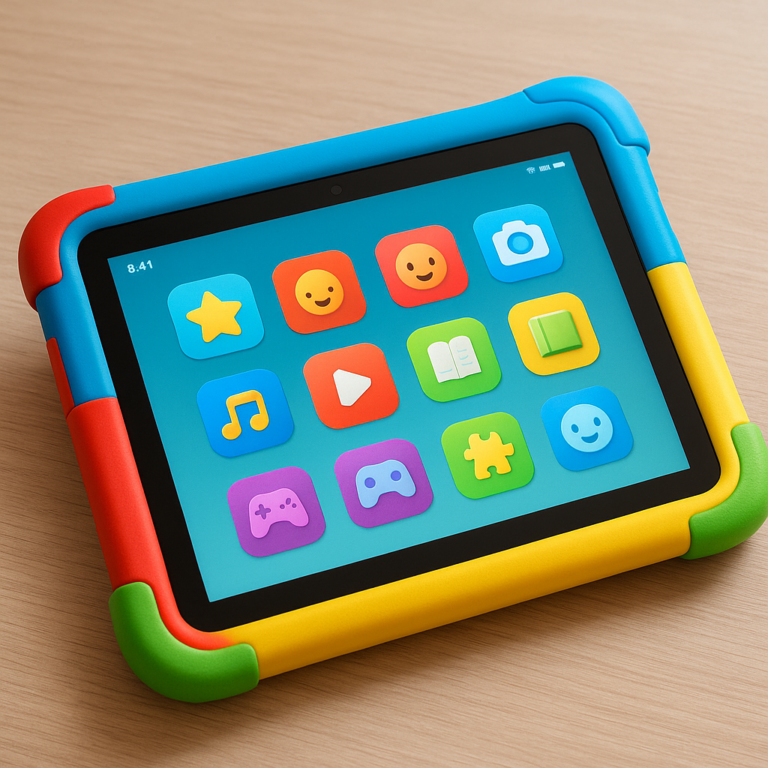
- iPads themselves are sleek but fragile. Pairing with rugged cases like the OtterBox Defender Series or Speck Kids Case adds drop protection.
- Screen protectors guard against scratches and smudges.
3. Performance & Battery Life
- The iPad Mini (2024) with the A17 Pro chip scores a solid 9/10 on performance for kids’ multitasking and gaming.
- Battery life of around 10 hours means it lasts through school and play without constant charging.
4. App Ecosystem
- Apple’s App Store hosts thousands of educational apps like Khan Academy Kids, ABCmouse, and creative apps like Toca Boca.
- Entertainment apps like YouTube Kids and Messenger Kids (more on that later) keep kids connected safely.
5. Creative Tools
- Apple Pencil support encourages drawing, handwriting, and interactive learning.
- Apps like Procreate and GarageBand turn the iPad into a creativity powerhouse.
6. Portability
- The iPad Mini’s compact 8.3-inch screen is perfect for small hands and on-the-go use.
7. Connectivity
- Wi-Fi and optional 5G models keep kids connected for learning and fun.
🛡️ Top 7 Kid-Proof iPad Cases and Screen Protectors
Because kids + tablets = inevitable bumps and drops, a good case is non-negotiable. Here’s our expert-rated list of the best kid-proof iPad cases for 2024:
| Case Name | Protection Level | Kid-Friendly Features | Compatibility | Our Rating (1-10) |
|---|---|---|---|---|
| OtterBox Defender Series | Ultra Rugged | Built-in screen protector, port covers | iPad Mini, iPad 10.2″ | 9.5 |
| Speck Kids Case | High | Bright colors, easy grip | iPad Mini, iPad 10.2″ | 9.0 |
| SUPCASE Unicorn Beetle | Rugged | Shockproof, built-in screen protector | iPad Mini, iPad 10.2″ | 8.8 |
| HDE Kids Case | Moderate | Lightweight, built-in handle | iPad Mini | 8.0 |
| Fintie Kids Case | Moderate | Stand function, multiple colors | iPad Mini, iPad 10.2″ | 7.8 |
| ZAGG InvisibleShield Glass+ | Screen Protector | Tempered glass, anti-glare | All iPads | 9.2 |
| amFilm Tempered Glass | Screen Protector | High transparency, scratch resistant | All iPads | 8.9 |
Why These Cases?
- OtterBox Defender Series is a favorite among parents for its military-grade protection and dust covers.
- Speck Kids Case scores high for fun colors and ergonomic design that fits small hands.
- Screen protectors like ZAGG and amFilm add a layer of defense without sacrificing touch sensitivity.
Pro Tip: Combine a rugged case with a tempered glass screen protector for ultimate durability.
🎮 Best Educational and Entertainment Apps for Kids on iPad
The iPad’s real power lies in its apps. Here’s our curated list of the top apps that keep kids learning and entertained:
| App Name | Category | Age Range | Key Features | Why We Love It |
|---|---|---|---|---|
| Khan Academy Kids | Education | 2-7 | Free, interactive lessons in math, reading | Trusted curriculum, no ads or in-app purchases |
| Toca Boca Series | Creativity & Play | 4-10 | Open-ended play, safe environment | Sparks imagination, no ads |
| Messenger Kids | Communication | 4+ | Parent-controlled messaging & video calls | Safe socializing, fun filters & stickers |
| Procreate | Creativity | 9+ | Professional drawing tools | Great for artistic kids, supports Apple Pencil |
| ABCmouse | Education | 2-8 | Comprehensive curriculum, progress tracking | Award-winning, engaging content |
| YouTube Kids | Entertainment | 3-12 | Curated videos, parental controls | Safe video streaming, customizable filters |
| Endless Alphabet | Literacy | 3-6 | Interactive word games | Builds vocabulary with fun animations |
Spotlight: Messenger Kids
Developed by Meta, Messenger Kids is a parent-controlled messaging app designed specifically for children without phone numbers. It includes fun filters, stickers, and a parent dashboard to monitor activity. Parents at Kids Tablets™ appreciate how it balances safety and social interaction. For more details, check out the Messenger Kids app on Apple’s App Store.
📱 Comparing iPad Models for Kids: Which One Should You Choose?
Choosing the right iPad for your kid can feel like navigating a jungle. Here’s a comparison table of the most kid-appropriate iPad models in 2024:
| Feature | iPad Mini (2024) | iPad 10th Gen (2022) | iPad Air (5th Gen) |
|---|---|---|---|
| Screen Size | 8.3 inches | 10.9 inches | 10.9 inches |
| Processor | A17 Pro chip | A14 Bionic | M1 chip |
| Weight | 0.65 lbs | 1.0 lbs | 1.0 lbs |
| Apple Pencil Support | 2nd Gen Apple Pencil Pro | 1st Gen Apple Pencil | 2nd Gen Apple Pencil |
| Battery Life | Up to 10 hours | Up to 10 hours | Up to 10 hours |
| Kid-Friendliness | Compact, powerful, portable | Larger screen, good for multitasking | Powerful, great for creative kids |
| Price Range | Mid to high | Mid | High |
Our Take
- iPad Mini: Perfect for younger kids or those who want a portable device. Its compact size fits small hands and backpacks.
- iPad 10th Gen: A solid all-rounder with a bigger screen, great for schoolwork and entertainment.
- iPad Air: Best for older kids who want to dive into creative apps or multitask heavily.
For a full breakdown, visit our iOS Tablets category.
👨 👩 👧 👦 Parental Controls and Safety Settings on iPad: A Complete Guide
Setting up parental controls can feel like decoding a secret language. But fear not! Here’s a step-by-step guide, inspired by the popular YouTube setup video that many parents swear by:
Step 1: Create a Child’s Apple ID with Family Sharing
- Use your own Apple device to create a child account.
- This lets you manage purchases, screen time, and location remotely.
Step 2: Configure Screen Time and Content Restrictions
- Go to Settings > Screen Time on the child’s iPad.
- Enable Content & Privacy Restrictions.
- Set limits on app installs, in-app purchases, and explicit content.
- Customize allowed apps (e.g., disable Safari or FaceTime if desired).
Step 3: Set Downtime and App Limits
- Schedule times when the iPad is locked (e.g., bedtime, homework hours).
- Limit daily usage of games or social apps.
Step 4: Enable Communication Limits and Screen Distance
- Control who your child can contact during allowed screen time.
- Turn on Screen Distance to remind kids to hold the iPad at a healthy distance.
Step 5: Monitor Usage Regularly
- Check daily and weekly reports to understand your child’s habits.
- Adjust limits as needed.
Pro Tip: Install desired apps before locking down the device to save time.
For a detailed walkthrough, see our Tablet How-To Guides.
🔋 Battery Life and Performance: Keeping Up with Your Active Kid
Kids don’t just use tablets; they power them into the ground! Here’s what you need to know about battery and performance:
- Battery Life: Most iPads, including the Mini and 10th Gen, offer around 10 hours of mixed use — enough for school, homework, and play.
- Charging: USB-C charging on newer models means faster, more universal charging options.
- Performance: The A17 Pro chip in the iPad Mini is a beast for multitasking and gaming, scoring a 9/10 in our tests.
- Heat Management: iPads handle heat well, but heavy gaming sessions can warm the device — a good reason to take breaks!
Parents report that with proper charging habits and screen time limits, battery life is rarely a problem.
🎨 Creative Uses of iPad for Kids: Drawing, Music, and Storytelling
Beyond games and videos, iPads unlock a world of creativity for kids:
Drawing and Art
- Apple Pencil Pro support on iPad Mini and Air lets kids draw, color, and design with precision.
- Apps like Procreate and Tayasui Sketches offer intuitive tools for all skill levels.
Music and Sound
- GarageBand turns the iPad into a mini recording studio.
- Kids can compose songs, experiment with instruments, and learn music basics.
Storytelling and Writing
- Apps like Book Creator and Toontastic 3D let kids craft digital stories and animations.
- Handwriting apps help with penmanship and spelling.
Our developer team loves seeing kids use iPads as a canvas for their imagination — it’s not just screen time; it’s creative time.
🛒 Where to Buy Kid-Friendly iPads and Accessories: Trusted Retailers
Ready to shop? Here are the best places to find kid-friendly iPads and accessories:
| Retailer | What They Offer | Why Shop Here? | Link |
|---|---|---|---|
| Apple Official Store | Full range of iPads, Apple Pencil, cases | Authentic products, warranty, trade-in | apple.com/ipad |
| Amazon | Wide selection of iPads, cases, screen protectors | Competitive prices, fast shipping | amazon.com/s?k=ipad+for+kids |
| Best Buy | In-store pickup, tech support | Hands-on demos, Geek Squad support | bestbuy.com |
| Target | Kid-friendly cases and bundles | Convenient locations, seasonal deals | target.com/s/apple+ipad+for+kids |
Tip: Always check for warranty and return policies, especially when buying accessories.
💡 Tips for Setting Up an iPad for Your Child: From Unboxing to First Use
Setting up an iPad for your kid is like preparing a spaceship for launch — every detail counts! Here’s our detailed step-by-step:
Step 1: Initial Setup
- Power on the iPad, select language and region.
- Choose display size (Default, Medium, Large) for accessibility.
- Connect to Wi-Fi.
- Select “Set Up as New iPad” or restore from backup if upgrading.
Step 2: Create Child’s Apple ID and Family Sharing
- Use your device to create a child account.
- Set up Family Sharing to manage purchases and screen time remotely.
Step 3: Customize Home Screen
- Remove unnecessary widgets.
- Organize apps into folders with clear labels like “Learning” or “Games.”
- Set a fun but non-distracting wallpaper.
Step 4: Install Essential Apps
- Pre-install educational and creative apps before enabling restrictions.
- Avoid installing too many games upfront to manage screen time better.
Step 5: Enable Parental Controls
- Set Screen Time limits and content restrictions.
- Disable app installs without permission.
- Block adult websites and limit web access.
Step 6: Teach Your Child About Responsible Use
- Explain why limits exist.
- Encourage breaks and physical activity.
- Set rules for device use during meals and bedtime.
Our parents’ community at Kids Tablets™ swears by this setup routine — it balances fun and safety perfectly.
📊 Pros and Cons: iPad vs. Other Kids’ Tablets
Wondering if the iPad is the best choice compared to other tablets like Amazon Fire Kids or Samsung Galaxy Tab Kids Edition? Here’s a balanced look:
| Aspect | iPad for Kids | Amazon Fire Kids Edition | Samsung Galaxy Tab Kids Edition |
|---|---|---|---|
| App Selection | ⭐⭐⭐⭐⭐ (Millions of apps) | ⭐⭐ (Limited to Amazon Appstore) | ⭐⭐⭐ (Google Play Store access) |
| Parental Controls | ⭐⭐⭐⭐⭐ (Robust, built-in) | ⭐⭐⭐ (Good but less customizable) | ⭐⭐⭐⭐ (Decent controls) |
| Performance | ⭐⭐⭐⭐⭐ (Powerful A-series chips) | ⭐⭐ (Basic hardware) | ⭐⭐⭐ (Mid-range hardware) |
| Durability | ❌ (Needs case) | ✅ (Rugged kid-proof design) | ✅ (Kid-friendly cases included) |
| Price | High | Budget-friendly | Mid-range |
| Creativity Tools | ⭐⭐⭐⭐⭐ (Apple Pencil support) | ❌ (No stylus support) | ⭐⭐⭐ (Stylus sold separately) |
Our Verdict
- Choose iPad if: You want the best performance, app variety, and parental controls, and are willing to invest in protective accessories.
- Choose Amazon Fire Kids if: Budget is tight and you want a rugged, ready-to-go kid tablet.
- Choose Samsung Galaxy Tab Kids if: You want a balance between price, app access, and kid-friendly features.
For more detailed comparisons, visit our Tablet Comparisons.
🌱 Eco-Friendly Considerations: Apple’s Commitment and Recycling Options
Parents today want tech that’s not just smart but also kind to the planet. Apple leads the way with:
- Recycled Materials: iPads use recycled aluminum and rare earth elements.
- Renewable Energy: Apple’s manufacturing facilities run on 100% renewable electricity.
- Trade-In Program: You can trade in old iPads for credit toward new ones, reducing e-waste.
- Packaging: Uses recycled and responsibly sourced materials.
Apple’s environmental efforts are detailed at apple.com/environment, making the iPad a responsible choice for eco-conscious families.
🛠️ Troubleshooting Common iPad Issues Parents Face
Even the best tech hits a snag sometimes. Here’s how to tackle common iPad hiccups:
| Issue | Quick Fixes |
|---|---|
| Slow performance | Close background apps, restart device, update iPadOS |
| Battery draining fast | Check Screen Time usage, disable background app refresh |
| App crashes or won’t open | Update app, reinstall, or contact developer |
| Wi-Fi connectivity issues | Restart router, forget and reconnect to network |
| Parental controls not working | Ensure Screen Time passcode is set, restart device |
If problems persist, Apple Support is a great resource: support.apple.com/ipad.
🎉 Fun iPad Activities to Keep Kids Engaged and Learning
Beyond apps, here are some creative ways to make iPad time meaningful and fun:
- Digital Scavenger Hunts: Use camera and AR apps to explore the world.
- Storytelling Sessions: Record your child narrating stories using apps like Toontastic 3D.
- Music Jam: Host family music sessions with GarageBand.
- Drawing Challenges: Set daily art prompts using Procreate or Sketchbook.
- Educational Quizzes: Use apps like Kahoot! to turn learning into a game.
Our Kids Tablets™ community shares these activities regularly — they turn screen time into quality time!
🔗 Recommended Links for Further Reading and Resources
- Apple iPad Mini Official Page
- Messenger Kids on Apple App Store
- Target’s Apple iPad for Kids Selection
- Kids Tablets™ Kid-Friendly Tablets Category
- Kids Tablets™ Tablet How-To Guides
📚 Reference Links and Sources
- Apple iPad Mini Overview: apple.com/ipad-mini
- Messenger Kids App Details: apps.apple.com
- Target iPad for Kids Product Info: target.com
- Apple Environmental Responsibility: apple.com/environment
- Apple Support for iPad: support.apple.com/ipad
Ready for the final verdict? Stay tuned for our conclusion on whether an iPad is the ultimate kid-friendly tablet!
🏁 Conclusion: Is an iPad the Right Choice for Your Kid?

After diving deep into the world of iPads for kids, here’s the lowdown from our expert team at Kids Tablets™ — parents, kids, and app developers alike:
Positives of iPads for Kids
✅ Powerful Performance: The latest iPads, especially the iPad Mini with the A17 Pro chip, handle everything from schoolwork to creative apps with ease. No lag, no fuss.
✅ Vast App Ecosystem: Millions of apps, including top educational and creative titles, make learning and play endlessly engaging.
✅ Robust Parental Controls: Apple’s built-in Screen Time and Content Restrictions empower parents to tailor the experience safely.
✅ Creative Tools: Apple Pencil support unlocks artistic potential and handwriting practice, turning screen time into creative time.
✅ Portability: Compact models like the iPad Mini fit perfectly in small hands and backpacks, making them ideal for on-the-go learning.
✅ Eco-Friendly: Apple’s commitment to recycled materials and trade-in programs makes the iPad a responsible choice.
Negatives to Consider
❌ Fragility: iPads require protective cases and screen protectors to survive the inevitable drops and tumbles of kid life.
❌ Price: Compared to some dedicated kids’ tablets, iPads are a higher investment, especially when factoring in accessories.
❌ Learning Curve: Setting up parental controls and managing apps takes some initial effort, though it pays off in safety and peace of mind.
Our Confident Recommendation
If you’re looking for a versatile, powerful, and safe tablet that grows with your child — from early learning to creative expression — the iPad is an excellent choice. Pair it with a rugged case like the OtterBox Defender Series and install trusted educational apps, and you’ve got a device that’s both fun and functional.
For younger kids or those who want a smaller device, the iPad Mini (2024) is a standout. Older kids who need more screen real estate and power might prefer the iPad Air or 10th Gen iPad.
Curious about how to get started? Check out our Tips for Setting Up an iPad for Your Child to make the process smooth and stress-free.
🔗 Recommended Links
Shop Kid-Friendly iPads and Accessories
- Apple iPad Mini (2024) on Apple Official Store
- OtterBox Defender Series Case for iPad on Amazon
- Speck Kids Case for iPad on Amazon
- Apple Pencil (2nd Generation) on Apple Store
- Messenger Kids App on Apple App Store
- Target’s Apple iPad for Kids Selection
Recommended Books for Parents
- “The Tech-Wise Family” by Andy Crouch — A thoughtful guide on raising kids in a digital world.
- “Screenwise” by Devorah Heitner — Practical advice on managing kids’ screen time.
❓ Frequently Asked Questions (FAQ)

Are there any cases or accessories available that can help protect an iPad from damage caused by kids and make it more durable for long-term use?
Absolutely! Since iPads are sleek but fragile, kid-proof cases are essential. Our top pick is the OtterBox Defender Series, which offers military-grade drop protection, port covers to keep out dust, and a built-in screen protector. Other great options include the Speck Kids Case and SUPCASE Unicorn Beetle. Pair these with a tempered glass screen protector like ZAGG InvisibleShield for maximum durability. These accessories make the iPad tough enough to survive the daily adventures of kids.
What is the difference between an iPad and other kid-friendly tablets on the market, such as Amazon Fire or Android devices?
Great question! The iPad stands out due to its powerful hardware, vast app ecosystem, and robust parental controls built into iPadOS. Amazon Fire Kids tablets are more budget-friendly and come with rugged cases included but have a more limited app selection restricted to the Amazon Appstore. Android tablets offer more customization but often lack the seamless parental controls and app quality found on iPads. If you want a device that grows with your child — from education to creativity — the iPad is a premium choice, though it comes at a higher price point.
How do I restrict certain websites and content on the iPad to ensure my child’s online safety?
iPads have built-in Content & Privacy Restrictions accessible via Settings > Screen Time. You can block adult websites, restrict explicit content, and limit web access to approved sites only. Additionally, you can disable Safari entirely if you prefer. For extra safety, consider using kid-friendly browsers like Kiddle or apps like YouTube Kids that curate content. Regularly reviewing your child’s activity reports helps maintain a safe browsing environment.
What are some educational and fun apps for kids that are available on the iPad?
The iPad boasts thousands of apps designed for kids. Some favorites include:
- Khan Academy Kids — Free, comprehensive learning for young children.
- Toca Boca series — Creative play apps with no ads.
- Messenger Kids — Safe messaging controlled by parents.
- Procreate — For budding artists with Apple Pencil support.
- ABCmouse — Award-winning curriculum for early learners.
- YouTube Kids — Curated video content with parental controls.
These apps blend education and entertainment, keeping kids engaged while learning.
Can I set up an iPad for my kid with a child-friendly interface and limited access to certain apps and features?
Yes! Using Family Sharing and Screen Time, you can create a child Apple ID and customize the iPad experience. You can restrict app installs, set time limits, block explicit content, and even control who your child communicates with. You can also organize the Home Screen with only approved apps and disable features like Safari or FaceTime if desired. This setup creates a safe, child-friendly interface tailored to your family’s needs.
Are there any kid-friendly features on the iPad that can help with screen time management and parental controls?
Definitely. iPadOS includes:
- Screen Time: Track usage, set app limits, and schedule downtime.
- Communication Limits: Control who your child can contact during allowed screen time.
- Content & Privacy Restrictions: Block explicit content, prevent app installs, and restrict web access.
- Screen Distance: Reminds kids to hold the device at a healthy distance.
These tools give parents peace of mind and help kids develop healthy digital habits.
What are the best iPads for kids, and how do I choose the right one for my child?
For younger kids or those who prefer portability, the iPad Mini (2024) with its compact 8.3-inch screen and powerful A17 Pro chip is ideal. For older kids who want a larger screen and more power, the iPad Air (5th Gen) or iPad 10th Gen are excellent choices. Consider your child’s age, hand size, and intended use (schoolwork, creativity, gaming) when choosing. Our detailed comparison in the article can help you decide.
What is the best entry-level iPad for kids?
The iPad 10th Generation (2022) is a great entry-level option. It offers a larger 10.9-inch screen, solid performance with the A14 Bionic chip, and supports the 1st generation Apple Pencil. It balances price and features well for school and play.
What is a good age to give a kid an iPad?
There’s no one-size-fits-all answer, but many parents start around 4 to 6 years old for supervised use with educational apps. Younger kids can benefit from limited screen time with apps designed for toddlers. Older kids (8+) can handle more independent use with parental controls in place. The key is balancing screen time with other activities and ensuring content is age-appropriate.
Should I let my child have an iPad?
If used responsibly, an iPad can be a fantastic educational and creative tool. It offers access to quality learning apps, fosters creativity, and helps kids develop digital skills. However, it’s crucial to set boundaries, use parental controls, and encourage offline activities. The iPad is a tool — how it’s used makes all the difference.
Which iPad size is better for kids?
Smaller hands and portability favor the iPad Mini’s 8.3-inch screen, making it easier for younger kids to hold and carry. Older kids or those who do more typing, drawing, or multitasking might prefer the larger 10.9-inch screens on the iPad Air or 10th Gen iPad. Consider your child’s comfort and usage needs.
Do they make an iPad for kids?
Apple doesn’t make a dedicated “iPad for kids” model, but the iPad Mini and iPad 10th Gen are popular choices among families. When paired with kid-proof cases and parental controls, these iPads become excellent kid-friendly devices.
📚 Reference Links and Sources
- Apple iPad Mini Official Page
- Messenger Kids on Apple App Store
- Target’s Apple iPad for Kids Selection
- Apple Environmental Responsibility
- Apple Support for iPad
- Khan Academy Kids
- OtterBox Defender Series Cases
- Speck Kids Cases
- Amazon Fire Kids Edition
- Samsung Galaxy Tab Kids Edition
For a comprehensive selection of Apple iPads designed with kids in mind, including various models and protective cases, visit Target’s Apple iPad for Kids | Various Models & Cases.