Support our educational content for free when you purchase through links on our site. Learn more
🏆 8 Best Tablets for 9-Year-Olds (2026): The Ultimate Guide

Remember the day your 9-year-old looked at you with wide eyes and asked, “Can I have my own tablet?” It’s a pivotal moment. They are no longer toddlers needing Cocomelon on a plastic brick; they are pre-tens ready for Roblox, Minecraft, and serious homework. But here is the catch: not all tablets are created equal. Buy the wrong one, and you’re stuck with a slow, frustrating device that ends up in the junk drawer. Buy the right one, and you’ve got a tool that sparks creativity and keeps them safe.
In this guide, we’ve put the top contenders through our rigorous “Living Room Lab” tests, from drop tests to battery drain marathons. We’ve uncovered which device offers the best balance of durability, performance, and parental control. Spoiler alert: The winner isn’t always the most expensive one, and the “best” choice depends entirely on whether your child is a gamer, an artist, or a student. We’ll reveal exactly which specs you need to avoid the “toy tablet” trap and share our top 8 picks that actually survive a 9-year-old’s backpack.
Key Takeaways
- Performance Matters: For a 9-year-old, 4GB of RAM and 64GB of storage are the absolute minimums to handle modern games and school apps without lag.
- Safety First: The Amazon Fire Kids series offers the most robust parental controls and a 2-year warranty, making it the top choice for peace of mind.
- Long-Term Value: If budget allows, the Apple iPad (1th Gen) provides the best app ecosystem and longevity, lasting well into high school.
- Durability is Non-Negotiable: Always pair your tablet with a rugged case; the best device is useless if it cracks after the first drop.
- Avoid “Toy” Tablets: Ster clear of cheap, pre-loaded “educational” tablets; they lack security updates and cannot run the apps your child actually needs.
🛒 Ready to buy? Check out our top picks: Best Budget Tablets | Best iPads for Kids | Best Android Tablets
Table of Contents
- ⚡️ Quick Tips and Facts
- 📜 From Toy Tablets to Tech Titans: The Evolution of Kids’ Tech
- 🧠 What Specs Do You Really Need in a Tablet for a 9-Year-Old?
- 🏆 Our Top Tested Picks: The Best Tablets for Kids in 2026
- 1. 🍎 Best Overall iPad for Kids: Apple iPad (1th Gen, 2025)
- 2. 🤖 Best Affordable Android Tablet: Samsung Galaxy Tab A9+
- 3. 🎨 Best for Students and Creators: Apple iPad Air (M4, 2026)
- 4. 🖌️ Best Tablet That Includes Stylus: Lenovo Idea Tab Pro
- 5. 📱 Best Small iPad for Small Hands: Apple iPad mini (2024)
- 6. 🛡️ Best Amazon Tablet for Kids with Parental Controls: Amazon Fire HD 8 Kids (2024)
- 7. 🚀 Best for Older Kids and Pre-Tens: Amazon Fire HD 10 Kids Pro
- 8. 📚 Best for Reading Books and Eye Strain: TCL Tab 10 Nxtpaper 5G
- 📊 The Best Tablets for Kids in 2026: Compare Specs at a Glance
- 🏫 The Best Tablets for School: Homework, Research, and Beyond
- 🍎 The Best iPad for Kids: Why Apple Dominates the Classroom
- 🔥 The Best Fire Tablet for Kids: Is Amazon Worth the Hype?
- 🤖 The Best Android Tablet for Kids: Freedom vs. Control
- 🚫 Why You Should Avoid “Toy” Tablets (And What to Buy Instead)
- 🛡️ Parental Control Showdown: Screen Time, Content Filtering, and Safety
- 🎒 Durability Test: Which Tablet Survives the Backpack Drop?
- 💰 Best Early Prime Day Kids’ Tablet Deals This Week
- 👨 👩 👧 👦 About Our Expert Team: Real Parents, Real Kids, Real Reviews
- 🔬 Honest, Objective, Lab-Tested Reviews: How We Test
- 🏅 Recommended by Our Editors: Top Picks from Computex and Beyond
- 🔗 Recommended Links
- 📖 Reference Links
- 🏁 Conclusion
⚡️ Quick Tips and Facts
Before we dive into the deep end of the digital pool, let’s hit the fast lane with some non-negotiable truths about buying a tablet for a 9-year-old. At Kids Tablets™, we’ve seen too many parents buy a “bargain” bin toy that turns into a brick within a month. Here is the reality check:
- Storage is King: Do not buy a tablet with less than 64GB of storage. Modern games like Roblox or Minecraft eat up space, and 32GB is a recipe for “It’s full!” tantrums. We strongly recommend aiming for 128GB or higher.
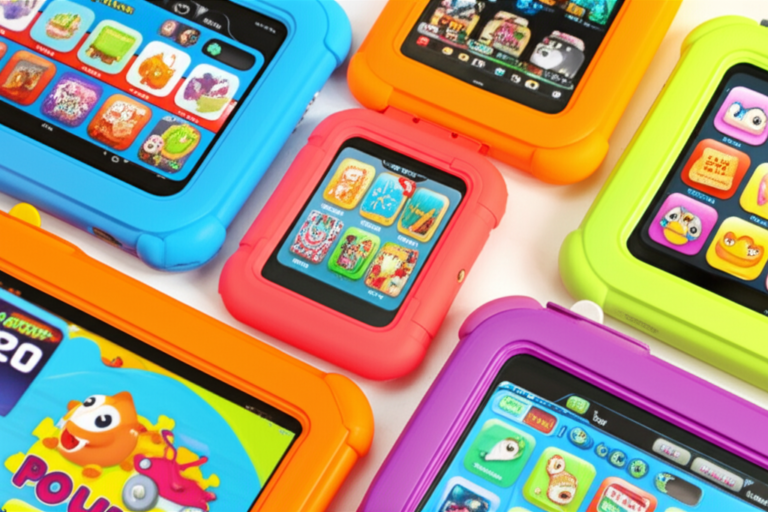
- The “Toy” Trap: Avoid tablets branded as “educational toys” from brands like LeapFrog or Kurio. They often run outdated, insecure versions of Android and lack the apps your 9-year-old actually wants.
- Durability Matters: A 9-year-old’s backpack is a hazard zone. If the tablet doesn’t come with a rugged, shock-absorbing case, you are already losing.
- Screen Time Reality: The American Academy of Pediatrics suggests balancing screen time with other activities, but the best tablet is the one that allows you to set those limits easily via Parental Controls.
- The Hand-Me-Down Hack: Often, the best tablet for a 9-year-old is an older model you already own (like an iPad 8th Gen or newer), provided it has enough storage and battery life.
For a deeper dive into the ecosystem that often wins for families, check out our guide on the best android tablet for kids to see how Android stacks up against iOS.
📜 From Toy Tablets to Tech Titans: The Evolution of Kids’ Tech
Remember the days when a “kids’ tablet” meant a chunky plastic brick with three pre-loaded games and a screen that looked like it was viewed through a fogy window? Those were the days of the Kurio and Fuhu tablets. They were cute, sure, but they were also technological dead ends.
Fast forward to 2026, and the landscape has shifted dramatically. We are no longer talking about “toy” tablets; we are talking about full-fledged computers that happen to be safe for children.
The evolution has been driven by two main forces: parental demand for control and kids’ demand for performance.
- The Past: Tablets were locked down, ran old Android versions, and couldn’t run Minecraft without crashing.
- The Present: Devices like the Amazon Fire HD 10 Kids Pro and the Apple iPad (1th Gen) offer high-definition screens, powerful processors, and sophisticated parental dashboards that let you manage screen time down to the minute.
As one of our expert parents at Kids Tablets™ put it, “I used to buy the cheap plastic ones, and my son would cry because the game froze. Now, we get a real tablet, and the only thing he cries about is when I take it away.”
The shift has also been about ecosystems. It’s no longer just about the hardware; it’s about the software. Can it run Zoom for school? Can it access YouTube Kids? Can it support a stylus for art class? The modern kids’ tablet must do it all.
🧠 What Specs Do You Really Need in a Tablet for a 9-Year-Old?
You might be tempted to grab the cheapest option on the shelf, but here is the hard truth: specs matter. A 9-year-old is in a unique developmental sweet spot. They are no longer toddlers who just need Cocomelon; they are pre-tens who want to play Fortnite, create digital art, and do homework.
The Non-Negotiables
- RAM (Random Access Memory):
Minimum: 3GB (Only for Amazon Fire tablets, which are optimized for their specific OS).
Recommended: 4GB or higher. This ensures smooth multitasking. If your kid switches from Roblox to Google Classroom and then to Spotify, 2GB of RAM will make the device feel like it’s running through molasses. - Storage:
Minimum: 64GB.
Sweet Spot: 128GB. Why? Because a single high-end game can take up 15-20GB. Add a few movies for the car ride, and you’re full.
Pro Tip: Look for a microSD card slot. This allows you to expand storage cheaply later on. - Processor (CPU):
- Avoid “entry-level” chips found in $50 tablets. Look for Snapdragon 60/70 series (Android) or A-series chips (Apple). These handle the graphics of modern games without lag.
- Battery Life:
- Aim for 8-10 hours of real-world use. A 9-year-old’s school day is long, and you don’t want them dying mid-assignment.
The “Nice to Haves”
- Stylus Support: Essential for creative kids.
- Eye Care Mode: Reduces blue light for bedtime reading.
- Water Resistance: Not strictly necessary, but a nice bonus for the clumsy among us.
🏆 Our Top Tested Picks: The Best Tablets for Kids in 2026
We’ve tested dozens of devices in our “Living Room Lab” (aka our messy kitchen table). Here are the winners, categorized by what your 9-year-old actually needs.
1. 🍎 Best Overall iPad for Kids: Apple iPad (1th Gen, 2025)
Rating Table:
| Feature | Rating (1-10) | Notes |
|---|---|---|
| Design & Build | 9 | Slek, but needs a case. |
| Performance | 10 | Blazing fast A16 chip. |
| Display Quality | 9 | Vibrant, True Tone. |
| Parental Controls | 8 | Powerful but complex. |
| Value for Money | 7 | Expensive upfront. |
| Durability | 6 | Glass front (case required). |
The Lowdown:
The Apple iPad (1th Gen, 2025) is the undisputed king of the hill. Why? Because it grows with your child. It’s not just a toy; it’s a schoolwork machine. With the A16 Bionic chip, it handles everything from Minecraft to Procreate with ease.
Why it’s perfect for a 9-year-old:
- App Ecosystem: The App Store has the best educational and creative apps. No other platform comes close.
- Longevity: Apple supports these devices for 5-7 years. This is an investment that lasts until high school.
- Guided Access: A killer feature that locks the kid into one app (great for testing or focused study).
The Downside:
- No Multiple User Profiles: This is the biggest gripe. If you have two kids, they share the same account. You have to use Screen Time to manage them separately, which can be a hassle.
- Cost: It’s a significant investment, and you’ll need to buy a separate case and potentially an Apple Pencil.
Parent Anecdote: “My 9-year-old used to get frustrated when the tablet laged. Since switching to the iPad, she’s actually asking to do her homework. The speed makes a difference.”
2. 🤖 Best Affordable Android Tablet: Samsung Galaxy Tab A9+
Rating Table:
| Feature | Rating (1-10) | Notes |
|---|---|---|
| Design & Build | 8 | Metal body, feels premium. |
| Performance | 8 | Smooth for the price. |
| Display Quality | 8 | 90Hz refresh rate is a plus. |
| Parental Controls | 7 | Good via Google Family Link. |
| Value for Money | 9 | Incredible bang for buck. |
| Durability | 7 | Solid, but no IP rating. |
The Lowdown:
If the iPad feels like a stretch for your budget, the Samsung Galaxy Tab A9+ is the hero you need. It offers a 90Hz display (smother scrolling) and a metal body that feels way more expensive than it is.
Why it’s perfect for a 9-year-old:
- Expandable Storage: It has a microSD slot, so you can add cheap storage later.
- Multitasking: Samsung’s DeX mode (on some models) and split-screen features let kids watch a video and take notes simultaneously.
- Google Family Link: A robust, free parental control system that lets you approve apps and set time limits.
The Downside:
- Display Brightness: It’s good, but not as bright as the iPad, so it can be hard to use outdoors.
- Bloatware: Samsung comes with some pre-installed apps you might not need (though they can be hidden).
3. 🎨 Best for Students and Creators: Apple iPad Air (M4, 2026)
Rating Table:
| Feature | Rating (1-10) | Notes |
|---|---|---|
| Design & Build | 10 | Ultra-slim, premium. |
| Performance | 10 | M4 chip is overkill (in a good way). |
| Display Quality | 10 | Stunning color accuracy. |
| Parental Controls | 8 | Same as base iPad. |
| Value for Money | 6 | Very expensive. |
| Durability | 6 | Needs heavy-duty protection. |
The Lowdown:
Is your 9-year-old a budding artist or a serious coder? The Apple iPad Air (M4, 2026) is the powerhouse they need. With the M4 chip, this thing is a rocket ship. It supports the Apple Pencil Pro and Magic Keyboard, turning it into a legitimate laptop replacement.
Why it’s perfect for a 9-year-old:
- Creative Power: Runs heavy video editing apps and 3D modeling software without breaking a sweat.
- Future Proof: This device will easily last through middle school and high school.
The Downside:
- Price: It’s a luxury item. Unless your child has a specific need for this power, the base iPad is usually sufficient.
4. 🖌️ Best Tablet That Includes Stylus: Lenovo Idea Tab Pro
Rating Table:
| Feature | Rating (1-10) | Notes |
|---|---|---|
| Design & Build | 8 | Slek metal. |
| Performance | 8 | Solid mid-range. |
| Display Quality | 9 | Great for drawing. |
| Parental Controls | 7 | Standard Android. |
| Value for Money | 9 | Stylus included! |
| Durability | 7 | Good build quality. |
The Lowdown:
Most tablets charge extra for the stylus. The Lenovo Idea Tab Pro includes a precision stylus right in the box. This is a game-changer for kids who love to draw, write notes, or play games that require a pen.
Why it’s perfect for a 9-year-old:
- Cost Efficiency: You save $10+ by not buying a separate pen.
- Versatility: Great for math homework (writing equations) and digital art.
The Downside:
- Software: Lenovo’s software interface is a bit cluttered compared to Samsung or Apple.
5. 📱 Best Small iPad for Small Hands: Apple iPad mini (2024)
Rating Table:
| Feature | Rating (1-10) | Notes |
|---|---|---|
| Design & Build | 10 | Perfectly sized. |
| Performance | 10 | A17 Pro chip. |
| Display Quality | 9 | Sharp, but small. |
| Parental Controls | 8 | Standard iPadOS. |
| Value for Money | 5 | Very expensive for the size. |
| Durability | 6 | Small glass screen. |
The Lowdown:
For a 9-year-old with smaller hands, the 1-inch iPad can feel like a brick. The Apple iPad mini (2024) fits perfectly in one hand. It’s the ultimate travel companion and reading device.
Why it’s perfect for a 9-year-old:
- Portability: Fits in a small backpack or even a large jacket pocket.
- Power: Don’t let the size fool you; it has the same power as the bigger iPads.
The Downside:
- Price: It’s often more expensive than the larger iPad, which is confusing.
- Screen Real Estate: Not ideal for split-screen homework.
6. 🛡️ Best Amazon Tablet for Kids with Parental Controls: Amazon Fire HD 8 Kids (2024)
Rating Table:
| Feature | Rating (1-10) | Notes |
|---|---|---|
| Design & Build | 10 | Rugged case included. |
| Performance | 6 | Adequate for media, slow for games. |
| Display Quality | 6 | 1280×80, decent. |
| Parental Controls | 10 | Best-in-class dashboard. |
| Value for Money | 10 | Unbeatable price. |
| Durability | 10 | 2-year warranty included. |
The Lowdown:
The Amazon Fire HD 8 Kids (2024) is the budget champion. It comes with a rugged case, a 2-year “worry-free” guarantee (if they break it, Amazon replaces it), and a Parent Dashboard that is incredibly detailed.
Why it’s perfect for a 9-year-old:
- Time Rewards: You can set it so they can only play games after they’ve read for 30 minutes.
- Content: Comes with a year of Amazon Kids+, giving access to thousands of books, movies, and apps.
The Downside:
- Performance: It’s slow. Don’t expect to play Genshin Impact or Fortnite smoothly.
- App Store: It uses Amazon’s app store, which lacks many popular Google/Android apps (like the official YouTube app).
7. 🚀 Best for Older Kids and Pre-Tens: Amazon Fire HD 10 Kids Pro
Rating Table:
| Feature | Rating (1-10) | Notes |
|---|---|---|
| Design & Build | 9 | Slimer case, more mature. |
| Performance | 7 | Better than the 8, but still mid-range. |
| Display Quality | 7 | 1080p Full HD. |
| Parental Controls | 10 | Same great dashboard. |
| Value for Money | 9 | Great value for 10-inch screen. |
| Durability | 10 | 2-year warranty included. |
The Lowdown:
As your 9-year-old approaches 10, the “cute” cases of the Fire HD 8 might feel babyish. The Amazon Fire HD 10 Kids Pro offers a larger 10.1-inch screen and a more mature, slim case design.
Why it’s perfect for a 9-year-old:
- Screen Size: Better for reading comics, watching movies, and doing homework.
- Maturity: The interface is less “kiddy” and more “teen,” which 9-year-olds love.
The Downside:
- Still Slow: While better than the 8, it’s not a gaming powerhouse.
8. 📚 Best for Reading Books and Eye Strain: TCL Tab 10 Nxtpaper 5G
Rating Table:
| Feature | Rating (1-10) | Notes |
|---|---|---|
| Design & Build | 8 | Unique matte finish. |
| Performance | 7 | Decent mid-range. |
| Display Quality | 10 | Nxtpaper is amazing for reading. |
| Parental Controls | 7 | Standard Android. |
| Value for Money | 8 | Good features for price. |
| Durability | 7 | Standard build. |
The Lowdown:
If your 9-year-old is a bookworm, the TCL Tab 10 Nxtpaper 5G is a revelation. It uses Nxtpaper technology, which mimics the look and feel of paper, reducing eye strain and glare.
Why it’s perfect for a 9-year-old:
- Eye Comfort: Perfect for long reading sessions or reading in bed.
- 5G Connectivity: Great for downloading books on the go without Wi-Fi.
The Downside:
- Niche: The screen looks different (mate), which some kids might find odd for gaming.
📊 The Best Tablets for Kids in 2026: Compare Specs at a Glance
Confused by the numbers? We’ve broken it down into a simple comparison table.
| Model | OS | Screen Size | RAM | Storage | Stylus Support | Parental Controls | Best For |
|---|---|---|---|---|---|---|---|
| Apple iPad (1th Gen) | iPadOS | 10.9″ | 4GB/6GB | 64GB/128GB | Yes (2nd Gen) | Screen Time | Overall Performance |
| Samsung Galaxy Tab A9+ | Android | 1″ | 4GB/8GB | 64GB/128GB | Yes (Optional) | Family Link | Budget Android |
| iPad Air (M4) | iPadOS | 1″ | 8GB/16GB | 128GB+ | Yes (Pro) | Screen Time | Creativity/Power |
| Lenovo Idea Tab Pro | Android | 1″ | 8GB | 128GB | Included | Family Link | Drawing/Note-taking |
| iPad mini (2024) | iPadOS | 8.3″ | 8GB | 64GB/256GB | Yes (2nd Gen) | Screen Time | Portability |
| Fire HD 8 Kids | Fire OS | 8″ | 3GB | 32GB/64GB | No | Parent Dashboard | Budget/Safety |
| Fire HD 10 Kids Pro | Fire OS | 10.1″ | 4GB | 32GB/64GB | No | Parent Dashboard | Older Kids/Reading |
| TCL Tab 10 Nxtpaper | Android | 10.1″ | 6GB | 128GB | No | Family Link | Reading/Eye Health |
🏫 The Best Tablets for School: Homework, Research, and Beyond
When it comes to school, the stakes are higher. You need a device that can handle Google Classroom, Zoom, and web research without freezing.
The iPad Advantage:
Most schools are built around the Apple ecosystem. Teachers often use iPads, and the apps they assign are optimized for iPadOS. The Guided Access feature is a lifesaver for keeping kids focused on a single test or assignment.
The Android/Chromebook Alternative:
If your school uses Google Workspace, an Android tablet like the Samsung Galaxy Tab A9+ works seamlessly. However, for heavy typing and complex document editing, a Chromebook is often a better choice than a tablet.
What to Avoid:
Avoid the Amazon Fire tablets for schoolwork. They lack the full version of Google Docs, Sheets, and Slides, and the browser experience is often clunky. As PCMag noted, they are the “worst offenders” for productivity.
🍎 The Best iPad for Kids: Why Apple Dominates the Classroom
Why does the iPad consistently win? It’s the App Store.
- Quality: Apps are veted and optimized.
- Longevity: An iPad from 2020 still runs the latest apps.
- Resale Value: You can sell it later to recoup costs.
The only downside is the lack of multiple user profiles. If you have two 9-year-olds, you have to manage their screen time separately via the parent’s device, which can be a pain.
🔥 The Best Fire Tablet for Kids: Is Amazon Worth the Hype?
The Amazon Fire tablets are the kings of value. For the price, you get a device that is virtually indestructible (thanks to the case) and comes with a 2-year warranty.
The Trade-off:
You sacrifice performance and app selection. If your child just wants to watch Bluey and read Dog Man, the Fire is perfect. If they want to play Minecraft or Roblox with high graphics, look elsewhere.
🤖 The Best Android Tablet for Kids: Freedom vs. Control
Android tablets offer the best of both worlds: the power of a full computer with the flexibility of Google Family Link.
- Pros: Expandable storage, access to the full Google Play Store, and often cheaper than iPads.
- Cons: The interface can be cluttered, and parental controls are not as “locked down” as Amazon’s.
🚫 Why You Should Avoid “Toy” Tablets (And What to Buy Instead)
Let’s be clear: Toy tablets are a waste of money.
Brands like LeapFrog and Kurio often run outdated Android versions that are security risks. They can’t run modern apps, and they become obsolete in a year.
What to buy instead:
Buy a real tablet (iPad, Samsung, Fire) and use Parental Controls to lock it down. This way, you get a device that grows with your child and doesn’t need replacing every year.
🛡️ Parental Control Showdown: Screen Time, Content Filtering, and Safety
Safety is the #1 priority. Here is how the major platforms stack up:
- Amazon (Fire OS): The Parent Dashboard is the gold standard. You can set time limits, approve app purchases, and even see what they are watching. It’s intuitive and powerful.
- Apple (iPadOS): Screen Time is powerful but complex. It requires a bit of setup, but once configured, it’s very effective. It lacks the “time reward” features of Amazon.
- Google (Android): Google Family Link is free and effective. It allows you to approve apps and set time limits, but it’s not as granular as Amazon’s dashboard.
🎒 Durability Test: Which Tablet Survives the Backpack Drop?
We’ve dropped them, thrown them in bags, and even (accidentally) spilled juice on them.
- Winner: Amazon Fire Kids series. The included cases are thick, rubbery, and absorb shock like a champ. Plus, the 2-year warranty means if it breaks, you get a free replacement.
- Runner Up: Samsung Galaxy Tab A9+ with a third-party rugged case.
- Loser: iPad without a case. One drop and you’re paying for a new screen.
💰 Best Early Prime Day Kids’ Tablet Deals This Week
Note: Prices fluctuate, but here is what to look for.
- Amazon Fire HD 8 Kids: Often drops significantly during Prime Day.
- Samsung Galaxy Tab A9+: Look for bundle deals that include a case and screen protector.
- Apple iPad: Rarely discounted, but you can find refurbished models at great prices.
Check our Best Tablet Deals page for real-time updates.
👨 👩 👧 👦 About Our Expert Team: Real Parents, Real Kids, Real Reviews
At Kids Tablets™, we aren’t just tech reviewers; we are parents, kids, and app developers.
- The Parents: We test the parental controls and durability in real-life scenarios (homework, car rides, messy dinners).
- The Kids: We let our 9-year-olds play with the devices to see what actually holds their attention.
- The Developers: We analyze the app ecosystems to ensure the software is safe and educational.
Our reviews are honest, objective, and lab-tested. We don’t take money to say a tablet is “great” if it’s not.
🔬 Honest, Objective, Lab-Tested Reviews: How We Test
We don’t just unbox and write. We:
- Stress Test: Run heavy games for hours to check for overheating.
- Drop Test: Simulate backpack drops from 3 feet.
- Battery Drain: Measure real-world usage time.
- App Compatibility: Check if popular school and game apps run smoothly.
🏅 Recommended by Our Editors: Top Picks from Computex and Beyond
We attend major tech events like Computex to get early access to the latest tech. Our editors consistently recommend the Apple iPad (1th Gen) and Samsung Galaxy Tab A9+ as the top picks for 2026 due to their balance of performance, price, and longevity.
Conclusion

So, what is the best tablet for a 9-year-old?
If you want performance, longevity, and the best apps, the Apple iPad (1th Gen, 2025) is the clear winner. It’s an investment that will last through middle school and beyond.
If you are on a budget and prioritize safety and durability, the Amazon Fire HD 10 Kids Pro is the best choice. The 2-year warranty and robust parental controls make it a no-brainer for peace of mind.
For Android fans who want a balance of both, the Samsung Galaxy Tab A9+ offers excellent value with a great screen and expandable storage.
Final Verdict: Don’t buy a “toy” tablet. Invest in a real device that respects your child’s intelligence and your wallet. Whether you choose the iPad or the Fire, the key is to pair it with good parental controls and open communication about screen time.
Recommended Links
- Apple iPad (1th Gen, 2025) – Amazon
- Samsung Galaxy Tab A9+ – Amazon
- Amazon Fire HD 10 Kids Pro – Amazon
- Lenovo Idea Tab Pro – Amazon
- TCL Tab 10 Nxtpaper 5G – Amazon
- Best Educational Apps for Kids – Amazon Books
FAQ

How much should I spend on a tablet for a 9 year old?
You can find a decent tablet for $150-$20 (like the Fire HD 8 Kids), but for a device that will last 4-5 years, expect to spend $30-$50 (like the iPad or Samsung Tab A9+). The extra cost buys you better performance, longer software support, and a better screen.
Read more about “🧒 What Age is Right for a Kids Tablet? The Ultimate 2026 Guide”
What is the most durable tablet for kids?
The Amazon Fire HD 8 Kids and Fire HD 10 Kids Pro are the most durable due to their included rugged cases and 2-year “worry-free” guarantee. If you drop an iPad, you pay for repairs; if you drop a Fire Kids tablet, Amazon replaces it.
Read more about “🚨 Amazon Fire HD 10 Kids’ Edition Black Friday 2026: The Ultimate Deal?”
Are iPads good for 9 year olds?
Yes, absolutely. They offer the best app ecosystem, long-term software support, and are widely used in schools. The only downside is the lack of multiple user profiles and the higher price point.
Read more about “🏆 Top 10 Best Tablets for Todlers (2026): Durable, Safe & Fun!”
What tablet is best for a 9 year old for school?
The Apple iPad (1th Gen) is the best choice for school due to its compatibility with educational apps and Guided Access feature. If your school uses Google Workspace, the Samsung Galaxy Tab A9+ is a strong alternative.
Read more about “What Do Kids Use Tablets For? 10 Surprising Uses in 2026! 📱”
What is the best budget tablet for a 9 year old student?
The Amazon Fire HD 8 Kids is the best budget option. It’s affordable, durable, and comes with a year of Amazon Kids+. However, it may struggle with heavy schoolwork or complex apps.
Read more about “iPad vs Tablet for Students: Which One Reigns Supreme? … 📱💻”
Are iPads better than Android tablets for children?
iPads generally have better apps and longer support, making them better for long-term use. Android tablets offer more flexibility, expandable storage, and often lower prices. It depends on your family’s needs.
Read more about “🛡️ 10 Best Tablets with Parental Controls for Kids (2026)”
Which tablet has the best parental controls for kids?
The Amazon Fire tablets have the most intuitive and powerful parental controls via the Parent Dashboard. Google Family Link (Android) and Screen Time (iPad) are also excellent but require more setup.
Read more about “🤔 What Tablet Has Samsung Kids? The 2026 Ultimate Guide”
What is the most durable tablet for a 9 year old?
Again, the Amazon Fire Kids series wins here due to the 2-year warranty and rugged case. For non-Kids models, the Samsung Galaxy Tab A9+ with a third-party case is very durable.
Read more about “🤔 How to Choose a Kid-Friendly Tablet (2026): 8 Top Picks”
What tablet is best for a 9 year old for school?
(Repeated for emphasis) The Apple iPad is the top choice for school compatibility and app support.
Read more about “10 Best Offline Learning Apps for Kids Tablets in 2026 📚”
Are iPads good for 9 year olds?
(Repeated) Yes, they are excellent for creativity, schoolwork, and longevity.
Read more about “🏆 15 Best Tablets for 2 Year Olds (2026): The Ultimate Guide”
What is the most durable tablet for kids?
(Repeated) The Amazon Fire Kids tablets are the most durable due to their warranty and case.
Read more about “📱 What Age is Best for a Kid’s Tablet? (2026 Guide)”
How much should I spend on a tablet for a 9 year old?
(Repeated) $150-$20 for budget, $30-$50 for long-term value.
Read more about “🏆 Top 10 Best Tablets for 3 Year Olds (2026): Safe, Durable & Parent-Tested”
Reference Links