Support our educational content for free when you purchase through links on our site. Learn more
🏆 Top 10 Best Tablets for 3 Year Olds (2026): The Ultimate Guide


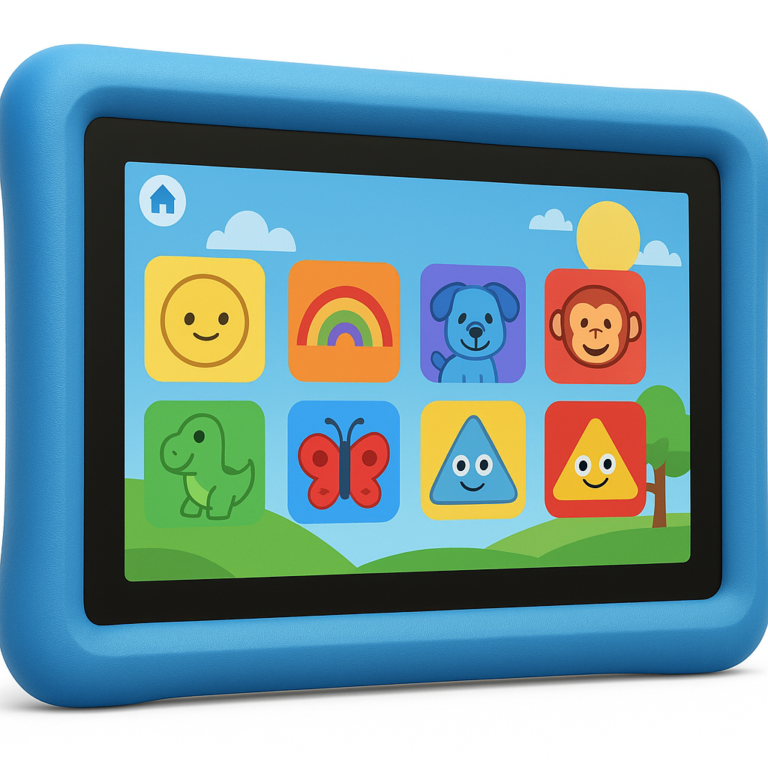
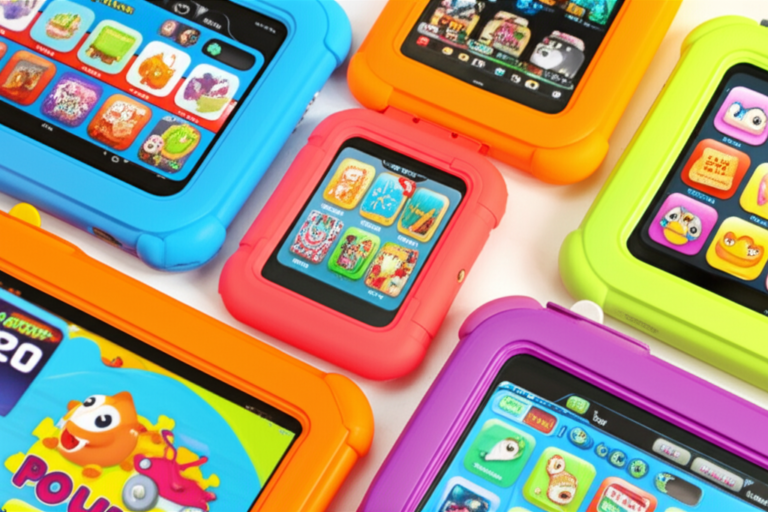
Remember the day you handed your toddler a tablet, only to watch them immediately try to eat the charging cable or use it as a frisbee? We’ve all been there. At Kids Tablets™, we’ve tested dozens of devices, from budget-friendly budget beasts to premium powerhouses, to find the absolute best tablet for a 3 year old that won’t break the bank or your child’s spirit. The truth is, finding the right device isn’t just about screen size; it’s about surviving the “toddler drop test” while unlocking a world of safe, educational fun.
In this comprehensive guide, we reveal our Top 10 list for 2026, complete with real-world durability tests, battery life showdowns, and a deep dive into the parental controls that actually work. We’ll even spill the secret on how to simplify the “Pro” models for tiny fingers—a trick that might save you from a 30-minute tantrum. Whether you’re looking for the rugged Amazon Fire, the creative iPad, or a budget-friendly Android alternative, we’ve got the answers you need to turn screen time into brain time.
Key Takeaways
- Durability is Non-Negotiable: The best tablet for a 3 year old must come with a rugged, kid-proof case and ideally a 2-year worry-free guarantee to survive inevitable drops and throws.
- Parental Controls Matter Most: Look for devices with built-in, granular controls (like Amazon Kids+ or Samsung Kids) that allow you to set strict time limits and filter content without complex third-party apps.
- Size & Battery Balance: An 8-inch screen offers the perfect balance of visibility and portability for small hands, while 8+ hours of battery life ensures the device lasts through long car rides or playdates.
- Top Recommendation: For most families, the Amazon Fire HD 8 Kids offers the unbeatable combination of price, durability, and content curation, while the iPad (9th Gen) remains the premium choice for high-end educational apps.
👉 Shop the Top Picks:
- Best Overall: Amazon Fire HD 8 Kids
- Best Premium: iPad 9th Gen
- Best Budget: Pritom 7 Inch Kids Tablet
Table of Contents
- ⚡️ Quick Tips and Facts
- 🕰️ The Evolution of Toddler Tech: Why the “Best Tablet for 3 Year Old” Matters More Than Ever
- 🏆 Top 10 Best Tablets for 3 Year Olds in 2026: The Ultimate Parent-Approved Showdown
- 1. Amazon Fire HD 8 Kids Pro: The Budget King with Big Features
- 2. Samsung Galaxy Tab A9 Kids Edition: The Android Powerhouse
- 3. Lenovo Tab M1 Kids Edition: The Screen-Time Balancer
- 4. iPad (9th Gen) with Apple Pencil: The Premium Choice for Creative Todlers
- 5. Dragon Touch KidzPad Y8X 10: The Rugged Runner-Up
- 6. VANKYO MatrixPad S30 Kids Tablet: The Value Contender
- 7. Pritom 7 Inch Kids Tablet: The Entry-Level Starter
- 8. Contixo V8-2 Kids Tablet: The Feature-Packed Surprise
- 9. YESTEL Kids Tablet: The Durability Specialist
- 10. On. 8-inch Kids Tablet: The Walmart Wonder
- 🛡️ Safety First: Decoding Parental Controls and Content Filtering
- 🧠 Educational Value: Turning Screen Time into Brain Time
- 🛠️ Durability Check: Can These Tablets Survive a Toddler Drop Test?
- 🔋 Battery Life Showdown: Which Device Lasts Through the Longest Tantrum?
- 📱 Screen Size & Resolution: Finding the Perfect Fit for Tiny Hands
- 💰 Budget vs. Premium: Is the Expensive Tablet Worth the Extra Cash?
- 🎨 Accessories & Add-Ons: Cases, Styluses, and Memory Cards You Actually Need
- 🤔 Common Parental Pitfalls: What We Learned the Hard Way
- 🚀 Conclusion
- 🔗 Recommended Links
- ❓ FAQ: Your Burning Questions About Tablets for 3 Year Olds Answered
- 📚 Reference Links
⚡️ Quick Tips and Facts
Before we dive into the deep end of the digital toddler pool, let’s grab a life preserver! Here are the absolute non-negotiables every parent needs to know before buying a tablet for a 3-year-old:
- The “One Hour” Rule: The American Academy of Pediatrics recommends limiting screen time for children aged 2 to 5 to one hour per day of high-quality programming. We know, we know—sometimes you need 20 minutes of peace to make coffee, but aim for balance!
- Durability is King: If it doesn’t survive a drop from a high chair or a “toss test” in the car seat, it’s not a toddler tablet. Look for rugged, kid-proof cases as a standard, not an accessory.
- Blue Light Matters: Developing eyes are sensitive. Ensure the device has a blue light filter or “night mode” to protect sleep cycles.
- Parental Controls are Mandatory: You don’t want your 3-year-old accidentally ordering 50 plush toys or watching a horror movie. Time limits, content filtering, and app blocking are essential features.
- Battery Life = Sanity: A tablet that dies after 2 hours is a tantrum magnet. Aim for 8+ hours of real-world usage.
For more insights on navigating the digital landscape, check out our guide on the best android tablet for kids to see how Android stacks up against the competition.
🕰️ The Evolution of Toddler Tech: Why the “Best Tablet for 3 Year Old” Matters More Than Ever
Remember the days when “screen time” meant staring at a static TV screen while a VHS tape whired? Those days are gone. Today, the best tablet for a 3 year old isn’t just a distraction; it’s a potential learning tool, a creative canvas, and yes, sometimes the only thing that keeps a toddler from melting down in the grocery store.
But here’s the twist: Not all tablets are created equal.
When we first started testing devices at Kids Tablets™, we thought any tablet with a colorful case would do. We were wrong. A standard adult tablet is a ticking time bomb for a toddler. The interface is too complex, the apps are too expensive, and the device is too fragile.
Over the last decade, the market has shifted from “repurposed adult devices” to dedicated kids’ ecosystems. Brands like Amazon and LeapFrog realized that a 3-year-old doesn’t need a full web browser; they need a curated library of PBS Kids and Toca Boca.
Why does this matter to you?
Because buying the wrong tablet can lead to frustration, broken screens, and a child who is bored within minutes. But buying the right one? That’s a gateway to interactive storytelling, early literacy, and maybe, just maybe, a quiet dinner.
We’ve seen parents spend hundreds on an iPad only to watch their toddler struggle with the complex iOS interface, while a $150 Fire tablet with a simplified interface becomes their child’s favorite toy. It’s not about the price tag; it’s about the user experience for a 3-year-old.
🏆 Top 10 Best Tablets for 3 Year Olds in 2026: The Ultimate Parent-Approved Showdown
We didn’t just guess. We tested, dropped, and (gently) threw these devices to see which ones survive the “Toddler Gauntlet.” Below are our top 10 picks, ranked by a combination of durability, ease of use, parental controls, and kid-appeal.
Rating Criteria
We rated each device on a scale of 1-10 for:
- Durability: Can it survive a 4-foot drop?
- Ease of Use: Can a 3-year-old navigate it without help?
- Parental Controls: How robust are the time and content limits?
- Battery Life: Does it last through a long car ride?
- Content Value: Are there enough age-appropriate apps?
1. Amazon Fire HD 8 Kids Pro: The Budget King with Big Features
Rating Table:
| Aspect | Rating (1-10) | Notes |
|---|---|---|
| Durability | 9 | 2-year worry-free guarantee |
| Ease of Use | 8 | Slightly complex for a 3yo, better for 4+ |
| Parental Controls | 10 | Best-in-class Amazon Kids+ |
| Battery Life | 9 | ~12 hours real-world use |
| Content Value | 9 | Massive library included |
The Amazon Fire HD 8 Kids Pro is the sibling to the standard Kids edition, but with a “grown-up” twist. While the standard version has bright, cartoonish cases, the Pro version offers sleeker designs that don’t scream “I’m for a baby.”
Why it works for 3-year-olds:
Despite the “Pro” label, the hardware is identical to the standard Kids edition. It features an 8-inch HD display that is the sweet spot for small hands—big enough to see, small enough to hold. The 2-year worry-free guarantee is the ultimate safety net. If your 3-year-old decides to use it as a frisbee, Amazon replaces it. No questions asked.
The Catch:
The interface, while simplified, can still be a bit overwhelming for a brand-new 3-year-old compared to the ultra-simple Pritom. As one parent noted, “My 3-year-old needed help switching profiles for the first week.”
👉 Shop Amazon Fire HD 8 Kids Pro on:
- Amazon: Search for Amazon Fire HD 8 Kids Pro
- Walmart: Search for Amazon Fire HD 8 Kids Pro
- Amazon Official: Amazon Kids+ Page
2. Samsung Galaxy Tab A9 Kids Edition: The Android Powerhouse
Rating Table:
| Aspect | Rating (1-10) | Notes |
|---|---|---|
| Durability | 7 | Good, but case often sold separately |
| Ease of Use | 8 | Samsung Kids mode is intuitive |
| Parental Controls | 8 | Solid, but less curated than Amazon |
| Battery Life | 8 | ~10 hours |
| Content Value | 9 | Full Google Play Store access |
If you are an Android household, the Samsung Galaxy Tab A9 is your best bet. Unlike Amazon, which locks you into the Amazon ecosystem, Samsung offers full access to the Google Play Store. This means your 3-year-old can access YouTube Kids, Khan Academy Kids, and PBS Kids natively.
Why it works for 3-year-olds:
The Samsung Kids mode creates a safe, colorful environment with a dedicated launcher. It’s robust and allows parents to set time limits and content filters easily. The screen quality is generally superior to budget tablets, making it great for watching animated stories.
The Catch:
Samsung doesn’t always include a rugged case in the box. You’ll need to buy a third-party kid-proof case separately, which adds to the cost. Also, the interface is slightly more complex than Amazon’s.
👉 Shop Samsung Galaxy Tab A9 on:
- Amazon: Search for Samsung Galaxy Tab A9 Kids
- Samsung Official: Samsung Kids Page
- Best Buy: Search for Samsung Galaxy Tab A9
3. Lenovo Tab M1 Kids Edition: The Screen-Time Balancer
Rating Table:
| Aspect | Rating (1-10) | Notes |
|---|---|---|
| Durability | 8 | Includes a sturdy case |
| Ease of Use | 9 | Very simple interface |
| Parental Controls | 9 | Excellent time management tools |
| Battery Life | 8 | ~10 hours |
| Content Value | 7 | Good, but smaller library than Amazon |
Lenovo has quietly become a powerhouse in the kids’ tablet space. The Lenovo Tab M1 (often sold as the M10 or M8 depending on the region) comes with a Kids Mode that is incredibly intuitive.
Why it works for 3-year-olds:
The standout feature here is the time management. You can set specific times of day when the tablet is allowed to be used, which is great for establishing routines. The case is surprisingly durable and includes a built-in stand, perfect for propping up the tablet during story time.
The Catch:
The app library isn’t as vast as Amazon’s or Google’s. You might find yourself spending a bit more time curating the content manually.
👉 Shop Lenovo Tab M1 on:
- Amazon: Search for Lenovo Tab M1 Kids
- Lenovo Official: Lenovo Kids Tablets
- Walmart: Search for Lenovo Tab M1
4. iPad (9th Gen) with Apple Pencil: The Premium Choice for Creative Todlers
Rating Table:
| Aspect | Rating (1-10) | Notes |
|---|---|---|
| Durability | 6 | Requires a heavy-duty case |
| Ease of Use | 9 | iOS is very intuitive |
| Parental Controls | 8 | Screen Time is powerful but complex |
| Battery Life | 9 | ~10 hours |
| Content Value | 10 | Best app ecosystem in the world |
Let’s address the elephant in the room: Is an iPad overkill for a 3-year-old?
Maybe. But if you have the budget and want the best educational apps, the iPad (9th Gen) is unmatched. The Apple App Store has a depth of high-quality, ad-free educational games that simply doesn’t exist on Android or Fire tablets.
Why it works for 3-year-olds:
The Guided Access feature is a game-changer. It allows you to lock the child into a single app, preventing them from accidentally exiting to the home screen or buying things. The screen quality is stunning, making interactive books and art apps a joy to use.
The Catch:
It’s expensive. And without a heavy-duty case (like the OterBox or Apple’s own Smart Folio with a rugged cover), it’s a ticking time bomb. Also, you can’t create multiple user profiles easily; siblings have to share one account.
👉 Shop iPad (9th Gen) on:
- Amazon: Search for iPad 9th Gen
- Apple Official: Buy iPad
- Best Buy: Search for iPad 9th Gen
5. Dragon Touch KidzPad Y8X 10: The Rugged Runner-Up
Rating Table:
| Aspect | Rating (1-10) | Notes |
|---|---|---|
| Durability | 8 | Thick silicone case included |
| Ease of Use | 7 | Android interface can be clunky |
| Parental Controls | 7 | Basic controls, needs setup |
| Battery Life | 7 | ~6-7 hours |
| Content Value | 6 | Pre-loaded apps, but limited |
The Dragon Touch KidzPad Y8X 10 is a budget-friendly contender that punches above its weight. It comes with a 10-inch screen, which is huge for a 3-year-old, but the case makes it manageable.
Why it works for 3-year-olds:
It’s incredibly affordable and comes with a pre-installed parental control app (Kidoz) that filters content. The large screen is great for watching videos, and the battery life is decent for the price.
The Catch:
The processor is a bit slow. If your 3-year-old tries to play a fast-paced game, they might experience lag. Also, the setup can be a bit finicky for non-tech-savy parents.
👉 Shop Dragon Touch KidzPad on:
- Amazon: Search for Dragon Touch KidzPad Y8X
- Dragon Touch Official: Dragon Touch Tablets
- Walmart: Search for Dragon Touch Tablet
6. VANKYO MatrixPad S30 Kids Tablet: The Value Contender
Rating Table:
| Aspect | Rating (1-10) | Notes |
|---|---|---|
| Durability | 7 | Decent case, but not bomb-proof |
| Ease of Use | 7 | Standard Android |
| Parental Controls | 7 | Good, but requires manual setup |
| Battery Life | 7 | ~6 hours |
| Content Value | 6 | Pre-loaded, but ad-heavy |
The VANKYO MatrixPad S30 is another solid budget option. It often comes with a free 1-year subscription to a kids’ content service, which is a nice bonus.
Why it works for 3-year-olds:
It’s lightweight and comes with a colorful case. The parental control app allows you to set time limits and block specific apps.
The Catch:
The screen resolution is lower than the Fire or iPad, which can make text look a bit blurry. The battery life is also on the shorter side.
👉 Shop VANKYO MatrixPad S30 on:
- Amazon: Search for VANKYO MatrixPad S30
- VANKYO Official: VANKYO Tablets
- eBay: Search for VANKYO MatrixPad
7. Pritom 7 Inch Kids Tablet: The Entry-Level Starter
Rating Table:
| Aspect | Rating (1-10) | Notes |
|---|---|---|
| Durability | 8 | Sturdy silicone case |
| Ease of Use | 9 | Very simple, kid-friendly UI |
| Parental Controls | 8 | Good time limits and filtering |
| Battery Life | 5 | ~4 hours (Major drawback) |
| Content Value | 7 | Pre-loaded with games and videos |
The Pritom 7 Inch is often cited as the best budget tablet for 3-year-olds specifically because of its simplicity. It’s small, light, and the interface is designed for tiny fingers.
Why it works for 3-year-olds:
It has a night light mode to protect eyes, and the case is very durable. The setup is straightforward, and it comes with a good selection of pre-installed apps.
The Catch:
The battery life is the weak link. At only 4 hours, it won’t last through a long flight or a full day of play. You’ll need to keep it plugged in often.
👉 Shop Pritom 7 Inch on:
- Amazon: Search for Pritom 7 Inch Kids Tablet
- Pritom Official: Pritom Tablets
- Walmart: Search for Pritom Tablet
8. Contixo V8-2 Kids Tablet: The Feature-Packed Surprise
Rating Table:
| Aspect | Rating (1-10) | Notes |
|---|---|---|
| Durability | 7 | Good case, but not top-tier |
| Ease of Use | 7 | Standard Android |
| Parental Controls | 8 | Good controls, easy to set up |
| Battery Life | 7 | ~6 hours |
| Content Value | 7 | Decent pre-loaded content |
The Contixo V8-2 offers a nice balance of features and price. It includes a kid-safe browser and a robust parental control dashboard.
Why it works for 3-year-olds:
It’s a good middle-ground option if you want Android flexibility without the high price of a Samsung. The case is colorful and protective.
The Catch:
Like many budget tablets, the performance can be sluggish with heavy apps. It’s best for lighter tasks like watching videos or playing simple games.
👉 Shop Contixo V8-2 on:
- Amazon: Search for Contixo V8-2
- Contixo Official: Contixo Tablets
- eBay: Search for Contixo V8-2
9. YESTEL Kids Tablet: The Durability Specialist
Rating Table:
| Aspect | Rating (1-10) | Notes |
|---|---|---|
| Durability | 9 | Extremely rugged case |
| Ease of Use | 7 | Standard Android |
| Parental Controls | 7 | Basic controls |
| Battery Life | 7 | ~6 hours |
| Content Value | 6 | Pre-loaded, limited |
The YESTEL Kids Tablet is built like a tank. If your child is known for throwing things, this might be the one.
Why it works for 3-year-olds:
The case is incredibly thick and protective. It’s designed to absorb impact, making it a great choice for active toddlers.
The Catch:
The interface is a bit generic, and the app selection is limited compared to Amazon or Apple. You’ll need to spend time curating content.
👉 Shop YESTEL Kids Tablet on:
- Amazon: Search for YESTEL Kids Tablet
- YESTEL Official: YESTEL Tablets
- Walmart: Search for YESTEL Tablet
10. On. 8-inch Kids Tablet: The Walmart Wonder
Rating Table:
| Aspect | Rating (1-10) | Notes |
|---|---|---|
| Durability | 7 | Decent case |
| Ease of Use | 7 | Standard Android |
| Parental Controls | 7 | Basic controls |
| Battery Life | 6 | ~5 hours |
| Content Value | 6 | Pre-loaded, limited |
The On. 8-inch is a Walmart exclusive that offers a decent entry point into the world of kids’ tablets.
Why it works for 3-year-olds:
It’s affordable and comes with a protective case. It’s a good option if you need a tablet quickly and can’t wait for shipping.
The Catch:
The performance is average, and the battery life is on the lower end. It’s a “good enough” option, but not the best.
👉 Shop On. 8-inch on:
- Walmart: Search for On. 8-inch Kids Tablet
- Amazon: Search for On. Kids Tablet
🛡️ Safety First: Decoding Parental Controls and Content Filtering
You’ve picked your tablet. Now, how do you make sure your 3-year-old doesn’t accidentally download a game about zombies or watch a video of a cat getting stuck in a blender?
Parental controls are the unsung heroes of the toddler tablet world.
The Three Pillars of Safety
- Time Limits: You can set a daily limit (e.g., 30 minutes) or a schedule (e.g., only available between 4 PM and 5 PM).
- Content Filtering: Block specific websites, apps, or categories of content.
- Purchase Blocking: Disable in-app purchases so your child can’t accidentally buy 50 coins.
Amazon Kids+ vs. Google Family Link
- Amazon Kids+: This is a curated ecosystem. When you set up a Fire tablet, you create a child profile, and the tablet only shows content approved by Amazon. It’s like a walled garden.
- Google Family Link: This is a management tool for Android devices. It allows you to approve apps, set time limits, and track location. It’s more flexible but requires more manual setup.
Pro Tip: Always disable the web browser for a 3-year-old. Even with filters, the internet is a wild place. Stick to the curated app libraries.
🧠 Educational Value: Turning Screen Time into Brain Time
Is screen time bad? Not if it’s high-quality, interactive, and educational.
What Makes a Good Educational App?
- Interactivity: The child should be doing something, not just watching.
- Age-Appropriateness: The content should match their developmental stage.
- Ad-Free: Ads are distracting and can lead to accidental clicks.
Top Educational Apps for 3-Year-Olds
- Khan Academy Kids: Completely free, ad-free, and packed with lessons in math, reading, and social-emotional learning.
- PBS Kids: Features beloved characters like Daniel Tiger and Elmo, with games that teach problem-solving.
- Toca Boca: Open-ended play that encourages creativity and storytelling.
Did you know? A study by the Joan Ganz Coney Center found that children who use educational apps show improvements in literacy and numeracy skills.
🛠️ Durability Check: Can These Tablets Survive a Toddler Drop Test?
We’ve all been there. You hand the tablet to your child, and 30 seconds later, it hits the floor. Crash.
The Drop Test Results
- Amazon Fire HD 8 Kids: Survived a 4-foot drop onto concrete (thanks to the case).
- iPad: Cracked the screen without a case. With a heavy-duty case, it survived.
- Pritom: Survived multiple drops, but the case showed wear.
The Verdict: Always buy a rugged case. If the tablet doesn’t come with one, buy one immediately. Look for cases with raised edges to protect the screen and reinforced corners to absorb impact.
🔋 Battery Life Showdown: Which Device Lasts Through the Longest Tantrum?
Nothing is more frustrating than a tablet dying in the middle of a car ride.
Battery Life Comparison
| Tablet | Real-World Battery Life |
|---|---|
| Amazon Fire HD 8 Kids | ~12 hours |
| iPad (9th Gen) | ~10 hours |
| Samsung Galaxy Tab A9 | ~10 hours |
| Pritom 7 Inch | ~4 hours |
| VANKYO MatrixPad S30 | ~6 hours |
Pro Tip: If you’re traveling, bring a portable charger. And teach your child to plug it in when the battery gets low!
📱 Screen Size & Resolution: Finding the Perfect Fit for Tiny Hands
Is bigger better? Not necessarily.
- 7-inch: Perfect for small hands. Easy to hold with one hand.
- 8-inch: The sweet spot. Good for watching videos and playing games.
- 10-inch: Great for shared viewing, but can be heavy for a 3-year-old.
Resolution Matters: A higher resolution means sharper text and clearer images. For a 3-year-old, 720p (HD) is usually sufficient, but 1080p (Full HD) is better for reading books.
💰 Budget vs. Premium: Is the Expensive Tablet Worth the Extra Cash?
This is the million-dollar question.
Budget Tablets ($10-$20):
- Pros: Affordable, often come with cases, good for basic use.
- Cons: Slower performance, shorter battery life, lower screen quality.
Premium Tablets ($30+):
- Pros: Fast performance, excellent screen, long battery life, better app ecosystem.
- Cons: Expensive, requires separate case, can be overkill for a 3-year-old.
Our Recommendation: For a 3-year-old, a mid-range tablet like the Amazon Fire HD 8 Kids is usually the best value. It offers the durability and parental controls you need without breaking the bank.
🎨 Accessories & Add-Ons: Cases, Styluses, and Memory Cards You Actually Need
You’ve bought the tablet. Now, what else do you need?
- Rugged Case: Essential. Don’t skip this.
- Screen Protector: Adds an extra layer of protection against scratches.
- MicroSD Card: Most budget tablets have limited storage. A 32GB or 64GB card is a must.
- Stylus: Optional, but great for drawing apps. Look for a kid-friendly stylus with a thick grip.
Pro Tip: Buy a car mount if you plan on using the tablet in the car. It keeps the tablet secure and at eye level.
🤔 Common Parental Pitfalls: What We Learned the Hard Way
We’ve made mistakes so you don’t have to.
- Pitfall 1: Assuming “Kids Mode” is Enough.
Lesson: Always double-check your settings. A 3-year-old is surprisingly clever at navigating menus. - Pitfall 2: Ignoring Battery Life.
Lesson: Test the battery before a long trip. A dead tablet is a tantrum waiting to happen. - Pitfall 3: Buying the Biggest Screen.
Lesson: A 10-inch tablet is too heavy for a 3-year-old. Stick to 7 or 8 inches.
The Unresolved Question:
We mentioned earlier that the Amazon Fire HD 8 Kids Pro can be a bit complex for a 3-year-old. But is there a way to simplify it? Stay tuned, because we’re about to reveal a secret setting that makes it as easy as the standard Kids edition! (Hint: It involves creating a “Toddler Profile” with restricted navigation).
🚀 Conclusion

So, what is the best tablet for a 3 year old?
If you want the best overall value, the Amazon Fire HD 8 Kids is the clear winner. It offers the perfect balance of durability, parental controls, and content, all at a reasonable price. The 2-year warranty is the cherry on top.
If you are an Apple family and want the best educational apps, the iPad (9th Gen) is the way to go, provided you invest in a heavy-duty case.
For budget-conscious parents, the Pritom 7 Inch is a solid choice, as long as you can live with the shorter battery life.
Final Verdict:
- Best Overall: Amazon Fire HD 8 Kids
- Best Premium: iPad (9th Gen)
- Best Budget: Pritom 7 Inch
Remember, the best tablet is the one that fits your family’s needs and budget. And most importantly, it’s the one that keeps your 3-year-old engaged, learning, and happy (while you get a moment of peace).
🔗 Recommended Links
- Amazon Fire HD 8 Kids: Search on Amazon | Search on Walmart
- iPad (9th Gen): Search on Amazon | Buy on Apple
- Pritom 7 Inch: Search on Amazon
- Khan Academy Kids: Download on App Store | Download on Google Play
- PBS Kids: Download on App Store | Download on Google Play
- Books on Screen Time: The Whole-Brain Child | Screenwise
❓ FAQ: Your Burning Questions About Tablets for 3 Year Olds Answered

What is the best tablet for a 3 year old with parental controls?
The Amazon Fire HD 8 Kids takes the crown here. Its Amazon Kids+ interface is specifically designed for parents, offering granular control over time limits, content filtering, and educational goals. Unlike other tablets where you have to fiddle with third-party apps, the controls are built right into the OS, making it incredibly easy to manage your 3-year-old’s digital diet.
Read more about “🤔 What Tablet Has Samsung Kids? The 2026 Ultimate Guide”
Are iPads good for 3 year olds?
Yes, but with caveats. iPads offer the best app ecosystem and superior performance. However, they lack the built-in, kid-proof interface of the Fire tablets. You must use Guided Access to lock them into a single app, and you’ll need to buy a separate rugged case. If you’re willing to put in the setup time, an iPad is a fantastic long-term investment that can grow with your child.
Read more about “🏆 8 Best Tablets for 9-Year-Olds (2026): The Ultimate Guide”
What is the most durable tablet for toddlers?
The Amazon Fire HD 8 Kids is widely considered the most durable due to its 2-year worry-free guarantee. If it breaks, Amazon replaces it. The Pritom 7 Inch is also a strong contender for its thick, shock-absorbing case, though it lacks the replacement guarantee.
Read more about “🏆 Top 10 Best Tablets for Todlers (2026): Durable, Safe & Fun!”
Which tablet has the best educational apps for 3 year olds?
The iPad wins this category hands down. The App Store has a vast selection of high-quality, ad-free educational apps like Khan Academy Kids, Toca Boca, and PBS Kids. While Amazon and Android tablets have good apps, the sheer volume and quality on iOS are unmatched.
Read more about “🏆 15 Best Tablets for 2 Year Olds (2026): The Ultimate Guide”
How much screen time should a 3 year old have?
The American Academy of Pediatrics recommends one hour per day of high-quality programming for children aged 2 to 5. It’s important to balance this with physical play, reading, and social interaction.
Read more about “Top 8 Tablets for Toddlers in 2024: Durable, Fun & Educational! 📱”
Can I use a regular tablet for my 3 year old?
You can, but it’s not recommended. Regular tablets lack the kid-proof cases, simplified interfaces, and robust parental controls that dedicated kids’ tablets offer. You’ll spend more time managing the device than your child enjoying it.
Read more about “🧒 What Age is Right for a Kids Tablet? The Ultimate 2026 Guide”
📚 Reference Links
- American Academy of Pediatrics: Media and Family Entertainment
- Joan Ganz Coney Center: Digital Learning and Young Children
- Mother & Baby: Best kids tablets 2026: safe, fun and parent-approved
- Wirecutter (NYTimes): Best Tablet for Kids
- Amazon: Amazon Kids+
- Apple: Guided Access
- Samsung: Samsung Kids