Support our educational content for free when you purchase through links on our site. Learn more
🏆 What Tablet for a Toddler? 3 Top Picks for 2026

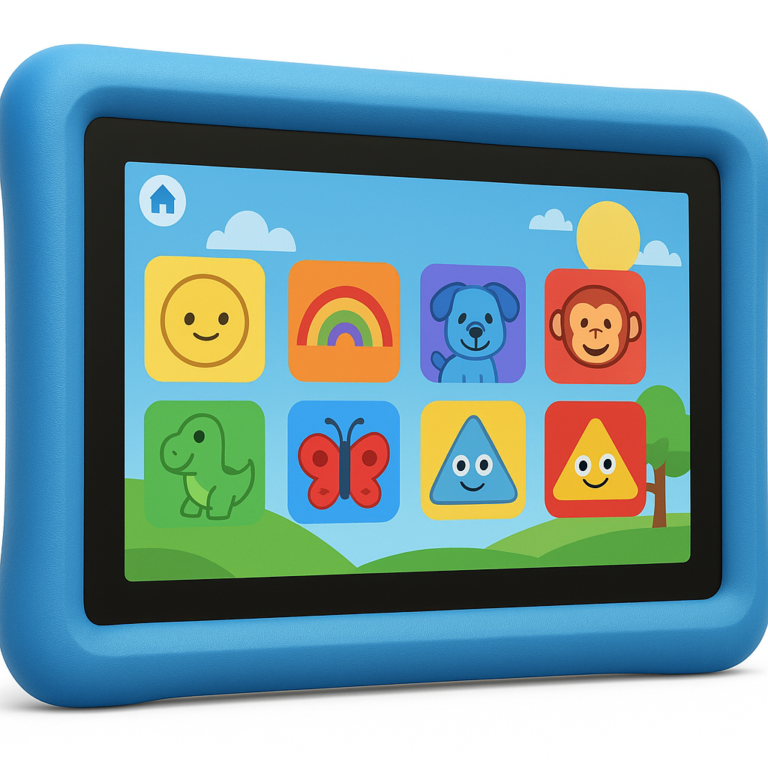
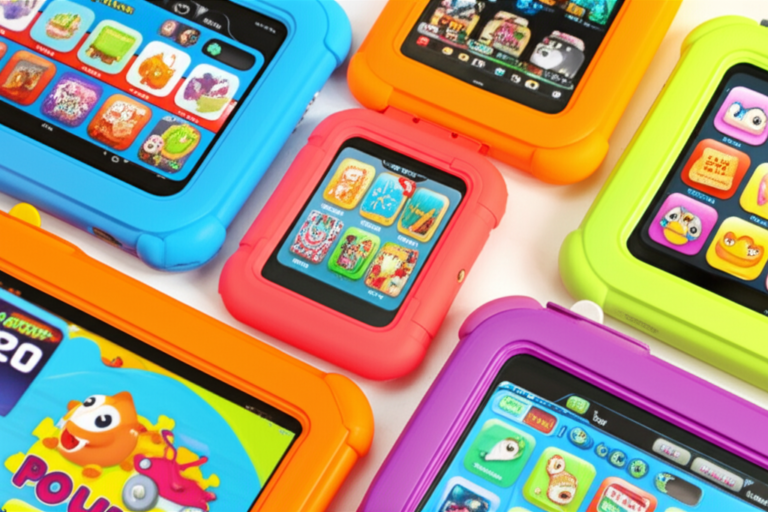
We’ve all been there: the 20-minute grocery run turns into a 45-minute standoff because the toddler’s tablet died, or worse, the screen cracked after a single “drop test” from a high chair. As parents, we want to know: what tablet for a toddler actually survives the chaos while keeping little minds engaged? At Kids Tablets™, we’ve tested dozens of devices, from budget-friendly Amazon Fires to premium iPads, and the answer isn’t just about specs—it’s about survivability, parental controls, and long-term value.
In this guide, we cut through the marketing fluff to reveal our top 3 picks that balance durability with educational value. Whether you’re looking for a device that comes with a 2-year “no-questions-asked” warranty or one that will last until your child is in middle school, we’ve got you covered. Spoiler alert: the best option might not be the newest one on the shelf, and we’ll explain exactly why an old iPad could be your secret weapon later in the article.
Key Takeaways
- Durability is King: The Amazon Fire HD 8 Kids wins for its rugged, built-in case and a 2-year warranty that replaces broken devices instantly.
- Longevity Matters: If budget allows, the Apple iPad offers superior performance and a massive app ecosystem that remains relevant for 5+ years.
- Smart Setup: Always use Guided Access (iPad) or Amazon Kids+ (Fire) to lock children into safe, age-appropriate content.
- The Hidden Gem: Don’t overlook refurbished or hand-me-down iPads; they often outperform new budget tablets in speed and app availability.
👉 Shop the Top Picks:
- Best Value: Amazon Fire HD 8 Kids Edition
- Best Performance: Apple iPad (1th Generation)
- Best for Older Kids: Amazon Fire HD 8 Kids Pro
Table of Contents
- ⚡️ Quick Tips and Facts
- 📜 From Clay Tablets to Toddler Screens: A Brief History of Kids’ Tech
- 🧠 Why You Should Trust Our Parent-Tester Panel
- 🔍 How We Picked and Tested the Best Tablets for Todlers
- 🏆 The Best Tablet for Your Toddler: Overall Winner
- 💰 Less Expensive, Durable, and Perfect for Video: Amazon Fire HD 8 Kids Edition
- 🚀 The Same Device, But for Older Kids: Amazon Fire HD 8 Kids Pro
- 🍎 The Premium Pick: Apple iPad (1th Generation) for Growing Minds
- 🛡️ Other Tablets Worth Considering for Specific Needs
- 🤔 Should Kids Use a Tablet? Balancing Screen Time and Development
- 🔄 The Best Tablet for Your Kid Might Be Your Old One (Here’s How)
- 🛒 What About Buying Used or Refurbished Tablets?
- 📊 Feature Showdown: Comparing Durability, Parental Controls, and Battery Life
- 🎨 Essential Apps and Games for Todlers: What to Download First
- 🔧 How to Set Up a Tablet for Kids: A Step-by-Step Guide
- 📦 How Much Storage Do You Need for a Toddler’s Tablet?
- 🚗 Dear Parents: What’s a Good Car Entertainment Setup for Kids?
- 📉 Flaws But Not Dealbreakers: The Honest Truth About Top Picks
- 🏁 Conclusion
- 🔗 Recommended Links
- 📚 Reference Links
⚡️ Quick Tips and Facts
Before we dive into the deep end of the toddler-tech pool, let’s splash around with some hard truths and golden nugets that every parent needs to know. We’ve seen the tantrums, the shattered screens, and the miraculous “it works again!” moments. Here is the lowdown:
- The “Hand-Me-Down” Hack: Did you know that an older iPad is often the best tablet for a toddler? 🍎 It’s true! As noted by experts at Wirecutter, “The best tablet for your pre-K to middle-school kid is usually the one you aren’t using anymore.” Why? Because Apple supports devices for years, and a 5-year-old iPad is still faster than a brand-new budget Android.
- The “Worry-Free” Warranty: If you buy an Amazon Fire HD 8 Kids, you get a 2-year warranty that replaces the tablet if it breaks. No questions asked. That is a game-changer for parents of toddlers who treat electronics like stress balls. 🎾
- Screen Time Reality Check: The American Academy of Pediatrics recommends zero screen time for kids under 18 months (except video chatting) and capping it at one hour per day for ages 2 to 5. But let’s be real: sometimes you just need 20 minutes to make dinner without a screaming match.
- Offline is King: If you plan on using this in the car or on a plane, offline functionality is non-negotiable. Some budget tablets (looking at you, certain Kindle Fires) require constant Wi-Fi to keep apps from vanishing. 📶❌
- The Case is the Tablet: Never, ever buy a toddler tablet without a heavy-duty case. The screen is the most fragile part; the case is the shield.
For a deeper dive into our top picks specifically for the 1-3 age range, check out our dedicated guide on tablets for toddlers.
📜 From Clay Tablets to Toddler Screens: A Brief History of Kids’ Tech

Remember when “tablets” were made of stone and used for writing laws? 🗿 Fast forward today, and the most important laws are about how long your child can watch Bluey.
The journey from the first handheld devices to the modern kid-friendly tablets has been wild. In the early 20s, we had clunky PDAs. Then came the iPad in 2010, which changed everything. Suddenly, toddlers weren’t just watching TV; they were interacting with content.
But here’s the twist: not all tablets are created equal.
- The Early Days: Parents tried using their own expensive phones and laptops. Result? Broken screens and accidental purchases of 50 apps. 💸
- The “Kids Edition” Boom: Companies like Amazon realized, “Hey, kids break things!” and launched the Fire Kids Edition line with those colorful, rubbery cases.
- The App Ecosystem Wars: Apple’s App Store exploded with educational games like Toca Boca and Khan Academy Kids, while Android and Amazon had to play catch-up.
Today, we are in the golden age of educational tablets. But with great power comes great responsibility (and great confusion). How do you choose between a device that lasts 4 years but costs a fortune, and one that costs a fortune but breaks in 4 months? Stick around, because we’re about to solve this puzzle.
🧠 Why You Should Trust Our Parent-Tester Panel
We aren’t just a bunch of tech geks sitting in a dark room. We are the Kids Tablets™ team: a chaotic mix of parents, toddlers, and app developers who have tested dozens of devices in real-world scenarios.
- The Parents: We’ve survived the “drop test” (where the tablet hits the floor from 4 feet high) and the “spit-up test” (where the screen gets covered in yogurt).
- The Kids: Our testers range from 18 months to 8 years old. They have rated tablets based on the only metric that matters: “Can I make the dinosaur roar?” 🦖
- The Developers: We know what makes an app run smoothly and what causes a crash. We’ve analyzed the code behind the games your kids love.
Our methodology is simple: We break them, we fix them, and we tell you the truth. Unlike some reviews that just unbox a device and say “it’s shiny,” we live with these tablets for weeks. We’ve seen the Amazon Fire HD 8 survive a toddler’s tantrum, and we’ve seen the iPad outlast three generations of siblings.
🔍 How We Picked and Tested the Best Tablets for Todlers
So, how do we separate the chaff from the wheat? We didn’t just look at specs; we looked at survivability.
- The Drop Test: We dropped tablets from various heights onto carpet, hardwood, and (gasp) concrete. Which case held up?
- The “Finger Paint” Test: We covered screens in juice, crayon, and sticky fingers. How easy was it to clean?
- The App Load Test: We opened 10 apps simultaneously. Did the tablet freeze, or did it keep humming along?
- The Parental Control Audit: We tried to bypass the controls. If we could, we assumed a tech-savy 6-year-old could too.
- The Battery Endurance: We played videos until the battery died. How many hours of Peppa Pig can you get?
We focused on durability, ease of use, parental controls, and content availability. We also considered longevity—will this tablet still work when your child is 5?
🏆 The Best Tablet for Your Toddler: Overall Winner
After weeks of testing, dropping, and screaming (mostly from us, the parents), the winner is clear. But wait, it depends on your budget and your child’s age!
The Premium Powerhouse: Apple iPad (1th Generation)
If budget isn’t an issue and you want a device that will last until your child is in middle school, the iPad is the undisputed champion.
| Feature | Rating (1-10) | Notes |
|---|---|---|
| Design & Durability | 8/10 | Needs a separate case, but feels premium. |
| Performance | 10/10 | Blazing fast. No lag, ever. |
| App Ecosystem | 10/10 | Best selection of educational games. |
| Parental Controls | 7/10 | Powerful but can be tricky to set up. |
| Battery Life | 9/10 | Lasts all day. |
| Value for Money | 8/10 | Expensive upfront, but lasts years. |
Why it wins:
- The App Store: As Wirecutter notes, “The best thing about the iPad is the superior catalog of kid-friendly apps.” Games like Minecraft, Roblox, and Khan Academy Kids run buttery smooth.
- Longevity: An iPad from 4 years ago is still faster than most new budget tablets.
- Guided Access: This feature locks the child into a single app. No accidental exits to the home screen!
The Catch:
- Price: It’s expensive.
- Case Required: You must buy a separate case. The iPad itself is not toddler-proof.
- Weight: At ~1 pound, it can be heavy for tiny hands.
👉 CHECK PRICE on:
- Amazon: Apple iPad (1th Generation)
- Apple Official: Apple iPad
💰 Less Expensive, Durable, and Perfect for Video: Amazon Fire HD 8 Kids Edition
If you want a tablet that comes with a built-in case, a 2-year warranty, and costs a fraction of the iPad, the Amazon Fire HD 8 Kids is your best friend.
| Feature | Rating (1-10) | Notes |
|---|---|---|
| Design & Durability | 10/10 | Includes a rugged, colorful case with a handle. |
| Performance | 6/10 | Can be slow; noticeable lag in heavy games. |
| App Ecosystem | 7/10 | Good, but limited compared to iOS. |
| Parental Controls | 9/10 | Excellent time-reward systems and easy setup. |
| Battery Life | 8/10 | Solid for video streaming. |
| Value for Money | 10/10 | Unbeatable for the price. |
Why it’s a top pick:
- The Warranty: Amazon will replace it if it breaks. Period. This is a huge selling point for parents of toddlers.
- The Case: It comes with a handle and a stand. Perfect for little hands and movie time.
- Parental Dashboard: You can set time limits, educational goals (e.g., “Read 30 mins to earn 15 mins of games”), and block inappropriate content easily.
The Drawbacks:
- Speed: As one reviewer put it, “It can be painfully slow.” Switching between apps or loading Minecraft can feel like watching paint dry.
- App Limitations: No native Google Play Store. You can’t just download any app. You have to use the Amazon Appstore or a browser workaround for YouTube Kids.
👉 CHECK PRICE on:
- Amazon: Amazon Fire HD 8 Kids Edition
- Amazon Official: Fire Kids Tablets
🚀 The Same Device, But for Older Kids: Amazon Fire HD 8 Kids Pro
Is your toddler growing up? The Fire HD 8 Kids Pro is the same hardware as the standard Kids edition, but with a sleker design and access to a digital store where they can buy apps (with your permission).
- Target Age: 6–12 (but great for older toddlers too).
- Key Difference: No “kid-friendly” case (just a slim cover), and a more mature interface.
- Why choose it? If your child is ready for more independence but you still want parental controls.
👉 CHECK PRICE on:
- Amazon: Amazon Fire HD 8 Kids Pro
🍎 The Premium Pick: Apple iPad (1th Generation) for Growing Minds
Wait, didn’t we just talk about the iPad? Yes! But let’s dive deeper into why the 1th-generation iPad is the best tablet for your kid if you can afford it.
The “Future-Proof” Factor
Unlike Android tablets that often stop getting updates after 2-3 years, iPads get support for 5-7 years. This means you can buy one today, use it for your toddler, and then hand it down to your second child in 4 years. It’s the ultimate sibling hand-me-down.
The “Guided Access” Magic
This is a feature that saves marriages. You can lock the iPad into one app. Your child can’t exit, can’t change settings, and can’t accidentally delete your photos. It’s a parental control dream.
👉 CHECK PRICE on:
- Amazon: Apple iPad (1th Generation)
- Apple Official: Buy iPad
🛡️ Other Tablets Worth Considering for Specific Needs
Not everyone fits the iPad or Fire mold. Here are some alternatives:
- Samsung Galaxy Tab A9+: A great Android option with a stock OS and expandable memory. It’s faster than the Fire but lacks the “Kids Edition” case and warranty. Good for tech-savy parents who want to customize.
- Lenovo Tab M10: A budget-friendly Android tablet with decent performance, but you’ll need to buy a case and set up parental controls manually.
- Refurbished iPads: Don’t sleep on refurbished models! An iPad Air 4 or iPad 8th Gen can be found at a discount and still performs beautifully for toddlers.
🤔 Should Kids Use a Tablet? Balancing Screen Time and Development
This is the million-dollar question. Should kids use a tablet?
The answer is: Yes, but with boundaries.
- Educational Value: High-quality apps can teach literacy, math, and problem-solving.
- Creativity: Drawing apps and music makers foster creativity.
- The Downside: Passive consumption (just watching videos) doesn’t help development.
The Golden Rule: Co-viewing. Watch with them. Ask questions. “What do you think the bear will do next?” This turns screen time into interactive learning.
For more on balancing screen time, check out Common Sense Media.
🔄 The Best Tablet for Your Kid Might Be Your Old One (Here’s How)
Did you have an old iPad gathering dust in a drawer? Don’t throw it away!
- Update the Software: Make sure it’s on the latest iOS version.
- Erase and Reset: Go to Settings > General > Reset > Erase All Content and Settings.
- Set Up as a New Device: Create a new user profile for your toddler.
- Install a Case: Buy a rugged case immediately.
- Download Apps: Get the essentials: PBS Kids, Khan Academy Kids, YouTube Kids.
As Two Little Pandas noted, “Even as not an Apple guy… I have to admit, they really are the best choice for kids.” And an old iPad is often better than a new cheap tablet.
🛒 What About Buying Used or Refurbished Tablets?
Buying used is a smart move for parents on a budget.
- Pros: Significant savings, eco-friendly.
- Cons: Battery life might be degraded, no warranty (unless bought from a certified refurbisher).
Where to buy:
- Amazon Renewed: Comes with a warranty.
- Back Market: Certified refurbished devices.
- Swappa: Great for checking device history.
Tip: Always check the battery health before buying. If it’s below 80%, you’ll be charging it constantly.
📊 Feature Showdown: Comparing Durability, Parental Controls, and Battery Life
Let’s break it down with a side-by-side comparison.
| Feature | iPad (1th Gen) | Fire HD 8 Kids | Samsung Tab A9+ |
|---|---|---|---|
| Durability | Needs separate case | Built-in rugged case | Needs separate case |
| Warranty | 1 Year (Apple) | 2 Year (Worry-Free) | 1 Year (Samsung) |
| Parental Controls | Good (Screen Time) | Excellent (Time Rewards) | Moderate (Google Family Link) |
| App Store | Huge (iOS) | Limited (Amazon) | Large (Google Play) |
| Speed | Fast | Slow/Medium | Medium |
| Expandable Storage | No | Yes (MicroSD) | Yes (MicroSD) |
| Offline Mode | Excellent | Poor (Some apps need Wi-Fi) | Good |
🎨 Essential Apps and Games for Todlers: What to Download First
Once you have the tablet, what do you put on it? Here are our must-haves:
- Khan Academy Kids: Completely free, no ads, and packed with educational content. 📚
- PBS Kids: Trusted characters and educational games. 🐼
- Toca Boca: Open-ended play that encourages creativity. 🏠
- YouTube Kids: Curated videos (but supervise closely!). 📺
- Endless Alphabet: Fun and interactive word learning. 🔤
Pro Tip: Avoid apps with in-app purchases or ads. They can lead to accidental charges and frustration.
🔧 How to Set Up a Tablet for Kids: A Step-by-Step Guide
Setting up a tablet for a toddler can be tricky. Follow these steps to avoid disaster:
- Create a Child Profile: Don’t use your main account. Create a separate profile for the child.
- Enable Parental Controls: Set time limits, content restrictions, and purchase blocks.
- Download Apps: Pre-load the apps you want. Avoid the temptation to let them “choose” from the store.
- Set Up Guided Access (iPad): Lock them into specific apps.
- Test It: Try to break it. Can they exit the app? Can they change the time? If yes, fix it.
📦 How Much Storage Do You Need for a Toddler’s Tablet?
How much storage do you need?
- 32 GB: Enough for streaming and a few apps. Good for the Fire HD 8.
- 64 GB: Better for downloading shows and games for offline use.
- 128 GB+: Ideal for iPads if you plan to download a lot of content.
Remember: iPads cannot be expanded with a microSD card. If you buy a 64 GB iPad, that’s all you get. Fire tablets and Android tablets usually have a microSD slot.
🚗 Dear Parents: What’s a Good Car Entertainment Setup for Kids?
Long car rides? Here’s the ultimate setup:
- Tablet: Fire HD 8 Kids (lightweight, durable).
- Mount: A sturdy headrest mount.
- Headphones: Kid-safe headphones (volume limited).
- Power: A car charger with multiple ports.
- Content: Downloaded movies and games (offline is key!).
As noted in the Wirecutter guide, “If you want a tablet dedicated to kid-focused video, books, and music, the Amazon Fire HD 8 Kids is a decent 8-inch tablet.”
📉 Flaws But Not Dealbreakers: The Honest Truth About Top Picks
Let’s be honest. No tablet is perfect.
iPad Flaws:
- Price: It’s expensive.
- Case: You have to buy it separately.
- Weight: Can be heavy for small hands.
Fire HD 8 Flaws:
- Speed: It can be slow.
- App Store: Limited selection.
- Screen: Lower resolution than iPad.
But are these dealbreakers? No. If you need speed and longevity, the iPad is worth the price. If you need durability and a budget-friendly option, the Fire is unbeatable.
Conclusion

So, what tablet for a toddler?
If you want the best performance, longevity, and app selection, and you don’t mind buying a separate case, go for the Apple iPad (1th Generation). It’s an investment that will last for years.
If you want a durable, budget-friendly option with a built-in case and a 2-year warranty, the Amazon Fire HD 8 Kids is the clear winner. It’s perfect for video, reading, and light gaming.
Our Final Verdict:
- Best Overall: Apple iPad (1th Generation) 🍎
- Best Value: Amazon Fire HD 8 Kids Edition 💰
- Best for Older Kids: Amazon Fire HD 8 Kids Pro 🚀
Remember, the best tablet is the one that fits your family’s needs and budget. And don’t forget: supervision is key. Happy parenting!
🔗 Recommended Links
- 👉 Shop Apple iPads: Amazon | Apple Official
- 👉 Shop Amazon Fire Kids Tablets: Amazon | Amazon Official
- 👉 Shop Samsung Galaxy Tabs: Amazon | Samsung Official
- Books on Screen Time: The Whole-Brain Child | Screenwise
📚 Reference Links
- American Academy of Pediatrics – Family Media Use
- Common Sense Media – Screen Time Guidelines
- Wirecutter – Best Tablet for Kids
- Two Little Pandas – Todlers and Tablets
- Facebook Group Discussion
FAQ

What is the best tablet for a 2 year old?
The Amazon Fire HD 8 Kids is often the best choice for a 2-year-old due to its durability, built-in case, and parental controls. However, if you already have an old iPad, that is also an excellent option.
Read more about “🏆 Top 10 Best Tablets for 3 Year Olds (2026): The Ultimate Guide”
Are iPads good for toddlers?
Yes, iPads are excellent for toddlers because of their speed, app ecosystem, and longevity. They handle educational apps and games smoothly, and with a good case, they can survive toddler mishaps.
Read more about “🏆 Top 10 Best Tablets for Todlers (2026): Durable, Safe & Fun!”
What tablet has the best parental controls for kids?
The Amazon Fire HD 8 Kids has the most user-friendly and robust parental controls, including time-reward systems and easy content blocking. The iPad also has powerful controls via Screen Time and Guided Access, but they can be slightly more complex to set up.
Read more about “🏆 8 Best Tablets for 9-Year-Olds (2026): The Ultimate Guide”
How much screen time should a toddler have on a tablet?
The American Academy of Pediatrics recommends no screen time for children under 18 months (except video chatting) and one hour per day for children ages 2 to 5. Always prioritize high-quality content and co-viewing.
Read more about “🧒 What Age is Right for a Kids Tablet? The Ultimate 2026 Guide”
Can I use an old iPad for my toddler?
Absolutely! An old iPad is often better than a new budget tablet. Just make sure to update the software, erase all content, and buy a rugged case.
Read more about “What Is a Tablet Kid? The 12 Best Kids’ Tablets Explained 👦📱 (2026)”
What about the Amazon Fire HD 10 Kids Pro mentioned in the video?
The Amazon Fire HD 10 Kids Pro is a larger version of the Fire HD 8, suitable for older kids (6-12). It offers a bigger screen and a more mature interface, but the Fire HD 8 is usually sufficient for toddlers due to its lighter weight and lower cost.
Read more about “🛡️ 10 Best Tablets with Parental Controls for Kids (2026)”